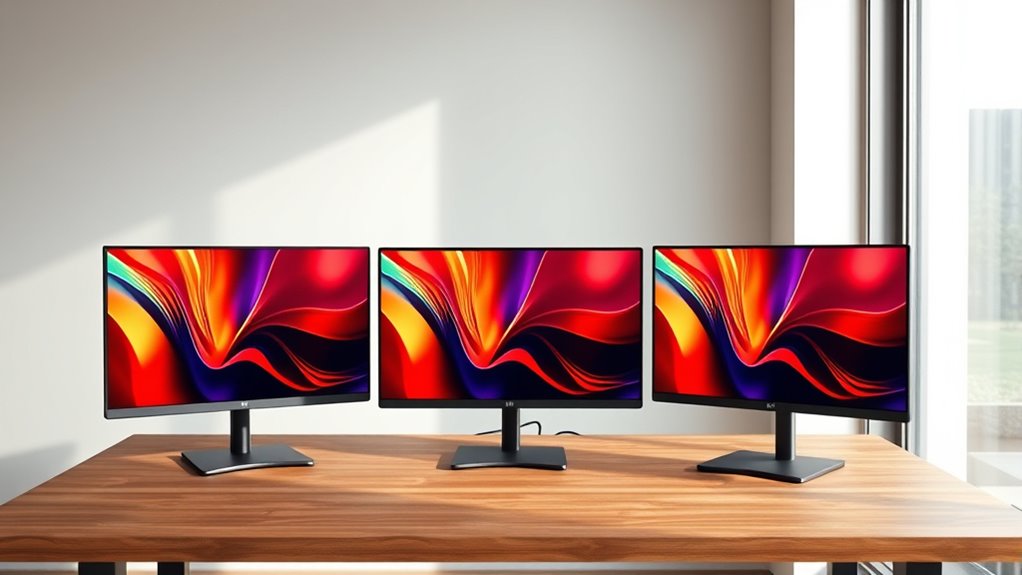

Readers searching for a 4K color E Ink monitor for eye comfort should know that these four displays are close to 4K-class, but none lists a standard 3840 × 2160 panel: the large models are 3200 × 1800, while the portable B13 is 3200 × 2400. My leading pick is the Bigme B251 Pro 25.3-Inch for its large workspace, adjustable warm and cool front lighting, and stated 60 Hz refresh rate. The Bigme B251 is a more straightforward large-format alternative with USB-C and voice control, while the Bigme B13 is the portable choice for laptop users who value a lighter, smaller screen.

Turn the school run and nap time into listening time
- Thousands of audiobooks, podcasts and originals
- Listen on your phone, tablet or Echo — also offline
- Cancel anytime
The central tradeoff is not simply resolution: E Ink prioritizes a paper-like view, while refresh behavior and color presentation remain unlike a conventional LCD or OLED. I rank these options by how well their stated features match long reading, writing, and document work, then weigh connectivity, lighting, portability, and the drawbacks buyers should expect. Two listings describe the B251 Pro with conflicting response-time figures, so I treat those claims cautiously rather than presenting either as settled fact.
Complete the kit


Key Takeaways
Best large-screen balance: The Bigme B251 Pro 25.3-Inch pairs 3200 × 1800 resolution with adjustable warm and cool front lighting and a listed 60 Hz refresh rate.
Best for flexible connections: The Bigme B251 lists HDMI, DisplayPort, USB-C, and USB-A, but its stated 15 Hz refresh rate is a poor fit for motion-heavy work.
Best portable pick: The 1.5-pound Bigme B13 has a 13.3-inch 3200 × 2400 panel and HDMI/USB-C, making it easier to pair with a laptop than either 25.3-inch model.
Resolution is not the same as 4K: The supplied specifications list 3200 × 1800 for both B251 versions and 3200 × 2400 for the B13—not standard 3840 × 2160.
Expect E Ink tradeoffs: These displays suit reading and static productivity better than gaming, vivid color work, or fast-moving video; the B251 Pro listings also conflict on response time.
| Bigme B251 Pro 25.3-Inch Color E Ink Monitor |  | Best Overall for Long Desk Sessions | Display: 25.3-inch Kaleido 3 color E Ink | Resolution: 3200 × 1800 | Refresh rate: 60 Hz | VIEW ON AMAZON | See Our Full Breakdown |
| Bigme B251 25.3-Inch Color E-Ink Monitor |  | Best for Port Variety and Hands-Free Controls | Display size: 25.3 inches | Display type: Color E Ink | Resolution: 3200 × 1800 | VIEW ON AMAZON | See Our Full Breakdown |
| Bigme B13 13.3-Inch Color E-Paper Monitor |  | Best Portable Monitor for Laptop Readers | Display size: 13.3 inches | Display technology: Kaleido 3 color e-paper | Resolution: 3200 × 2400 | VIEW ON AMAZON | See Our Full Breakdown |
| Bigme B251 Pro 25.3-Inch Color E-Ink Computer Monitor |  | Best Alternative Listing for a Large Pro Display | Display size: 25.3 inches | Display type: Color E Ink | Resolution: 3200 × 1800 | VIEW ON AMAZON | See Our Full Breakdown |
| 4k color e ink monitors for eye comfort | Resolution | Refresh rate | Connections | Response time |
|---|---|---|---|---|
| Bigme B251 Pro 25.3-Inch Color | 3200 × 1800 | 60 Hz | Wireless, HDMI, DisplayPort | 36 ms |
| Bigme B251 25.3-Inch Color E-I | 3200 × 1800 | 15 Hz | HDMI, DisplayPort, USB-C, USB-A | 36 ms |
| Bigme B13 13.3-Inch Color E-Pa | 3200 × 2400 | 60 Hz | HDMI, USB Type-C | 33 ms |
| Bigme B251 Pro 25.3-Inch Color | 3200 × 1800 | 60 Hz | Mini HDMI, DisplayPort, DC | — |
More Details on Our Top Picks
Bigme B251 Pro 25.3-Inch Color E Ink Monitor
The first-listed Bigme B251 Pro takes the top position because it combines the format most useful for desk-based reading with several specific eye-comfort features: a 25.3-inch Kaleido 3 color E Ink panel, adjustable warm and cool front lighting, and color and black-and-white modes. Its 3200 × 1800 resolution gives room for documents and side-by-side windows, although it is not standard 4K UHD. The lighting controls are more relevant to this roundup than a claim of screen sharpness alone: they let a reader adapt the display to a dimmer room without relying only on external lamps.
Compared with the B251, this Pro listing states a 60 Hz refresh rate rather than 15 Hz, which makes it the stronger candidate for everyday cursor movement and scrolling on paper-like hardware. Still, its listed 36 ms response time and E Ink technology mean it should not be chosen for gaming or fluid video. The glossy finish is another real limitation: reflections can undercut the comfort advantage near windows or bright task lights. This version also lists wireless, HDMI, and DisplayPort, though the included details do not name USB-C.
I rank it above the second Pro listing because its specifications provide more concrete detail about display modes and connectivity, not because the two entries prove distinct performance. The other listing claims 0.2 ms response time, but that conflicts sharply with this version’s 36 ms figure and does not establish a dependable speed advantage. Buyers should verify the exact model and ports. Choose this one for long reading and writing at a fixed workstation; skip it if you need a matte surface, standard 4K, lively colors, or reliable fast-motion performance.
Pros:- 25.3-inch Kaleido 3 display provides a broad workspace for documents and reading.
- Adjustable warm and cool front lighting helps adapt the screen to different room lighting.
- Lists both color and black-and-white display modes.
- HDMI, DisplayPort, and wireless connectivity support varied desk setups.
Cons:- 3200 × 1800 is below standard 4K UHD resolution.
- Glossy finish may reflect nearby lights and windows.
- The listed 36 ms response time is not suited to fast motion.
Best for: Readers and knowledge workers who want a large color E Ink desk display with adjustable front lighting and a stated 60 Hz refresh rate.
Not ideal for: Gamers, video-first users, buyers who require standard 3840 × 2160 resolution, or anyone who needs a matte screen and highly vivid color.
- Display:25.3-inch Kaleido 3 color E Ink
- Resolution:3200 × 1800
- Refresh rate:60 Hz
- Response time:36 ms
- Lighting:Adjustable warm and cool front lighting
- Display modes:Color and black-and-white
- Connections:Wireless, HDMI, DisplayPort
- Weight:13.2 pounds
Our verdict“I recommend this B251 Pro as the best overall fit for extended desk reading, provided you accept glossy glass and E Ink’s motion limits.”
Bigme B251 25.3-Inch Color E-Ink Monitor
The Bigme B251 shares the 25.3-inch, 3200 × 1800 format of the Pro, so it offers the same basic large-screen appeal for text-heavy work. Its clearest distinction is the connection list: HDMI, DisplayPort, USB-C, and USB-A make it a practical match for users switching among computers and compatible devices. Voice control is another point of difference; it may help when adjusting settings without reaching for a display menu, though it is not a feature that changes the underlying reading experience.
Its main compromise is the supplied 15 Hz refresh rate. The listing mentions xRapid technology intended to reduce ghosting and lag, but that claim does not erase the relatively low stated rate. Compared with the B251 Pro listing at 60 Hz, this is the less convincing option for frequent scrolling, changing windows, or video. Buyers who mostly keep a page open, read, annotate, or type may care less about that gap. The B251 also lists a blue-light filter and flicker-free operation, but I would treat these as product claims rather than a guarantee of comfort for every user.
I place it below the Pro because the more limited refresh specification weighs heavily for a general-purpose monitor, even though its USB-C and voice control improve convenience. Choose this model when its broader port selection matters more than motion handling. Skip it if you expect a responsive everyday display or spend much of your time watching fast-moving content. The supplied listing also notes that refresh modes may need manual switching, adding setup friction for people who move between reading and other tasks.
Pros:- USB-C, USB-A, HDMI, and DisplayPort offer broad connection choices.
- Voice control provides hands-free access to supported adjustments.
- Large 25.3-inch color E Ink screen suits documents and extended reading.
- The listing describes xRapid refresh technology intended to reduce ghosting.
Cons:- Listed 15 Hz refresh rate is lower than the 60 Hz figure on the B251 Pro listings.
- Manual switching between refresh modes may interrupt workflow.
- 3200 × 1800 resolution is not standard 4K UHD.
Best for: Desk users who need USB-C alongside HDMI and DisplayPort and mainly read, write, or work with mostly static content.
Not ideal for: People who scroll constantly, watch lots of video, play games, or want a close match for conventional monitor motion.
- Display size:25.3 inches
- Display type:Color E Ink
- Resolution:3200 × 1800
- Refresh rate:15 Hz
- Response time:36 ms
- Connections:HDMI, DisplayPort, USB-C, USB-A
- Controls and features:Voice control, blue-light filter, flicker-free claim
- Warranty:1 year
Our verdict“I would choose the B251 for its USB-C and voice-control convenience only when static reading matters more than refresh responsiveness.”
Bigme B13 13.3-Inch Color E-Paper Monitor
The Bigme B13 is the lineup’s clear portability pick. At 13.3 inches and 1.5 pounds, it is much easier to position beside a laptop or move between workspaces than either 25.3-inch B251 model. Its 3200 × 2400 resolution and 4:3 aspect ratio favor portrait pages, articles, and document layouts, while the larger monitors give more horizontal room for multiple desktop windows. The B13’s 300 PPI figure is a strong text-focused specification, but the panel’s compact size means it is not a substitute for a full-size desktop display.
It includes HDMI and USB Type-C and supports extended, mirror, presentation, portrait, and single-display modes. That flexibility helps a laptop user choose how to divide or share a screen, and the remote offers display and refresh controls. The listed 60 Hz refresh rate is higher than the B251’s 15 Hz figure, but its 33 ms response time still signals that fast-paced content is not its strength. Color gamut is listed as 50 without a unit, and brightness is given as 300 without a stated unit, so those figures do not support a dependable comparison with the larger models.
For eye-comfort-oriented reading away from a fixed desk, the B13 is more compelling than either B251: it is lighter, consumes a listed 10 watts, and is designed to work alongside a computer, laptop, or tablet. In exchange, you give up the large, expansive reading surface and the B251 Pro’s explicitly adjustable warm and cool front light. Choose it for portability and document work; skip it if you want a primary desktop monitor, wide spreadsheets, or a clearly documented lighting system.
Pros:- At 1.5 pounds, it is far easier to move than either 25.3-inch model.
- 3200 × 2400 resolution and 300 PPI suit dense text and portrait documents.
- HDMI and USB-C support common laptop connections.
- Multiple display modes and an included remote add practical flexibility.
Cons:- The 13.3-inch panel offers less working area than the B251 models.
- 33 ms response time is a poor match for fast-action content.
- Brightness and color-gamut figures lack units in the supplied specifications.
Best for: Laptop users who want a light, compact color E Ink companion for reading documents, presenting, or working in portrait orientation.
Not ideal for: People seeking a large main display, broad horizontal desktop space, or a clearly specified front-light system.
- Display size:13.3 inches
- Display technology:Kaleido 3 color e-paper
- Resolution:3200 × 2400
- Pixel density:300 PPI
- Aspect ratio:4:3
- Refresh rate:60 Hz
- Response time:33 ms
- Connections:HDMI, USB Type-C
- Weight:1.5 pounds
Our verdict“I recommend the B13 for mobile reading and laptop pairing, not as a replacement for a full-size desk monitor.”
Bigme B251 Pro 25.3-Inch Color E-Ink Computer Monitor
This second Bigme B251 Pro 25.3-inch listing targets much the same buyer as the top-ranked Pro: someone who wants a large color E Ink workspace for reading, studying, and document editing. It lists 3200 × 1800 resolution, 60 Hz refresh, warm and cold front lighting, and HDMI/DisplayPort connectivity. Those features place it closer to the first Pro than to the B13: it favors a permanent desk setup and wide documents over mobility. The stated 145 DPI is also lower than the B13’s 300 PPI, though the B251’s much larger panel provides more physical workspace.
The main reason I rank this listing fourth is not that it is clearly inferior hardware, but that its supplied specifications are less consistent. It claims a 0.2 ms response time, while the other B251 Pro listing gives 36 ms; the descriptions do not explain the discrepancy. Its connection list says Mini HDMI, DP, and DC, while the other Pro entry names HDMI and DisplayPort plus wireless connectivity. Buyers should confirm the exact ports, lighting, and model variant before relying on this listing. I would not select it for the response-time claim alone.
Like its close sibling, this Pro has a glossy finish and color E Ink’s natural limit on vividness. It is a plausible fit for long static reading sessions, and its adjustable front light gives it a meaningful comfort-oriented feature. But the B251 listing’s USB-C connection may be more convenient for some users, while the first Pro entry presents a clearer feature set. Choose this one only if the exact version and connection arrangement match your setup; skip it if you need dependable performance documentation, matte glass, or a display for fast motion.
Pros:- Large 25.3-inch color E Ink screen supports extended document work.
- 3200 × 1800 resolution and listed 60 Hz refresh target everyday productivity.
- Warm and cold front-light settings offer lighting flexibility.
- HDMI/DP compatibility is listed for computer connections.
Cons:- The 0.2 ms response-time claim conflicts with the other B251 Pro listing’s 36 ms figure.
- Port details differ from the other Pro entry, so buyers should verify the exact version.
- Glossy finish and E Ink color limits remain relevant for bright rooms and vivid media.
Best for: A buyer who wants a large B251 Pro with front lighting and confirms that this listing’s exact port configuration fits their desk.
Not ideal for: Buyers relying on the stated 0.2 ms response time, people who need unambiguous specifications, or anyone seeking standard 4K UHD.
- Display size:25.3 inches
- Display type:Color E Ink
- Resolution:3200 × 1800
- Refresh rate:60 Hz
- Listed response time:0.2 ms; conflicts with another supplied B251 Pro specification
- Aspect ratio:16:9
- Connections:Mini HDMI, DisplayPort, DC
- Lighting:Adjustable warm and cold front lighting
Our verdict“I would consider this B251 Pro only after confirming the listing’s exact hardware, since the conflicting specifications make it harder to rank ahead of its close sibling.”

How We Picked
I ranked these four monitors around the promise in the search: color E Ink for eye comfort, rather than conventional monitor performance. I gave weight to screen size and resolution for reading documents, adjustable front lighting for changing room conditions, and refresh claims that may affect scrolling and pointer movement. I also considered whether connections fit a desk setup or a portable laptop workflow.
The ranking reflects the information provided, not a claim of hands-on testing. I did not treat terms such as “flicker-free,” “eye-friendly,” or “smoother” as proof that every person will experience less discomfort. E Ink can suit readers who prefer a reflective, paper-like display, but comfort depends on lighting, viewing distance, content, and individual sensitivity. Color E Ink also trades vibrancy and motion clarity for its reading-oriented presentation.
I separated the two B251 Pro entries by their supplied listing details. One identifies HDMI and DisplayPort, wireless connectivity, front lighting, and a 36 ms response time; the other names Mini HDMI, DP, and DC and claims 0.2 ms. Those response-time claims do not agree, so I do not use the lower number as a meaningful performance advantage. I favor the first Pro listing as the clearest overall match, while noting that buyers should check the exact version and connection layout before ordering.
None of the provided resolutions is standard 4K UHD. The large models are listed at 3200 × 1800, and the B13 at 3200 × 2400. I retain “4K” in the buying discussion because it appears in the requested search phrase, but I do not describe these listed panels as native 3840 × 2160 displays.
| 4k color e ink monitors for eye comfort | Lighting | Connections |
|---|---|---|
| Bigme B251 Pro 25.3-Inch Color | Adjustable warm and cool front lighting | Wireless, HDMI, DisplayPort |
| Bigme B251 25.3-Inch Color E-I | — | HDMI, DisplayPort, USB-C, USB-A |
| Bigme B13 13.3-Inch Color E-Pa | — | HDMI, USB Type-C |
| Bigme B251 Pro 25.3-Inch Color | Adjustable warm and cold front lighting | Mini HDMI, DisplayPort, DC |
Factors to Consider When Choosing 4k Color E Ink Monitors For Eye Comfort
For eye-comfort-focused use, I would start with the kind of work you do rather than the “4K” label. These monitors are built around color E Ink, but the supplied resolutions do not reach standard 3840 × 2160 UHD. The right pick depends on whether you want a large reading surface, easy laptop connectivity, a portable companion, or a screen suited to mostly static content.
Check what the resolution actually means
Both B251 listings specify 3200 × 1800, and the B13 specifies 3200 × 2400. Neither matches standard 4K UHD at 3840 × 2160. The B13’s 4:3 panel and 300 PPI favor compact, detailed text and portrait documents; the B251’s 16:9 screens provide more room for side-by-side windows. If native 4K is a firm requirement for your software, image work, or desktop scaling, these listings do not establish that requirement.
Match refresh behavior to your daily tasks
Refresh-rate numbers do not tell the whole story of E Ink motion, but they help identify mismatches. The B251 lists 15 Hz, while the two Pro listings and B13 list 60 Hz. The B251’s xRapid feature is described as reducing ghosting and lag, yet its listed rate remains the lowest here. For reading, typing, and mostly static pages, that may be acceptable; for constant scrolling, video, or games, none should be treated like a conventional fast LCD. The conflicting 0.2 ms and 36 ms figures on the Pro listings are a reason to verify the exact product, not a reason to expect gaming performance.
Treat front lighting and screen finish as a pair
The B251 Pro entries explicitly list adjustable warm and cool front lighting, making them the clearest choice for adapting the screen’s illumination as room conditions change. The B251 lists a blue-light filter and flicker-free operation, but does not provide the same detailed warm/cool lighting specification. The B13’s supplied details do not list front lighting. All buyers should also account for the B251 Pro’s glossy finish: a reflective surface can be distracting in a bright room, even when the underlying display suits long reading sessions.
Choose the size that fits your desk and posture
A 25.3-inch screen gives documents and multiple windows a generous physical area, but the two B251 options weigh more and take up more desk space. The B13 weighs 1.5 pounds and can be positioned beside a laptop or moved between rooms. That portability is useful for a secondary display, though its 13.3-inch panel will feel constrained for wide spreadsheets and a full desktop workflow. Consider how far you sit from the monitor and whether your common documents are portrait or landscape before choosing.
Compare connections to the equipment you own
The standard B251 listing is strongest for port variety, with HDMI, DisplayPort, USB-C, and USB-A. The first B251 Pro listing specifies wireless, HDMI, and DisplayPort; the second lists Mini HDMI, DP, and DC. The B13 lists HDMI and USB-C. These differences can determine whether you need an adapter or a separate cable, so check the exact version’s ports and your computer’s outputs before buying. A shared product-family name does not guarantee identical connections across listings.
Set expectations for color E Ink
Color E Ink is a reading-oriented alternative to luminous LCD and OLED displays, not a direct replacement for their color punch or motion clarity. That can suit text, documents, and low-motion work, while photos, saturated graphics, and video may look less vivid. If your work depends on precise color matching or fast visual changes, a conventional monitor is the more suitable tool. I would treat “eye comfort” as a potential fit for your preferences, not a medical claim or a guaranteed outcome.
Frequently Asked Questions
Are these monitors true 4K displays?
No. The specifications supplied for the B251 and both B251 Pro listings state 3200 × 1800, while the B13 is listed at 3200 × 2400. Standard 4K UHD is 3840 × 2160, so none of these listed resolutions reaches that figure. The phrase in the article title reflects the search request, but buyers who require native UHD should check for a different display.
Which option is the best fit for long reading sessions?
I would start with the first-listed B251 Pro because its 25.3-inch panel gives books, articles, and documents room to breathe, and its adjustable warm and cool front lighting provides more explicit lighting control than the other entries. The second Pro listing also names adjustable lighting, but its product details conflict with the first listing on response time and ports. For a portable reading companion rather than a fixed desk monitor, the B13 is the more manageable choice.
Can I use these displays for gaming or fast video?
They are poor matches for gaming and fast-motion video. The B251 lists a 15 Hz refresh rate, and even the products listing 60 Hz use E Ink technology and report response times that do not suggest conventional fast-display behavior. The second Pro listing’s 0.2 ms figure conflicts with another B251 Pro specification, so I would not rely on it as proof of fast action performance. These monitors make more sense for reading, writing, and mostly static productivity.
Which model is easiest to pair with a laptop?
The B13 is the easiest to move alongside a laptop because it weighs 1.5 pounds and lists both HDMI and USB-C. For a permanent desk setup, the standard B251 offers HDMI, DisplayPort, USB-C, and USB-A, giving it the broadest stated port selection. The Pro listings have different connection details, so confirm the exact version before assuming it has the port your laptop needs.
Will color E Ink guarantee less eye strain?
No display can guarantee that every user will feel less eye strain. These products are described as eye-friendly or paper-like, and the Pro models add adjustable front lighting, but comfort varies with personal sensitivity, room illumination, viewing distance, and the task at hand. Color E Ink also has tradeoffs in color vibrancy and motion handling. I would choose based on how the display looks to you and the work you plan to do, rather than treating comfort claims as a medical promise.
Conclusion
For a fixed workstation used mainly for reading and writing, I would choose the Bigme B251 Pro 25.3-Inch (B0H8YS44FL): its large panel, stated 60 Hz refresh rate, and adjustable warm/cool front lighting make it the most balanced match here. If USB-C and voice control matter more than refresh speed, the Bigme B251 is the more connected option, with the clear limitation of its listed 15 Hz rate. Laptop users who need a compact second screen should favor the Bigme B13 for its lower weight and portrait-friendly 4:3 layout. The second B251 Pro listing may suit buyers who confirm its exact hardware first, but I would not make a choice based on its conflicting 0.2 ms response-time claim. None is a standard 4K UHD panel, and none is my pick for gaming, vivid color-critical work, or fast video.