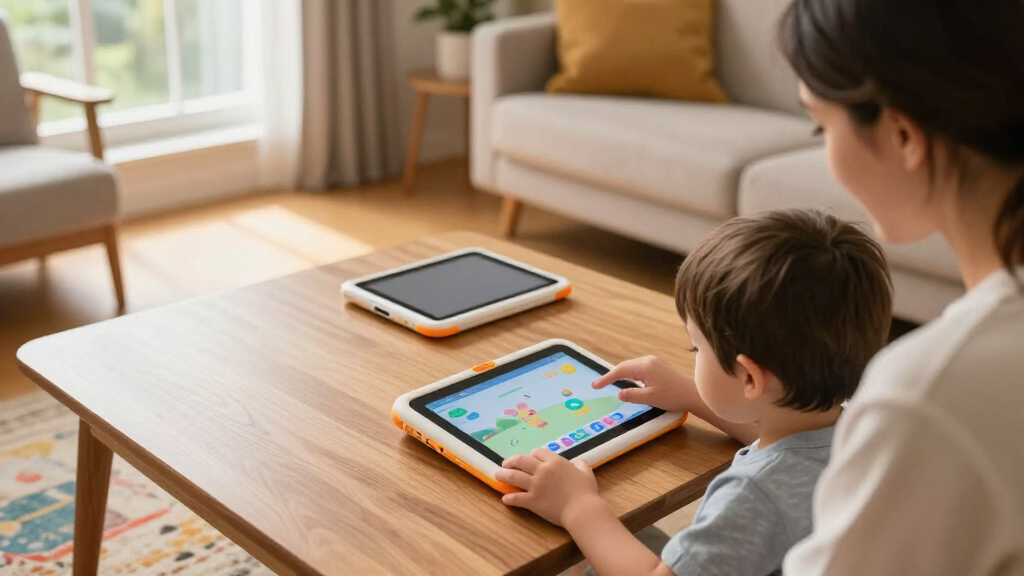

Choosing between children’s educational tablets comes down to three questions: how old your child is, how much curated learning content you want built in, and how much control you need as a parent. Amazon’s Fire HD 8 Kids Tablet earns my best overall pick thanks to its two-year worry-free replacement guarantee, robust parental controls, and a full year of age-appropriate content bundled in. Budget-focused families should look at the PRITOM 7-inch Kids Tablet, which delivers supervised Android learning at a fraction of the price, while parents of preschoolers who want zero setup headaches will appreciate the closed, curriculum-driven LeapFrog LeapPad Academy. The main tradeoff in this category is flexibility versus safety: open Android tablets grow with your child but demand more parental management, while locked-down learning tablets are safer but eventually outgrown. Read on for the full breakdown of all 15 tablets.

Turn the school run and nap time into listening time
- Thousands of audiobooks, podcasts and originals
- Listen on your phone, tablet or Echo — also offline
- Cancel anytime
Complete the kit


Key Takeaways
- amazon.com/dp/B0CVDNM64T?tag=motherbabykids-20&ascsubtag=dc-624209″ target=”_blank” rel=”nofollow sponsored noopener”>amazon.com/dp/B0CVF1G3VT?tag=motherbabykids-20&ascsubtag=dc-624209″ target=”_blank” rel=”nofollow sponsored noopener”>Amazon‘s kids lineup dominated the top spots because the bundled two-year no-questions-asked replacement guarantee effectively eliminates the durability risk that plagues budget Android kids tablets.
- The LeapFrog options (LeapPad Academy, LeapPad Ultimate, 2-in-1 LeapTop Touch) trade long-term versatility for a closed, curriculum-aligned experience — best for ages 3-6, but most kids outgrow them by age 8.
- Budget Android tablets under $80 (PRITOM, Trayoo, YosaToo) share nearly identical hardware and cases; their real differences are pre-installed software quality and how invasive the parental control app is.
- The 10-inch options (Contixo, Aiprotablet, EDDBNi) suit ages 8-12, but only the Aiprotablet’s 24GB RAM and Android 16 platform feel genuinely future-proof for streaming and school apps.
- The Contixo bundle is the only pick that includes headphones, stylus, and a sleeve in the box — a hidden value winner for travel-heavy families that offsets its mid-tier hardware.


| children’s educational tablet | Storage | Age Range |
|---|---|---|
| Amazon Fire HD 8 Kids Tablet | 32GB (expandable to 1TB, sold separately) | 3-7 years |
| Amazon Fire HD 8 Kids Pro Tabl | 64GB (expandable to 1TB, sold separately) | 6-12 years |
| PRITOM 7” Kids Tablet for Tod | 32GB (expandable) | 3+ |
| Trayoo Kids Tablet 7-inch Todd | 32GB (expandable to 64GB) | — |
| LeapFrog 2-in-1 LeapTop Touch | — | 2-5 years |
| LeapFrog LeapPad Ultimate Read | — | 3-6 years |
| PEICHENG Kids Tablet 7 inch An | 32GB, expandable to 512GB | — |
| Contixo 10-inch Android Kids T | 32GB | — |
| Kids 7-Inch Educational Tablet | — | 3-12 years |
| Amazon Fire 7 Kids Tablet | 16GB, expandable up to 1TB microSD | 3-7 years |
| Kids 7-Inch Tablet with Offlin | 32GB, expandable to 128GB | 3-12 years |
| Aiprotablet 10-inch Kids Table | 64GB, expandable to 1TB via micro SD | — |
| LeapFrog LeapPad Academy Kids’ | — | 3-8 years |
| YosaToo Kids Tablet | 32GB, expandable to 64GB | 3-12 years |
| EDDBNi Kids Tablet Android 10- | 64GB | — |
More Details on Our Top Picks
Amazon Fire HD 8 Kids Tablet (2024 Release), 8-inch HD Screen, 32GB, Kid-Proof Case, Ages 3-7
This pick makes the most sense for most families because it solves the content problem right out of the box: a full year of ad-free Amazon Kids+ means books, games, and videos are curated before your child ever touches the screen. Compared with budget Android options like the PRITOM 7-inch, the Fire HD 8 offers a more polished parental dashboard and a bigger, sharper display. The kid-proof case with a built-in stand doubles as a handle, which matters for three-year-olds who treat tablets like frisbees. The real tradeoff is the recurring cost — after year one, the subscription auto-renews at $7.99/month, and skipping it leaves you with a much emptier library. The 32GB of storage also fills fast with downloaded videos, so plan on an SD card.
Pros:- 1-year ad-free Amazon Kids+ subscription included
- Durable kid-proof case with built-in stand and handle
- Up to 13 hours of battery life
- Robust parental controls with age-appropriate filters
Cons:- Kids+ auto-renews at $7.99/month after the first year
- 32GB fills quickly; expandable storage requires a separate SD card
Best for: Parents of 3-to-7-year-olds who want a curated, ad-free content ecosystem from day one
Not ideal for: Families trying to avoid subscription costs long-term, since the content library shrinks without Kids+
- Display:8-inch HD
- Storage:32GB (expandable to 1TB, sold separately)
- RAM:3GB
- Battery Life:Up to 13 hours
- Included Subscription:1 year Amazon Kids+
- Case:Kid-proof with stand/handle
- Age Range:3-7 years
Our verdict“The safest all-around choice for young kids, as long as you budget for the subscription after year one.”
Amazon Fire HD 8 Kids Pro Tablet (Newest Model), 8-inch HD Screen, 64GB, Hello Teal
The Kids Pro line exists because an eight-year-old doesn’t want a babyish tablet — and this model gets that right. It shares the 8-inch HD screen and 13-hour battery of the standard Fire HD 8 Kids, but doubles storage to 64GB and uses a slimmer case that won’t embarrass a tween in front of friends. The Kids+ content skews older, with more books and less sing-along content than the 3-7 version. Compared with generic Android tablets like the PEICHENG 7-inch, the parental controls here are far more granular — you can approve app downloads remotely rather than handing over the Google Play store. The same caveat applies: the $7.99/month renewal hits after the free year, and the slim case offers less drop protection than the chunky standard version.
Pros:- 64GB of built-in storage, double the standard Kids edition
- Slimmer, more mature design that older kids actually like
- Same 13-hour battery and strong parental controls as the Fire Kids line
- 1-year Kids+ subscription with content for older readers
Cons:- Subscription auto-renews at $7.99/month after the first year
- Slimmer case provides less drop protection than the standard Kids edition
Best for: Parents of 6-to-12-year-olds who want age-appropriate independence with remote oversight
Not ideal for: Rough-and-tumble younger kids — the slimmer case sacrifices protection compared with the standard Kids model
- Display:8-inch HD
- Storage:64GB (expandable to 1TB, sold separately)
- RAM:Up to 4GB
- Battery Life:Up to 13 hours
- Included Subscription:1-year Amazon Kids+
- Age Range:6-12 years
Our verdict“The natural upgrade path for kids who’ve outgrown the standard Fire Kids tablet but still need guardrails.”
PRITOM 7” Kids Tablet for Toddlers, 32GB, WiFi, Parental Control, Blue
For roughly half the price of the Fire HD 8 Kids, the PRITOM delivers the fundamentals: a child-friendly interface, pre-installed educational apps, and a soft silicone case that survives typical toddler abuse. The big difference is the content model — instead of a curated subscription, you get open Android with the responsibility of managing apps yourself, which some parents prefer and others find tedious. The 7-inch, 1024×600 IPS screen is adequate for learning games but noticeably less crisp than the Fire’s HD panel. Battery life isn’t specified, which is a yellow flag for long car rides. Still, as a first tablet for a 3-year-old who may lose interest in six months, this stands out as the low-risk entry point — and there’s no recurring fee hanging over it.
Pros:- No subscription required — content stays free after purchase
- Impact-resistant soft silicone case built for drops
- Pre-installed educational apps and games for immediate use
- Expandable storage and dual cameras at a low price
Cons:- Battery life is not specified, making it unpredictable for travel
- Open Android requires manual app management and supervision
Best for: Budget-conscious parents testing whether their toddler is ready for a tablet at all
Not ideal for: Parents who want a vetted, ad-free content library without manually curating apps themselves
- Screen Size:7 inches, 1024×600 HD IPS
- Storage:32GB (expandable)
- Operating System:Android
- Connectivity:WiFi, Bluetooth
- Cameras:Dual cameras
- Case Material:Impact-resistant soft silicone
- Age Range:3+
Our verdict“A low-commitment starter tablet that trades content curation for a much lower price.”
Trayoo Kids Tablet 7-inch Toddler Learning Tablet with Parental Control and Durable Case (Blue)
What separates the Trayoo from the PRITOM and other budget rivals is its library of preloaded educational apps that work offline — a genuine advantage for road trips, waiting rooms, and homes with spotty WiFi. The screen-time and content-filtering controls let you set daily limits without hovering, and the durable case handles the usual drops. Running Android 11 on a quad-core chip with 2GB of RAM, performance is fine for learning games but will feel sluggish next to the Fire HD 8 Kids Pro. The 7-inch screen is on the small side for video, and the choking-hazard warning means this is genuinely off-limits for under-threes. For a focused learning device rather than an entertainment hub, though, the offline-first approach makes a lot of sense.
Pros:- Preloaded educational apps that function without internet
- Parental controls for screen-time limits and content filtering
- Durable case protects against bumps and drops
- Blue-light filter technology for eye comfort
Cons:- Not suitable for children under 3 due to choking hazard
- 2GB of RAM and quad-core chip feel slow compared with premium kids tablets
Best for: Families who travel frequently or lack reliable WiFi and need learning content that works offline
Not ideal for: Children under 3 due to small parts, and anyone wanting a larger screen for video watching
- Display:7-inch HD (1024 x 600)
- Processor:Quad-core
- Operating System:Android 11
- RAM:2GB
- Storage:32GB (expandable to 64GB)
- Connectivity:WiFi, Bluetooth
- Cameras:Dual cameras
- Extras:Durable case, blue-light filter
Our verdict“A solid choice when connectivity can’t be counted on and learning apps matter more than streaming video.”
LeapFrog 2-in-1 LeapTop Touch
I’d place the LeapTop Touch in a different category from everything else here: it’s a toy that teaches tablet conventions rather than a real tablet. The folding design flips between a pretend laptop with a keyboard and a touch panel, which is exactly the kind of role-play that keeps 2-to-4-year-olds engaged with ABCs, numbers, and music. Compared with the Fire HD 8 Kids, there’s no WiFi, no app store, no ads, no subscription — and no way for your toddler to stumble into YouTube. The tradeoff is equally clear: kids outgrow it by school age, the small screen limits what it can teach, and the demo batteries need replacing almost immediately. As a first learning device before real screen time begins, this option stands out for its simplicity.
Pros:- 2-in-1 laptop/tablet design encourages imaginative role-play
- Multiple modes covering ABCs, numbers, games, and music
- No internet access, ads, or subscriptions — completely closed system
- Child-friendly size and simple controls for very young users
Cons:- Batteries included are demo-only and need immediate replacement
- Content is limited and outgrown by age 5
Best for: Parents of 2-to-4-year-olds who want early literacy skills without real internet access
Not ideal for: Kids 5 and up, who will quickly exhaust the limited content and want a real tablet
- Modes:Laptop and tablet
- Age Range:2-5 years
- Batteries:3 AA (demo batteries included)
- Learning Content:ABCs, numbers, games, music, messages
- Connectivity:None — fully offline
Our verdict“The right first step for toddlers too young for a real tablet, as long as you accept they’ll outgrow it quickly.”
LeapFrog LeapPad Ultimate Ready for School Tablet, Green
Most kids’ tablets are general Android devices with educational apps bolted on; the LeapPad Ultimate flips that approach with a closed, curriculum-driven ecosystem built specifically for school readiness. The adaptive learning technology adjusts difficulty to a child’s pace, which is something the PEICHENG Kids Tablet and other generic Android options simply can’t replicate — their learning content is whatever you install, not a guided progression. The $195+ of bundled content also softens the sticker shock compared to buying apps piecemeal elsewhere.
The tradeoff is freedom: web browsing is restricted to pre-approved sites, and the hardware itself is modest compared to a full Android slate. This is a tool for learning first, not a tablet that grows into a general-purpose device.
Pros:- Adaptive learning that personalizes to each child’s pace
- Shatter-safe screen and bumper built for preschool abuse
- Large bundled educational library valued at $195+
- No exposure to open web browsing or unapproved content
Cons:- Walled-garden content limits long-term flexibility
- Full access to the best content may require ongoing purchases
- Requires internet for updates and new material
Best for: Parents of 3-6 year olds who want structured, school-prep learning rather than open-ended tablet use
Not ideal for: Families wanting a versatile device that older siblings can share, since the locked ecosystem feels restrictive past age 6
- Screen Size:7 inches
- Durability:Shatter-safe screen, built-in bumper
- Age Range:3-6 years
- Content Value:$195+ included
- Learning System:Adaptive, personalized curriculum
- Web Access:Limited to pre-approved sites
Our verdict“Buy this if your priority is guided school-readiness learning for a preschooler, not a do-everything family tablet.”
PEICHENG Kids Tablet 7 inch Android 12.0, 4GB RAM, 32GB ROM, Parental Control, Dual Camera, Shockproof Case, Blue
If the LeapPad Ultimate is a curated classroom, the PEICHENG Kids Tablet is a flexible workshop: full Android 12 access filtered through parental controls, so you choose the apps rather than inheriting someone else’s curriculum. With 4GB of RAM, it handles kid-friendly apps more smoothly than most bargain slates in this batch, and storage expands to 512GB — far more headroom than the Fire 7 Kids Tablet’s 16GB base. The adjustable stand built into the shockproof case is a nice touch for video calls and hands-free watching.
The compromises are real, though. The 1024×600 display is noticeably softer than premium panels, the battery capacity is undisclosed, and the default kids-mode password of 0000 should be changed immediately for the controls to mean anything.
Pros:- Full Android 12 with customizable parental controls
- 4GB RAM for smoother performance than typical budget kids tablets
- 512GB expandable storage via microSD
- Shockproof case with built-in adjustable stand
Cons:- 1024×600 display resolution looks dated next to HD rivals
- Battery capacity not specified by manufacturer
- Insecure default parental-control password (0000)
Best for: Budget-conscious parents who want an open Android tablet they can load with their own choice of apps and controls
Not ideal for: Buyers who want polished out-of-the-box content and a proven ecosystem, since setup and app selection here fall mostly on you
- Display:7 inch IPS, 1024×600
- Operating System:Android 12.0
- Processor:Quad-core
- RAM:4GB
- Storage:32GB, expandable to 512GB
- Cameras:2.0MP front, 5.0MP rear
- Extras:Parental controls, shockproof case, stand, eye protection mode
Our verdict“The strongest value if you’re willing to configure it yourself — skip it if you want curated content from day one.”
Contixo 10-inch Android Kids Tablet Bundle – 32GB, Educational Apps, Parental Controls, Kid-Proof Case, Stylus, Headphones, Sleeve Bag
What sets the Contixo 10-inch bundle apart isn’t the tablet alone — it’s that everything a family actually needs arrives in one box. Stylus, headphones, sleeve bag, kickstand case: with rivals like the PEICHENG or the Fire 7 Kids, you’d be buying several of those separately, and the hidden cost adds up fast. The 10-inch HD IPS display also makes it the better choice for drawing apps, e-books, and co-watching, where a 7-inch screen feels cramped.
Be realistic about the internals. The 1.6GHz quad-core chip and 32GB of storage are serviceable for the 14+ preloaded apps, but intensive multitasking will expose the limits, and you’ll want a microSD card before the library grows. Compared with the LeapPad Ultimate, you get more screen and more freedom, but less structured learning.
Pros:- Everything included: stylus, headphones, sleeve, and kickstand case
- 10-inch HD IPS screen is easier on young eyes than 7-inch rivals
- 14+ preloaded educational and entertainment apps
- Robust parental controls for screen time and content
Cons:- 32GB of storage fills quickly without expansion
- Performance lags with demanding apps or heavy multitasking
Best for: Families who want a one-purchase setup with accessories included and a bigger screen for reading and drawing
Not ideal for: Anyone expecting snappy performance across many apps at once, since the quad-core chip shows strain under heavy use
- Display:10-inch HD IPS
- Storage:32GB
- Processor:1.6GHz quad-core
- Preloaded Apps:14+ educational and entertainment titles
- Parental Controls:Yes
- Accessories:Kid-proof case with kickstand, stylus, headphones, sleeve bag
Our verdict“The best turnkey package for parents who don’t want to shop for accessories — just plan on adding a memory card.”
Kids 7-Inch Educational Tablet for Toddlers with Parental Controls, Camera, Shockproof Case, Pre-installed Learning Apps
Positioned as a starter device, this 7-inch toddler tablet leans into simplicity: apps are pre-installed, the interface is immediately usable, and the lightweight shockproof case suits small hands that will absolutely drop it. The preloaded mix — learning games, brain training, art activities, and kids’ TV — covers the toddler attention span better than a bare Android slate like the PEICHENG, which demands setup work before a 3-year-old can use it. The 30-day free replacement plus lifelong support policy is also more reassuring than most no-name competitors offer.
Where it falls short is longevity. The 7-inch screen and toddler-focused content mean an 8- or 9-year-old will outgrow it fast despite the 3-12 age claim, and battery details are thin. Treat it as training wheels, not a long-term device.
Pros:- Ready to use immediately with pre-installed learning and art apps
- Lightweight shockproof case designed for drops
- Adjustable brightness with eye-protection features
- 30-day replacement policy and lifelong support
Cons:- Battery life details not disclosed
- Small screen feels cramped for kids at the upper end of the age range
- Some features require an internet connection
Best for: Parents buying a first tablet for a 3-5 year old who need something durable, simple, and ready out of the box
Not ideal for: Families with older children, since the small screen and toddler-leaning apps won’t hold an 8-year-old’s interest
- Screen Size:7 inches
- Operating System:Android
- Parental Controls:Yes
- Pre-installed Apps:Learning, brain training, mini games, art & craft, kids TV
- Durability:Shockproof case
- Age Range:3-12 years
- Warranty:30-day replacement/refund, lifelong support
Our verdict“A sensible low-risk first tablet for the preschool years — just expect to upgrade once school-age needs arrive.”
Amazon Fire 7 Kids Tablet, 7-inch, 16 GB, Blue
No budget kids tablet matches the Fire 7 Kids on content: a full year of Amazon Kids+ bundles thousands of ad-free books, games, and videos that would cost far more assembled piecemeal on the PEICHENG or Contixo. Add the 2-year worry-free guarantee — Amazon replaces a broken tablet, no questions asked — and up to 10 hours of battery, and the value case is hard to beat for the 3-7 crowd.
The catch is the subscription treadmill: after year one, Kids+ auto-renews at $7.99/month, and without it the tablet loses much of its appeal. The 16GB of storage is also the smallest in this lineup, so a microSD card is effectively mandatory. It’s an ecosystem play, and you should buy it knowing that.
Pros:- 1-year Amazon Kids+ subscription with ad-free educational content
- 2-year worry-free guarantee covers breakage
- Up to 10 hours of battery life
- Strong parental controls and sturdy kid-proof case
Cons:- Kids+ auto-renews at $7.99/month after the first year
- Only 16GB internal storage, the lowest in this lineup
- Feels limiting for children older than 7
Best for: Parents already in the Amazon ecosystem who want maximum curated content and a no-questions replacement policy
Not ideal for: Anyone averse to recurring subscription costs, since the tablet’s value drops sharply once Kids+ renews
- Display:7 inches
- Storage:16GB, expandable up to 1TB microSD
- Battery Life:Up to 10 hours
- Age Range:3-7 years
- Included Subscription:1 year Amazon Kids+
- Warranty:2-year worry-free guarantee
- Parental Controls:Yes
Our verdict“The best content-per-dollar choice for young kids — provided you’re comfortable canceling or paying for the subscription later.”
Kids 7-Inch Tablet with Offline Learning Apps for Toddlers
This pick makes the most sense for families who travel or live where Wi-Fi is unreliable, because unlike the YosaToo Kids Tablet or the Fire HD 8 Kids, its preloaded offline library works without any connection at all. The anti-fall design and rotatable stand make it genuinely toddler-proof, and the 3-12 age range means it can outlast the preschool years. Compared with the LeapFrog LeapPad Academy, this option trades curated, educator-designed content for a broader but less structured app mix — the tradeoff is flexibility versus pedagogy. Storage expansion to 128GB helps offset the thin 32GB base, though the 3500mAh battery is smaller than the Aiprotablet’s 6000mAh cell.
Pros:- Works fully offline with preloaded educational content
- Anti-fall design with rotatable stand for hands-free use
- Expandable storage up to 128GB
- Lightweight and portable for small hands
Cons:- Preloaded content may feel thin for children at the upper end of the age range
- Small 3500mAh battery drains quickly with video
- Requires internet for anything beyond what’s preloaded
Best for: Families who need screen time that works on road trips, flights, or anywhere without internet
Not ideal for: Parents who want a structured curriculum — the content here is broad but not educator-designed like LeapFrog’s
- Screen Size:7 inches
- RAM:2GB
- Storage:32GB, expandable to 128GB
- Battery:3500mAh
- Age Range:3-12 years
- Key Features:Parental controls, offline educational content, anti-fall design, rotatable stand
Our verdict“Choose this tablet if offline access matters more to your family than a polished curriculum.”
Aiprotablet 10-inch Kids Tablet with Parental Control, Android 16, 24GB RAM, 64GB Storage, Expandable up to 1TB, Blue
This model stands out as the most future-proof option in the lineup. Its Unisoc T606 octa-core chip and 24GB of effective RAM put it well ahead of the EDDBNi 10-inch tablet, whose quad-core processor will feel sluggish within a year or two. The 1TB expansion ceiling dwarfs the YosaToo’s 64GB limit, meaning this tablet can grow from preschool apps into homework, streaming, and coding projects. The 10-inch HD IPS screen is easier on young eyes than smaller 7-inch displays, and 18W fast charging offsets the bigger battery. The tradeoffs: you’ll need to buy a micro SD card to reach that storage potential, and at 10 inches it’s simply too large for a three-year-old to grip comfortably.
Pros:- Octa-core processor with 24GB effective RAM handles multitasking smoothly
- Expandable storage up to 1TB for years of apps and media
- HD IPS screen designed to reduce eye fatigue
- 6000mAh battery with 18W fast charging
Cons:- Maximum storage requires a separate micro SD card purchase
- Large form factor is unwieldy for younger children
- Some advertised features depend on additional accessories
Best for: Families with school-age children (6+) who want one tablet that lasts for years
Not ideal for: Toddlers and preschoolers — the 10-inch size is awkward for small hands, and a 7-inch option like the YosaToo fits better
- Screen Size:10 inches
- Operating System:Android 16
- Processor:Unisoc T606 Octa-Core 1.6 GHz
- RAM:24GB (4GB + 20GB virtual)
- Storage:64GB, expandable to 1TB via micro SD
- Battery:6000mAh with 18W PD fast charging
- Connectivity:Wi-Fi, Bluetooth, FM Radio
- Key Features:Parental controls, face recognition, automatic wake-up
Our verdict“The best long-term buy in the roundup — powerful and roomy enough to stay useful well past the early-learning years.”
LeapFrog LeapPad Academy Kids’ Learning Tablet, Green
Where the Kids 7-Inch Offline Learning Tablet offers a broad but loosely organized app pile, the LeapPad Academy delivers 20+ educator-approved apps with a deliberate skills progression across math, reading, writing, and even coding. This option is better suited to parents who want learning outcomes rather than simply supervised entertainment. Content grows with the child, and a three-month LeapFrog Academy trial extends the runway further. Compared with the Aiprotablet, the closed ecosystem is both the appeal and the limitation: no app-store chaos, but also no real flexibility once your child outgrows it around age 8. Additional games, videos, and eBooks are sold separately, so the true cost climbs beyond the sticker price if your child engages deeply.
Pros:- Educator-approved content that builds skills progressively
- Covers math, reading, writing, coding, and problem-solving
- Durable, kid-friendly construction with parental controls
Cons:- Additional content and subscriptions sold separately
- 7-inch screen and closed ecosystem limit longevity beyond age 8
- Some durability complaints in user reviews
Best for: Parents who prioritize a structured, educator-designed curriculum over open app access
Not ideal for: Budget-conscious families — extra LeapFrog content adds up, and the 7-inch screen caps out for kids over 8
- Screen Size:7 inches
- Battery:Rechargeable lithium-ion
- Included Apps:20+ educator-approved learning apps
- Age Range:3-8 years
- Expandable Content:Hundreds of games, videos, music, and eBooks (sold separately)
- Trial:Three-month LeapFrog Academy trial
Our verdict“The strongest choice if a genuine curriculum — not just kid-safe hardware — is what you’re buying.”
YosaToo Kids Tablet, 7-inch Android Tablet for Kids with Drop-proof Case, 4GB RAM, 32GB Storage, Parental Controls, Offline Learning Apps
This pick makes the most sense for buyers who want modern hardware at a budget price. Running Android 16 with 4GB of RAM and full Google Play access (including Kids Space and YouTube Kids), it offers far more app flexibility than the LeapPad Academy’s closed library while costing noticeably less than the Aiprotablet. The drop-proof silicone case rivals anything in the Trayoo or PRITOM entries for rough-and-tumble durability. Offline learning apps cover car rides and flights, similar to the offline-first 7-inch tablet above. The compromises are real, though: expansion tops out at just 64GB, and since the battery capacity isn’t specified, expect to charge daily. A few apps may also misbehave on such a new Android version.
Pros:- Drop-proof silicone case built for active kids
- Full Google Play Store access plus Kids Space and YouTube Kids
- Preloaded offline learning apps for travel
- Modern Android 16 with 4GB RAM at a low price
Cons:- Expansion limited to 64GB total
- Battery capacity unspecified — likely needs daily charging
- Brand-new OS version may conflict with some kids’ apps
Best for: Budget-focused families who want Google Play flexibility and a rugged case without paying premium prices
Not ideal for: Media-heavy households — 32GB base storage and a 64GB expansion ceiling fill up fast
- Display:7 inches
- Operating System:Android 16
- RAM:4GB
- Storage:32GB, expandable to 64GB
- Age Range:3-12 years
- Case:Drop-proof silicone
- Pre-installed Apps:Offline learning, YouTube Kids, Google Kids Space
Our verdict“The smartest cheap option in the roundup, provided modest storage doesn’t scare you off.”
EDDBNi Kids Tablet Android 10-inch, 64GB, Quad-Core, Dual Camera, Parental Controls, WiFi, Educational
Of the two budget 10-inch options here, this one competes directly with the Aiprotablet, and the comparison exposes its weaknesses: a quad-core processor versus the Aiprotablet’s octa-core, no stated fast charging, and no storage expansion listed. What you get instead is a large 10-inch display at a lower price point, 64GB of base storage, dual cameras for video calls with grandparents, and an included protective case. Unlike the YosaToo, no battery capacity is published at all, which makes planning screen-time limits guesswork. There’s also no bundled educational ecosystem — it relies on whatever you install yourself. For a household that mainly needs a big, inexpensive screen for streaming and video calls under parental supervision, this model covers the basics without frills.
Pros:- Large 10-inch display at a budget-friendly price
- 64GB of storage included out of the box
- Dual cameras for photos and video calls
- Protective case included
Cons:- Quad-core processor is noticeably weaker than competing octa-core options
- No published battery life details
- No bundled educational content — you supply everything
Best for: Families wanting a large, low-cost screen mainly for streaming, video calls, and parent-chosen apps
Not ideal for: Anyone prioritizing performance or longevity — the quad-core chip will lag behind the Aiprotablet as demands grow
- Screen Size:10 inches
- Storage:64GB
- Processor:Quad-core
- Camera:Dual cameras
- Connectivity:Wi-Fi 2.4G
- Parental Controls:Yes
- Accessories:Protective case included
Our verdict“A serviceable big-screen budget pick, but spending a little more on the Aiprotablet buys real long-term headroom.”

How We Picked
My ranking logic starts with the question every parent actually asks: will this tablet survive my child and teach them something without constant supervision? I weighted durability and warranty support heavily, which is why Amazon’s kids tablets rank high — a two-year replacement guarantee beats even the best shockproof case. Next I evaluated parental controls on depth and simplicity: time limits, content filtering, and app approval workflows that a non-technical parent can actually manage.
The third pillar was educational content quality. A tablet with weak pre-installed software just becomes a video player, so I favored devices with credible learning libraries or access to vetted app stores. Finally, I scored value over time: a $60 tablet that frustrates your child into disuse costs more than a $150 one that lasts three years. Age fit played a role in ordering too — toddler-focused closed systems rank for younger kids, while expandable Android tablets rank for older elementary students.
Factors to Consider When Choosing Children’s Educational Tablets
Before matching a tablet to your child, it helps to understand what actually separates a good educational tablet from a frustrating one. These are the factors that shaped my rankings and the mistakes I see buyers make most often.Match the Operating System to Your Child’s Age
The single biggest decision is open Android versus a closed ecosystem like Amazon Kids+ or LeapFrog’s proprietary platform. Closed systems hand you a curated, age-mapped library on day one, which is why they excel for ages 3-7 — but the ceiling arrives fast, and many kids bail on them by age 8. Open Android tablets start emptier and demand an hour of setup, yet they accommodate Google Classroom, streaming apps, and real productivity tools as your child matures. A common mistake is buying a closed system for a 7-year-old who will outgrow it within eighteen months. If you have multiple children of different ages sharing one device, open Android with strong profiles is almost always the better long-term call.
Parental Controls: Depth Matters Less Than Usability
Every tablet in this roundup claims parental controls, but they range from Amazon’s polished dashboard — with per-child profiles, educational goals, and automatic bedtime cutoffs — to generic third-party apps on budget models that can be force-closed by a determined eight-year-old. Before buying, check whether time limits and content filters are built into the operating system or bolted on as an app. Built-in controls survive factory resets and clever workarounds; bolted-on ones often do not. Also decide whether you want approval queues for app downloads, which add friction but prevent surprise purchases and inappropriate installs. The mistake I see most: parents enabling controls at setup and never revisiting them as the child’s skills and needs change.
Durability, Warranty, and the Real Cost of a Broken Screen
A shockproof case is table stakes in this category — every pick here has one — so the real differentiator is what happens after the drop that the case doesn’t prevent. Amazon’s two-year worry-free guarantee replaces the entire tablet, no questions asked, which effectively makes accidental damage a non-issue. Budget brands typically offer a 12-month warranty with damage exclusions, meaning one bad drop can turn a $70 purchase into landfill. If your child is under six or historically hard on devices, warranty value can outweigh raw specs. For older, more careful kids, a sturdy case plus a screen protector is usually sufficient, and you can safely prioritize hardware instead.
Storage and RAM: Where Budget Tablets Cut Corners
Sixteen gigabytes sounds adequate until you realize the operating system consumes nearly half of it, leaving room for only a handful of learning apps and some offline videos. For a toddler using pre-installed content, 16-32GB works fine. For a child downloading school apps, video content, and games, look for 64GB or a microSD slot — the Aiprotablet’s expandability to 1TB is the generous end of the spectrum. RAM matters just as much: 2GB devices stutter when switching apps, which frustrates kids and shortens the tablet’s usable life. My practical floor for anything meant to last beyond two years is 4GB of RAM and 32GB of expandable storage.
Screen Size Is an Age Question, Not a Preference Question
Seven-inch tablets fit small hands, fit in car-seat pockets, and cost less — ideal for ages 3-7. Ten-inch screens serve older children better: reading apps display properly sized text, drawing apps give room to work, and split-screen school tasks become feasible. There is a real mistake in buying big for little kids: a 10-inch tablet is heavier, drops from a greater height, and is harder for a four-year-old to grip one-handed. Conversely, expecting a seven-year-old to do handwriting practice or interactive workbooks on a seven-inch screen leads to frustration. Match the screen to the hands that will hold it, not to the price tag.
Content Subscriptions vs. Pre-Installed Apps
Amazon Kids+ bundles a year of content into the purchase price, but renewal costs land annually thereafter — factor that into the total cost of ownership. LeapFrog’s cartridges and built-in curriculum carry no subscription but limit you to their library. Generic Android tablets are content-free by design, so the sticker price understates the effort of sourcing quality educational apps yourself. The honest math: a subscription tablet often costs less over three years than piecing together paid apps individually, provided your child actually uses the bundled library. If your household already subscribes to a streaming or learning service, check compatibility before committing to a closed ecosystem.
Frequently Asked Questions
Are closed learning tablets like LeapFrog better than Android kids tablets?
It depends entirely on your child’s age and your tolerance for setup work. LeapFrog devices ship with a curriculum-aligned, ad-free library that requires zero configuration, making them excellent for ages 3-6 when you want educational structure rather than entertainment. The tradeoff is a hard ceiling: the proprietary content ages out quickly, and the hardware is underpowered for anything beyond the built-in library. Android tablets demand an hour of initial setup and ongoing supervision, but they accommodate school apps, streaming, and more sophisticated learning tools as your child grows. If you are buying for a child six or under, closed systems win; for seven and up, Android offers far more runway.
Is the Amazon Kids+ subscription worth paying for after the free year?
For most families with children between three and ten, yes — the library spans thousands of books, apps, and videos mapped to age and reading level, and it is genuinely cheaper than buying equivalent content individually. The value drops sharply if your child mainly watches two or three favorite shows or already uses a school-issued platform. Note that the tablet itself keeps working without the subscription; you simply lose access to the curated library and fall back to content you purchase or free apps you approve. A reasonable strategy is to let the free year run, watch what your child actually opens, and only renew if the library gets regular use.
How much storage does a children’s tablet realistically need?
For a toddler using pre-installed learning games, 32GB is comfortable and even 16GB is workable. The pressure arrives with offline video — a handful of downloaded movies or episode batches will consume 16GB on its own — and with school-age apps that grow through updates. My practical advice: treat 32GB plus a microSD slot as the floor for any child over six, because expandable storage turns a storage problem into a $15 card purchase rather than a new tablet. RAM deserves equal attention — 2GB models feel sluggish within a year, while the 4GB options in this lineup, like the PEICHENG and YosaToo, hold up to app switching much better.
Can these tablets be shared between siblings of different ages?
Yes, and this is where multi-profile support separates the platforms. Amazon’s kids tablets handle sharing best: each child gets their own profile with an age-appropriate library, separate time limits, and an individual progress tracker, and switching takes seconds. Generic Android tablets with Google’s Family Link also support per-child profiles, though switching is clunkier and content filtering is less granular. Closed systems like LeapFrog are the weakest sharers because they lack meaningful profile separation — a five-year-old and a nine-year-old cannot coexist on one device. If sharing is your plan, that factor alone should push you toward the Fire HD 8 Kids or a multi-profile Android option.
Are the sub-$70 budget kids tablets actually worth buying?
They can be, if you calibrate expectations. The PRITOM, Trayoo, and YosaToo models in this lineup deliver functional hardware with parental controls and cases, and for a toddler who will mostly tap learning games, the experience is genuinely fine. Where they fall short is longevity: weaker processors, shorter software support, warranties that exclude accidental damage, and occasional aggressive pre-installed apps that need removal. A good rule is to buy budget for a first tablet that may get destroyed, and spend more once your child demonstrates they can care for a device. The hidden cost to watch is your own time — budget tablets typically need more setup and cleanup than the mainstream options.
Conclusion
For best overall, the Amazon Fire HD 8 Kids Tablet balances content, durability, and the two-year replacement guarantee in a way nothing else in this roundup matches. The best value pick is the PRITOM 7-inch Kids Tablet, which covers the parental-control and durability basics for well under $80, while the Amazon Fire 7 Kids is the value play if you want Amazon’s warranty protection at the lowest possible price. For beginners — meaning toddlers and parents who want zero setup — the LeapFrog LeapPad Academy delivers structured learning out of the box, and the 2-in-1 LeapTop Touch suits the very youngest children who just need letter and number exposure. On the premium end, the Aiprotablet 10-inch offers the most future-proof hardware, and the Contixo bundle wins for families who travel, thanks to the included headphones, stylus, and sleeve. Older elementary kids ready for a bigger screen should land on the Aiprotablet or EDDBNi; younger ones will be better served — and safer — staying with Amazon or LeapFrog.
Fall Picks
fall essentials
As an affiliate, we earn on qualifying purchases.