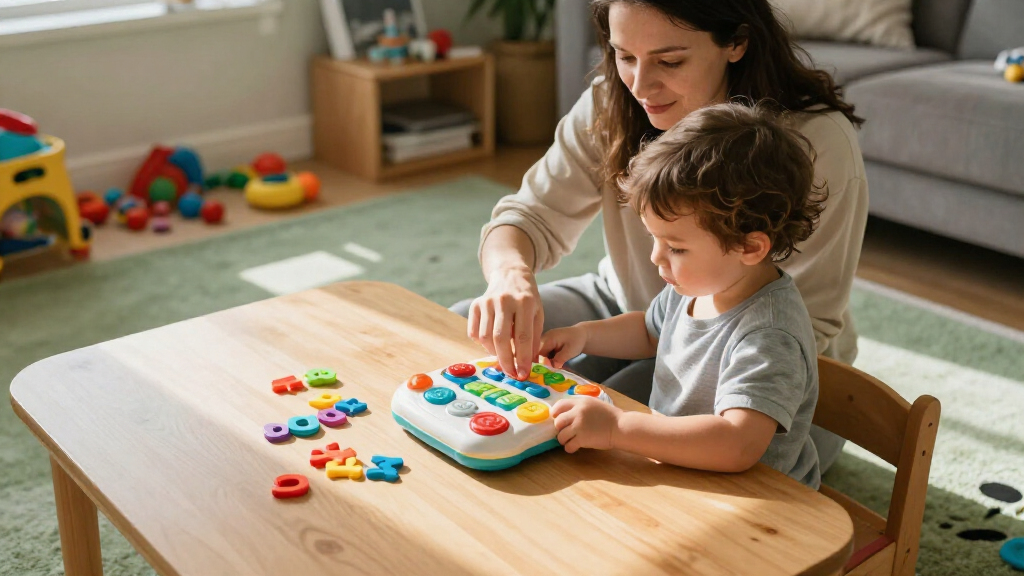

For a strong all-around starting point, I’d choose LeapStart Preschool Success Interactive Learning System: its book-based activities support several early-learning skills without centering the experience on a screen. The LeapPad Academy suits families looking for a tablet-style option, while Mr. Pencil’s Scribble and Write focuses on early handwriting practice. The main tradeoffs are screen versus hands-on play, focused practice versus broader activities, and whether a toy needs extra books or other content to stay useful. Age, attention span, and your child’s current interests matter as much as the feature list. Read on for how all 15 picks compare and which one best fits your household.

Give the gift of listening to the whole family
- Choose a 1-, 3-, 6- or 12-month membership
- They pick the audiobooks they love
- Easy to send by email
Complete the kit


Key Takeaways
- LeapStart Preschool Success is the strongest all-around pick for families who want guided, book-based activities across early-learning skills rather than a tablet-first toy.
- LeapPad Academy offers a broader digital experience, but parents should weigh that flexibility against screen time and the child’s ability to use a tablet independently.
- Mr. Pencil’s Scribble and Write and Mr. Pencil’s Scribble, Write and Read serve a narrower purpose than the LeapStart systems: handwriting and early literacy practice.
- LeapStart Learning Success Bundle and the LeapReader 10-Book Mega Pack make content availability part of the buying decision; check what is included before assuming the core device is enough.
- The lineup spans very different play styles, from movement with LeapMove and geography with the Magic Adventures Interactive Globe to simple sound-and-touch exploration with the 100 Animals Book.
| LeapFrog Mr. Pencil’s Scribble and Write, Pink |  | Best for Early Handwriting Practice | Age range: 3+ years (36 months–7 years) | Educational focus: Writing, drawing, spelling, and letter sounds | Activities: Six activities, including free draw | VIEW LATEST PRICE | See Our Full Breakdown |
| LeapFrog Spin and Sing Alphabet Zoo |  | Best for Babies and Young Toddlers | Age range: 6–36 months | Learning modes: Letter, animal, and music | Learning topics: Letters A–Z, animal names and sounds, colors, and shapes | VIEW LATEST PRICE | See Our Full Breakdown |
| LeapFrog Touch and Learn eReader, Teal |  | Best for Preschool Literacy | Age range: 3+ years | Stories: 10 tales: five classic fairy tales and five phonics stories | Learning activities: Phonics games, quizzes, and music | VIEW LATEST PRICE | See Our Full Breakdown |
| LeapFrog LeapMove Active Learning Video Game System |  | Best for Active, Multi-Child Learning | Recommended age: 4–7 years | Players: Up to 3 | Included games: 25 preloaded games and adventures | VIEW LATEST PRICE | See Our Full Breakdown |
| LeapFrog Disney and Pixar Toy Story 5 Explore & Learn Lilypad |  | Best for Character-Led Play | Age range: 3+ years | Learning features: Alphabet and phonics, number recognition, motor and language skills, STEM, and critical thinking | Activities: ABC Photo Album, Froggy 123, Robot Vacuum, music making, and character messaging | VIEW LATEST PRICE | See Our Full Breakdown |
| LeapFrog Leapster Ultra Handheld Learning Game Console for Kids Age 4+ |  | Best Standalone Handheld | Age range: 4+ years | Screen: 4.3-inch LCD | Games: 30+ | VIEW LATEST PRICE | See Our Full Breakdown |
| LeapFrog LeapPad Academy Kids’ Learning Tablet, Green |  | Best for App Variety | Age range: 3–8 years | Screen: 7 inches | Operating system: Android 10 | VIEW LATEST PRICE | See Our Full Breakdown |
| LeapFrog 100 Animals Book, Green |  | Best First Learning Toy | Age range: 18 months and older | Pages: 6 double-sided interactive pages | Animal categories: 12 | VIEW LATEST PRICE | See Our Full Breakdown |
| LeapFrog Magic Adventures Interactive Globe |  | Best for Geography | Age range: 5–12 years | Globe size: 10 inches | Screen: 2.8 inches | VIEW LATEST PRICE | See Our Full Breakdown |
| LeapFrog My First STEAM Laptop | 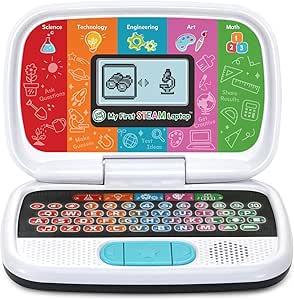 | Best for Early STEAM Skills | Age range: 3+ years | Educational focus: STEAM, early development, logical thinking, motor skills, and shape recognition | Dimensions: 9.33 × 6.22 × 2.17 inches | VIEW LATEST PRICE | See Our Full Breakdown |
| LeapFrog LeapStart Preschool Success Interactive Learning System |  | Best for Growing With a Preschooler | Age range: 2–7 years | Brand: LeapFrog | Included books: Scout and Friends Math With Problem-Solving book and an additional activity book | VIEW LATEST PRICE | See Our Full Breakdown |
| LeapFrog LeapStart Learning Success Bundle, Green |  | Best Portable LeapStart Bundle | Age range: 2–5 years | Color: Green | Included books: Go! Go! Cory Carson Superhero School book and an additional activity book | VIEW LATEST PRICE | See Our Full Breakdown |
| LeapFrog LeapReader Learn-to-Read 10-Book Mega Pack, Pink |  | Best for Early Reading Practice | Age range: 4–8 years | Included books: 10 | Color: Pink | VIEW LATEST PRICE | See Our Full Breakdown |
| LeapFrog Mr. Pencil’s Scribble, Write and Read, Green |  | Best for Guided Handwriting Practice | Age range: 3 years and up | Brand: LeapFrog | Model: 80-617000 | VIEW LATEST PRICE | See Our Full Breakdown |
| LeapFrog 2-in-1 LeapTop Touch Educational Laptop Toy |  | Best for Pretend Tech Play | Age range: 2–5 years | Learning modes: ABCs, numbers, games, music, messages | Keyboard: Letters A–Z and numbers 1–10 | VIEW LATEST PRICE | See Our Full Breakdown |
| leapfrog educational toy | Age range | Power | Included components | Dimensions |
|---|---|---|---|---|
| LeapFrog Mr. Pencil’s Scribble | 3+ years (36 months–7 years) | 3 AA batteries; included batteries are for demonstration | Scribble and Write toy and parent’s guide | — |
| LeapFrog Spin and Sing Alphabe | 6–36 months | 3 AA batteries, included | — | 6.5 × 7.13 × 8.46 inches |
| LeapFrog Touch and Learn eRead | 3+ years | 3 AA batteries | — | 8.8 × 6.3 × 1.2 inches |
| LeapFrog LeapMove Active Learn | — | USB powered; batteries not required | — | — |
| LeapFrog Disney and Pixar Toy | 3+ years | 2 AA batteries; included batteries are for demonstration | Explore & Learn Lilypad and quick start guide | — |
| LeapFrog Leapster Ultra Handhe | 4+ years | 4 AA batteries; included batteries are for demo use | — | 7.3 × 1.9 × 4.0 inches |
| LeapFrog LeapPad Academy Kids’ | 3–8 years | — | Tablet, removable bumper with kickstand, stylus, USB Type-C cable, wall adapter, guides | — |
| LeapFrog 100 Animals Book | 18 months and older | — | — | 9.4 × 9.2 × 1.9 inches |
| LeapFrog Magic Adventures Inte | 5–12 years | 4 AA batteries | Globe, USB cord, parent’s guide | 11 × 10 × 14 inches |
| LeapFrog My First STEAM Laptop | 3+ years | 2 AA batteries; included batteries are for demo use | — | 9.33 × 6.22 × 2.17 inches |
| LeapFrog LeapStart Preschool S | 2–7 years | — | LeapStart system, two activity books, USB cable, quick start guide | — |
| LeapFrog LeapStart Learning Su | 2–5 years | — | LeapStart system, two books, stylus, USB cable, quick start guide | — |
| LeapFrog LeapReader Learn-to-R | 4–8 years | — | — | 1.18 × 1.26 × 6.61 inches |
| LeapFrog Mr. Pencil’s Scribble | 3 years and up | 3 AA batteries | Mr. Pencil’s Scribble, Write and Read; quick start guide | — |
| LeapFrog 2-in-1 LeapTop Touch | 2–5 years | — | 2-in-1 LeapTop Touch, Parent’s Guide | 2.05 × 10.08 × 6 inches |
More Details on Our Top Picks
LeapFrog Mr. Pencil’s Scribble and Write, Pink
Guided tracing is the reason I’d choose Mr. Pencil’s Scribble and Write for a preschooler who is starting to form letters and numbers. Its stylus activities give children step-by-step practice, while instant feedback and animations make it easier to keep going when a shape or letter takes a few tries. Spelling and letter-sound activities add an early literacy element, and free-draw mode offers a break from structured work. Compared with the Touch and Learn eReader, this is the more focused pick for handwriting rather than stories and phonics games. The tradeoff is that its learning scope is narrower than the eReader’s, and the plastic build may not suit families looking for a sturdier-feeling toy. The included batteries are demo batteries, so plan on replacing them for regular play.
Pros:- Step-by-step tracing supports early letter, number, and shape formation.
- Instant feedback and animations help sustain practice.
- Letter-sound and spelling activities extend learning beyond tracing.
- Free-draw mode gives children room for creative play.
Cons:- Learning activities focus mainly on writing and early spelling.
- Demo batteries may need replacement for regular use.
- Plastic construction may be less durable than premium alternatives.
Best for: Caregivers seeking guided letter, number, and shape practice for a child age 3 or older who enjoys using a stylus.
Not ideal for: Families who want a broad story-and-reading library or a toy with a more durable premium construction.
- Age range:3+ years (36 months–7 years)
- Educational focus:Writing, drawing, spelling, and letter sounds
- Activities:Six activities, including free draw
- Power:3 AA batteries; included batteries are for demonstration
- Material:Plastic
- Color:Pink
- Model number:80-600860
- Included components:Scribble and Write toy and parent’s guide
Our verdict“Choose Mr. Pencil’s Scribble and Write for hands-on handwriting practice; pick the Touch and Learn eReader instead for a broader mix of stories and phonics.”
LeapFrog Spin and Sing Alphabet Zoo
For the youngest children in this group, the Spin and Sing Alphabet Zoo offers an approachable way to encounter letters, animals, colors, and shapes through pressing, sliding, lights, and songs. Its manual controls give babies a direct cause-and-effect experience and invite fine motor practice as they move the bee and press buttons. That makes it a different sort of learning toy from Mr. Pencil’s Scribble and Write, which asks older children to trace with a stylus. The Zoo’s three modes add variety, but it is less suited to sustained, skill-focused practice than the LeapMove system or the Touch and Learn eReader. I’d choose it for short, playful interactions rather than a toy that follows a child into preschool. It requires three AA batteries, and its manual operation means children must activate the features themselves.
Pros:- Introduces letters, animal names and sounds, colors, and shapes.
- Three modes pair learning prompts with songs and musical responses.
- Pressing buttons and sliding the bee encourage fine motor practice.
- Manual interaction lets children activate features themselves.
Cons:- Manual operation offers no automated play.
- Requires three AA batteries.
- Its early-learning focus is less suited to preschool skill practice than Mr. Pencil’s Scribble and Write.
Best for: Families with babies or young toddlers, ages 6 to 36 months, who want an interactive toy for early cause-and-effect and motor practice.
Not ideal for: Preschool families seeking structured writing, reading, or multi-skill learning activities that can grow with an older child.
- Age range:6–36 months
- Learning modes:Letter, animal, and music
- Learning topics:Letters A–Z, animal names and sounds, colors, and shapes
- Power:3 AA batteries, included
- Operation:Manual
- Dimensions:6.5 × 7.13 × 8.46 inches
- Weight:1.9 pounds
- Material and color:Plastic; blue
Our verdict“Pick the Spin and Sing Alphabet Zoo for hands-on play with babies and toddlers, not for the more structured lessons offered by the older-child toys in this roundup.”
LeapFrog Touch and Learn eReader, Teal
The Touch and Learn eReader earns its place for preschoolers ready to spend more time with stories and early reading. Its ten tales pair classic fairy tales with phonics-focused stories about vowels and word building, while quizzes, games, and songs give children ways to revisit what they hear. Compared with Mr. Pencil’s Scribble and Write, this is the stronger fit for story-based literacy, while Mr. Pencil offers more direct practice forming letters and numbers. The touchscreen format and lightweight body suit independent play or travel, but the content is a set educational experience rather than a general-purpose reading device with broad app access. Its screen is also small for older children, and three AA batteries are required; the supplied batteries are only for demonstration.
Pros:- Combines five classic fairy tales with five phonics-focused stories.
- Games, quizzes, and songs reinforce early literacy skills.
- Touchscreen controls are designed for young children.
- Lightweight design is convenient for travel.
Cons:- Educational content is limited compared with a general reading or app device.
- The small screen may not suit older children.
- Requires three AA batteries, and included batteries are for demonstration.
Best for: Families seeking a portable, story-led literacy toy for preschoolers age 3 and up, especially children who enjoy touchscreen activities.
Not ideal for: Buyers looking for a general-purpose tablet, a large display for older children, or handwriting practice.
- Age range:3+ years
- Stories:10 tales: five classic fairy tales and five phonics stories
- Learning activities:Phonics games, quizzes, and music
- Display:LCD touchscreen, 800 × 600 resolution
- Power:3 AA batteries
- Connectivity:USB
- Dimensions:8.8 × 6.3 × 1.2 inches
- Weight and color:14.4 ounces; teal
Our verdict“Choose the Touch and Learn eReader for preschool story and phonics play; choose Mr. Pencil’s Scribble and Write when handwriting is the main goal.”
LeapFrog LeapMove Active Learning Video Game System
The LeapMove Active Learning Video Game System is the most movement-focused choice here: children use motion to play through games covering math, reading, phonics, spelling, problem-solving, and motor skills. Its 25 preloaded games and saved progress for up to three players make it a better household fit than a single-child toy such as the Touch and Learn eReader, particularly when siblings want turns. It also spans more learning areas than Mr. Pencil’s Scribble and Write, which concentrates on early writing. The tradeoff is setup and space: LeapMove needs a compatible TV with HDMI, so it is less portable and self-contained than the handheld-style options. Its intended age range is 4–7, which also gives it a shorter window for very young children.
Pros:- Motion-based play combines physical activity with learning.
- Covers math, spelling, phonics, reading, problem-solving, and motor skills.
- Supports saved progress for up to three players.
- Includes HDMI and USB cables, with no batteries required.
Cons:- Requires a TV with a compatible HDMI connection.
- Its age range is limited to 4–7 years.
- Less portable and self-contained than the Touch and Learn eReader.
Best for: Households with children ages 4–7 who want movement-based learning on a TV and a system that can save progress for multiple players.
Not ideal for: Families without an HDMI-compatible TV, those needing a portable toy, or buyers shopping for children younger than four.
- Recommended age:4–7 years
- Players:Up to 3
- Included games:25 preloaded games and adventures
- Learning skills:Math, spelling, phonics, reading, problem-solving, and motor skills
- Connectivity:HDMI and USB Type-C
- Power:USB powered; batteries not required
- Storage:4 GB
- Dimensions and weight:2.6 × 2.6 × 2.8 inches; 0.29 kg
Our verdict“Choose LeapMove for active, shared learning on a TV; skip it if you need a portable toy or a device for a younger preschooler.”
LeapFrog Disney and Pixar Toy Story 5 Explore & Learn Lilypad
Children drawn to Toy Story characters may find the Explore & Learn Lilypad an inviting route into early learning. Its activities mix alphabet and number games with music, character messaging, and robot-vacuum puzzles, while movable hands make the toy’s eyes move for an extra hands-on element. Compared with the Touch and Learn eReader, the Lilypad leans more on character play, pretend messaging, and varied mini-games than on stories and phonics lessons. It also reaches beyond letters and counting into simple problem-solving and music. That variety is appealing, but the listed activities do not offer the same guided handwriting focus as Mr. Pencil’s Scribble and Write. It is aimed at ages 3 and up, and the demonstration batteries should be replaced for regular use.
Pros:- Mixes alphabet and phonics with number recognition, music, and puzzles.
- Character messaging uses emojis and preset messages for pretend interaction.
- Movable hands make the eyes move during play.
- Activities include problem-solving and STEM-oriented elements.
Cons:- Demo batteries are included; new batteries are recommended for regular use.
- Character-led play may be less engaging for children who are not Toy Story fans.
- Does not offer the same focused tracing practice as Mr. Pencil’s Scribble and Write.
Best for: Toy Story fans age 3 and up who enjoy character interaction alongside introductory alphabet, number, music, and puzzle activities.
Not ideal for: Families seeking structured handwriting instruction or a story-centered literacy toy like the Touch and Learn eReader.
- Age range:3+ years
- Learning features:Alphabet and phonics, number recognition, motor and language skills, STEM, and critical thinking
- Activities:ABC Photo Album, Froggy 123, Robot Vacuum, music making, and character messaging
- Power:2 AA batteries; included batteries are for demonstration
- Interactive feature:Movable hands make the eyes move
- Included components:Explore & Learn Lilypad and quick start guide
- Model number:80-623500
- Brand:LeapFrog
Our verdict“Pick the Lilypad for a Toy Story fan who likes varied mini-games and pretend messaging, rather than for focused writing or story-based reading practice.”
LeapFrog Leapster Ultra Handheld Learning Game Console for Kids Age 4+
The Leapster Ultra is my pick for families who want learning games without turning playtime into tablet time. Its 30+ offline games cover early spelling, counting, and phonics, with three skill levels and more than 1,200 challenges to give children room to practice. The rotating screen and spinner add tactile variety that the LeapPad Academy, with its broader app library, does not center on. Two player profiles also let siblings keep separate progress. The tradeoff is a narrower experience: it has no internet connection or traditional game library, and regular play requires four AA batteries. I’d choose it over the LeapPad when simple, self-contained play matters more than downloadable content, parental app controls, or a larger screen.
Pros:- Works without internet, downloads, or account setup.
- More than 30 games and 1,200 challenges cover early learning skills.
- Three skill levels and two profiles support practice at different stages.
- Rotating screen and spinner offer hands-on variety.
Cons:- Requires four AA batteries for regular use.
- Content is limited to educational games rather than a broad video game library.
Best for: Families seeking an offline handheld for preschool and kindergarten practice, especially children who enjoy short games and siblings who need separate profiles.
Not ideal for: Buyers who want a tablet-style screen, expandable app selection, or entertainment beyond educational games.
- Age range:4+ years
- Screen:4.3-inch LCD
- Games:30+
- Learning challenges:1,200+
- Power:4 AA batteries; included batteries are for demo use
- Connectivity:None; standalone
- Audio interface:3.5 mm
- Dimensions:7.3 × 1.9 × 4.0 inches
Our verdict“Choose the Leapster Ultra for offline, game-based early learning; pick the LeapPad Academy if you want a broader tablet experience.”
LeapFrog LeapPad Academy Kids’ Learning Tablet, Green
For a child ready to explore different kinds of digital activities, the LeapPad Academy offers more range than the Leapster Ultra’s fixed game collection. Its 20+ educator-approved apps span reading, math, writing, coding, problem-solving, and creativity, while the stylus supports activities that benefit from drawing or precise tapping. The bumper and kickstand help protect the tablet and make it easier to use on a table, and parental controls give caregivers ways to manage apps and screen time. This flexibility comes with ongoing limits: Wi-Fi is part of the setup, some content is sold separately, and LeapFrog Academy access lasts only three months without a subscription. Compared with the 100 Animals Book, it covers a wider range of subjects but is a more screen-centered, connected choice.
Pros:- More than 20 included apps address several learning areas.
- Parental controls offer app management and time limits.
- Removable bumper has a built-in kickstand.
- Rechargeable battery and included stylus support repeated use and hands-on activities.
Cons:- Additional games, videos, music, and eBooks are sold separately.
- LeapFrog Academy access beyond the three-month trial requires a subscription.
- Wi-Fi and a tablet setup make it less self-contained than the Leapster Ultra.
Best for: Caregivers of children ages 3–8 who want one device for varied learning apps, stylus activities, and parental screen-time controls.
Not ideal for: Families looking for a fully offline toy with no extra content costs or subscription-based access.
- Age range:3–8 years
- Screen:7 inches
- Operating system:Android 10
- Included apps:More than 20 educator-approved apps
- Battery:Rechargeable lithium-ion
- Connectivity:Wi-Fi and USB
- Cameras:2 MP rear; 0.3 MP front
- Included components:Tablet, removable bumper with kickstand, stylus, USB Type-C cable, wall adapter, guides
- Warranty:2-year limited warranty
Our verdict“Choose the LeapPad Academy for app variety and caregiver controls, but skip it if you want a simple offline toy without ongoing content costs.”
LeapFrog 100 Animals Book, Green
The 100 Animals Book is the most age-accessible pick in this group, aimed at children from 18 months who are beginning to connect pictures, sounds, and words. Touch-sensitive pages introduce animals from 12 habitats through three modes: names, sounds, and facts. English and Spanish options add simple language exposure without the screen-based format of the LeapPad Academy or Leapster Ultra. That simplicity is also the limitation: the content stays focused on animals, so it won’t offer the broader skills practice of the My First STEAM Laptop or the games of the handheld console. Its six double-sided pages keep the activity straightforward, but families should expect to replace the two AA batteries recommended for regular use. I’d pick it for early, shared exploration rather than a toy meant to grow across many subjects.
Pros:- Touch-sensitive pages invite children to explore independently.
- Three modes offer animal names, sounds, and facts.
- English and Spanish options introduce two languages.
- Animal topics span 12 habitats and environments.
Cons:- Animal content is narrower than the LeapPad Academy’s multiple learning subjects.
- Requires two AA batteries, with new batteries recommended for regular use.
Best for: Caregivers of toddlers 18 months and older who want a touch-activated introduction to animal words, sounds, and basic facts in English or Spanish.
Not ideal for: Buyers seeking a broad curriculum, more advanced challenges, or a rechargeable, screen-based learning device.
- Age range:18 months and older
- Pages:6 double-sided interactive pages
- Animal categories:12
- Languages:English and Spanish
- Play modes:Animal names, animal sounds, and fun facts
- Battery requirement:2 AA batteries
- Dimensions:9.4 × 9.2 × 1.9 inches
- Weight:1.5 pounds
Our verdict“Choose this book for toddler-friendly animal and language exploration, not for a wide-ranging learning curriculum.”
LeapFrog Magic Adventures Interactive Globe
Among these LeapFrog options, the Magic Adventures Interactive Globe gives geography the clearest focus. A stylus lets children explore locations on the globe, while its 2.8-inch screen presents BBC videos and animations about cultures, languages, animals, and habitats. Three games add quizzes, globe exploration, and mystery-solving, giving the experience more structure than the My First STEAM Laptop’s activity-based introduction to several STEAM subjects. The globe is designed for ages 5–12, so it better suits children ready to connect places with facts than toddlers who need simpler touch-and-sound play, such as with the 100 Animals Book. Its footprint, single-player format, and four-AA-battery power requirement make it less convenient for group play or frequent relocation.
Pros:- Connects geography with cultures, languages, animals, and habitats.
- BBC videos and animations add visual context to globe exploration.
- Three games include quizzes and mystery-solving.
- Stylus interaction gives children a direct way to explore locations.
Cons:- Designed for one player, limiting shared play.
- Requires four AA batteries for regular use.
- Its 11 × 10 × 14-inch footprint takes more space than handheld options.
Best for: Families with children ages 5–12 who are curious about countries, cultures, animals, and habitats and enjoy exploring with a stylus.
Not ideal for: Buyers who need a compact toy, a multiplayer activity, or a learning option for toddlers.
- Age range:5–12 years
- Globe size:10 inches
- Screen:2.8 inches
- Dimensions:11 × 10 × 14 inches
- Weight:2.9 pounds
- Power:4 AA batteries
- Players:1
- Included components:Globe, USB cord, parent’s guide
- Warranty:90 days against manufacturer defects
Our verdict“Choose the Magic Adventures Globe for location-based learning and multimedia, but not for compact or multiplayer play.”
LeapFrog My First STEAM Laptop
The My First STEAM Laptop suits young learners who want varied activities in a familiar pretend-computer format. Guided by Dr. Frankensteam and STEAM-Bot, children can explore plant growth, build robots, match shapes, and practice counting, joining early science and math with logical thinking and motor skills. Its 3+ age guidance makes it a simpler, more hands-on starting point than the Magic Adventures Globe, which targets older children and geography. It also avoids the account and Wi-Fi setup of the LeapPad Academy. The tradeoff is that this is a single-player plastic toy with a focused set of built-in activities, not an expandable tablet; its demo batteries are not intended for regular use, and new AA batteries are needed. Rough handling may also be a concern for caregivers seeking a particularly rugged device.
Pros:- Activities introduce science, technology, engineering, art, and math.
- Animated characters guide children through varied tasks.
- Combines counting and shape recognition with logical thinking and motor practice.
- Compact dimensions suit young children and small play areas.
Cons:- Demo batteries are for demonstration only; regular use requires two AA batteries.
- Single-player design does not support shared play as a built-in feature.
- Plastic construction may be less suited to rough handling.
Best for: Caregivers of children ages 3 and up who want a compact, guided introduction to STEAM concepts without Wi-Fi or a tablet interface.
Not ideal for: Families seeking multiplayer activities, expandable digital content, or a device intended to withstand rough handling.
- Age range:3+ years
- Educational focus:STEAM, early development, logical thinking, motor skills, and shape recognition
- Dimensions:9.33 × 6.22 × 2.17 inches
- Weight:1.2 pounds
- Material:Plastic
- Power:2 AA batteries; included batteries are for demo use
- Model number:80-621430
- Color:Multicolor
Our verdict“Choose the My First STEAM Laptop for a guided, offline introduction to STEAM; choose the LeapPad Academy for a wider, expandable app selection.”
LeapFrog LeapStart Preschool Success Interactive Learning System
The LeapStart Preschool Success is the most adaptable pick here for families who want one system to cover several early-learning stages. Its two difficulty levels let children revisit many activities as skills develop, while the included books offer practice in math, reading, and problem-solving. The hand-held stylus also gives children a way to interact that is closer to tracing and writing than tapping a screen. Compared with the LeapFrog LeapReader 10-Book Mega Pack, LeapStart covers a broader mix of subjects, but it does not provide the same dedicated volume of reading books. The tradeoff is setup: adding books requires a computer and internet connection, and everyday use depends on AA batteries. I’d choose it for range and progression, not for a no-setup or screen-free writing curriculum.
Pros:- Two difficulty levels on many activities support repeated use as a child develops.
- Includes two activity books spanning math, reading, and problem-solving.
- Easy-to-hold stylus encourages a writing-style grip.
- Touch-and-talk games and puzzles offer varied ways to practice.
Cons:- A computer and internet connection are required to install additional books.
- Runs on 2 AA batteries, which may need replacing with frequent play.
- The included books offer less dedicated reading practice than the LeapReader 10-Book Mega Pack.
Best for: Families with children ages 2–7 who want adjustable activities across early math, reading, and problem-solving.
Not ideal for: Caregivers who want a ready-to-use system without computer downloads, or who prefer a focused set of many beginning-reader books.
- Age range:2–7 years
- Brand:LeapFrog
- Included books:Scout and Friends Math With Problem-Solving book and an additional activity book
- Battery requirements:2 AA batteries, included
- Connectivity:Computer and internet required for downloads
- Included components:LeapStart system, two activity books, USB cable, quick start guide
- Model number:80-602170
- Warranty:90 days against manufacturer defects
Our verdict“Choose LeapStart for a broad, adjustable learning system that can serve a child across several early-learning stages.”
LeapFrog LeapStart Learning Success Bundle, Green
This green LeapStart Learning Success Bundle is a good fit for younger learners who benefit from a portable, book-based activity system. It includes a Go! Go! Cory Carson title and another activity book, with two difficulty levels for many activities and a stylus that stores in the cover. The carrying handle makes it easier to bring along than the more writing-focused Mr. Pencil’s Scribble, Write and Read, though the Scribble toy asks less of parents in setup because it does not require content installation. LeapStart’s wider subject mix gives it more room to grow from preschool into early grade-school skills, but the bundle is listed for ages 2–5 and its initial book selection is limited. A computer and internet connection are needed to install content; additional books are separate purchases.
Pros:- Includes two activity books with preschool through first-grade subject content.
- Many activities offer two difficulty levels.
- Stylus stores neatly in the cover.
- Carrying handle supports taking the system on trips or between rooms.
Cons:- A Windows or Mac computer and internet connection are required to install content.
- Only two books are included, so the initial activity selection is limited.
- The 90-day manufacturer-defect warranty is relatively short.
Best for: Families with children ages 2–5 who want a portable activity system with a stored stylus and varied early-learning subjects.
Not ideal for: Buyers seeking a large book library out of the box or a toy that works without computer-based content installation.
- Age range:2–5 years
- Color:Green
- Included books:Go! Go! Cory Carson Superhero School book and an additional activity book
- Battery requirements:2 AA batteries, included
- Content installation:Windows or Mac computer and internet connection required
- Included components:LeapStart system, two books, stylus, USB cable, quick start guide
- Model number:80-613100
- Warranty:90 days against manufacturer defects
Our verdict“Pick this bundle for a portable LeapStart set aimed at younger children, provided computer setup and buying more books suit your family.”
LeapFrog LeapReader Learn-to-Read 10-Book Mega Pack, Pink
For children ready to focus on decoding and early reading, the LeapReader 10-Book Mega Pack has the clearest purpose in this group. Its pen activates spoken words and stories while the books practice letter sounds, short vowels, sight words, spelling, and word blending. Ten included books give it a deeper reading library from the start than either LeapStart bundle, but that focus means it is less suited to families looking for broad math and problem-solving activities. Compared with the LeapFrog LeapStart Preschool Success, this set offers more dedicated reading material, while LeapStart has a wider subject range and adjustable activity levels. The pen needs AAA batteries, and additional books or downloadable content require separate purchases. I’d choose this for a child who is ready to spend regular play time on reading skills.
Pros:- Includes a LeapReader pen and 10 books.
- Spoken words and stories connect printed text with sound.
- Books practice phonics, sight words, spelling, and word blending.
- Works with additional LeapReader books.
Cons:- Additional books and downloadable content are sold separately.
- The set focuses on reading rather than the broader subject mix offered by LeapStart.
- Requires 2 AAA batteries for the pen.
Best for: Families with children ages 4–8 who want a substantial set of interactive books for phonics, spelling, and beginning reading.
Not ideal for: Buyers seeking a multi-subject learning system, or children who are not yet ready for structured reading practice.
- Age range:4–8 years
- Included books:10
- Color:Pink
- Batteries:2 AAA batteries, included
- Dimensions:1.18 × 1.26 × 6.61 inches
- Item weight:2.5 pounds
- Model number:80-61628E
- Warranty:90 days against manufacturer defects
Our verdict“Choose the Mega Pack when reading practice and a sizable included book set matter more than cross-subject activities.”
LeapFrog Mr. Pencil’s Scribble, Write and Read, Green
Mr. Pencil’s Scribble, Write and Read is the most direct choice here for a child who wants to practice making letters and numbers. The stylus follows dotted tracing paths, while guided sounds and animated feedback help connect a written shape with its name and sound. It also covers name writing, early spelling, counting, and free drawing, so it offers more than letter drills. Compared with the LeapFrog LeapStart Preschool Success, this toy keeps the focus on writing rather than a wide range of book-based subjects; LeapStart is the better fit for children who want varied activities and adjustable difficulty. The tradeoff is that the guided format is narrower, and the three AA batteries are for demonstration only, so regular play calls for fresh batteries.
Pros:- Guided tracing supports uppercase and lowercase letter practice.
- Adds number, name-writing, spelling, and counting activities.
- Sound-it-out guidance and animation give feedback during practice.
- Free-draw activity offers a break from tracing.
Cons:- Requires 3 AA batteries, and included batteries are for demonstration only.
- Its focus is narrower than the multi-subject LeapStart systems.
- The tracing format may not suit children who prefer open-ended book or pretend-play activities.
Best for: Families with children age 3 and up who want guided tracing practice for letters, numbers, and name writing.
Not ideal for: Buyers seeking a broad reading-and-math activity library or a toy ready for extended play without replacing the demonstration batteries.
- Age range:3 years and up
- Brand:LeapFrog
- Model:80-617000
- Material:Plastic
- Power:3 AA batteries
- Included components:Mr. Pencil’s Scribble, Write and Read; quick start guide
- Manufacturer warranty:90 days against manufacturer defects
Our verdict“Choose Mr. Pencil for hands-on tracing and early writing skills rather than a broad learning library.”
LeapFrog 2-in-1 LeapTop Touch Educational Laptop Toy
The 2-in-1 LeapTop Touch is the easiest pick for a toddler who wants to imitate a grown-up using a laptop. It flips between keyboard and tablet modes, with five learning modes for letters, numbers, games, music, and messages; pretend email and name spelling give the play a personal hook. Its take-along handle and light listed weight make it more suited to portable pretend play than the book-based LeapFrog LeapStart Learning Success Bundle, which offers more structured practice across subjects. The LeapTop’s tradeoff is that its learning experience is organized around short electronic activities rather than books or guided handwriting. Its age range is also narrower, at 2–5 years, and it requires three AA batteries. I’d favor it for playful letter and number exposure, not as the strongest choice for sustained reading or writing instruction.
Pros:- Converts between keyboard and tablet modes.
- Five modes cover letters, numbers, games, music, and messages.
- Personalized name-spelling activity adds a familiar learning hook.
- Take-along handle supports portability.
Cons:- Requires 3 AA batteries.
- Designed for a specific early-childhood age range of 2–5 years.
- Offers less structured book-based learning than the LeapStart bundles.
Best for: Families with children ages 2–5 who enjoy imitating laptop use and want portable play with basic letters and numbers.
Not ideal for: Caregivers seeking structured phonics, extensive activity books, or guided handwriting practice that can grow beyond preschool.
- Age range:2–5 years
- Learning modes:ABCs, numbers, games, music, messages
- Keyboard:Letters A–Z and numbers 1–10
- Battery requirements:3 AA batteries
- Dimensions:2.05 × 10.08 × 6 inches
- Weight:1.3 pounds
- Included components:2-in-1 LeapTop Touch, Parent’s Guide
- Model:80-600900
- Manufacturer warranty:90 days against manufacturer defects
Our verdict“Pick LeapTop Touch for portable pretend-computer play and early letter exposure, rather than deeper reading or writing lessons.”
How We Picked
I compared these 15 LeapFrog toys by the learning activity they support, how a child interacts with them, age and skill fit, and how much variety they offer beyond a first session. I also looked at practical ownership questions: whether play depends on physical books or other content, whether the device is screen-based, and whether its format is likely to suit a child’s attention span and interests.
The ranking favors toys with a clear educational purpose, approachable interaction, and useful breadth for their intended age or skill level. Focused toys still earn a place when they serve a specific need particularly well, but a narrow activity or reliance on add-on content limits their fit for more families. I treat tablets, active-play systems, books, and writing toys as different choices rather than assuming one format is best for every child.
Factors to Consider When Choosing Best Leapfrog Educational Toys
Before choosing a toy, I’d start with the kind of play your child will actually return to, not the longest feature list. These broader questions can help you avoid buying a capable device that does not match your child’s age, routine, or learning goal.
Match the toy to a current learning goal
Decide whether your child needs practice with letters, writing, reading, numbers, geography, or general discovery. A focused toy can hold attention because it gives one skill a clear routine, but it may feel limited once that skill is familiar. A broader system can cover more areas, though a wide menu may be less useful for a child who benefits from repetition. Pick a goal that feels timely rather than buying for a distant school milestone. If you are unsure, observe which activities your child chooses during everyday play and use that as your starting point.
Choose a play format your child can manage
Touch books, stylus activities, handheld systems, tablets, and movement games ask for different kinds of attention and coordination. A child who likes sitting and repeating a task may do better with an interactive book or writing toy than with an active video game. A more mobile or energetic child may find movement-based play easier to stick with. Do not assume that a touchscreen is automatically simpler: menus, navigation, and decisions can add friction for younger children. When possible, choose a format that matches how your child already prefers to play.
Look beyond the device to its content
Some learning systems are most useful when paired with compatible books, cards, or other activities. Check the box contents and any compatibility requirements before purchase, then think about whether you are willing to build out the collection later. A bundle may offer a more ready-to-use start, while a standalone device may leave you needing extra materials to get the variety you want. Content that repeats familiar exercises can help practice, but children who tire quickly may need more varied material. Treat ongoing content needs as part of the toy’s fit, not an afterthought.
Balance screen use with the kind of learning you want
Screen-based toys can combine games, audio, and guided activities in one device, which may suit families seeking a digital learning routine. Book-based and hands-on options offer a different experience and can make the activity feel more like shared reading, drawing, or physical play. Neither format guarantees better learning; adult involvement and a child’s interest shape how the toy gets used. Consider when and where the toy will be played, including whether it will compete with other household screen routines. Choose the format that fits your boundaries before comparing extra features.
Check age fit and independence
Age labels are a starting point, but children vary in reading readiness, fine-motor control, and comfort following instructions. A toy that is too easy may lose appeal, while a device with many controls can frustrate a child who still needs help getting started. Think about whether you want independent play or an activity you can share. If your child is near a developmental step, favor clear progression and simple prompts over a large number of unrelated activities. The right level should invite practice without making every session feel like a lesson.
Decide how much variety is worth paying for
A single-purpose toy can be a sensible choice when it directly addresses a skill your child wants to practice. A system with more subjects or play modes may last longer, but only if your child enjoys switching between them. Extra features are not automatically extra value if they make the toy harder to use or go unused. Compare the range of activities with the amount of setup, supervision, and additional content the toy may call for. I’d pay for broader capability when it fits a child’s habits, not simply because the feature list is longer.
Frequently Asked Questions
Which LeapFrog toy is the best starting point if I do not know my child’s favorite subject yet?
I’d start with LeapStart Preschool Success Interactive Learning System if your child is ready for guided, book-based activities and you want exposure to more than one early-learning skill. It is a more flexible starting point than a toy built only for handwriting or animal sounds. If your child is very young or prefers simple touch-and-listen play, the 100 Animals Book may be easier to approach. Match the choice to attention span and independence, not just age. Also check which books or materials are included so the first play session does not depend on an unplanned add-on.
Should I choose LeapPad Academy or a non-tablet LeapFrog toy?
Choose LeapPad Academy if a digital device suits your family’s screen rules and your child can handle menus and touch-based activities. A non-tablet option is a better fit when you want play centered on books, a stylus, physical movement, or a specific skill. Think about where the toy will be used and whether it will add to an existing screen routine. A tablet-style toy can offer variety, but more digital features do not automatically mean a better match. For a child who needs a parent to set up each activity, a simpler format may get used more often.
Do I need to buy extra books or learning materials for LeapStart or LeapReader?
Check the exact package contents before choosing, since a device and a bundle can provide different amounts of ready-to-use material. If the included content is limited, extra compatible books or materials may be needed to add variety. A bundle can reduce that initial gap, though it only makes sense if its content fits your child’s interests and level. Consider whether your child enjoys repeating activities or prefers new material frequently. I’d compare the complete play setup you want, rather than judging the device by itself.
Which LeapFrog options make sense for practicing handwriting or early reading?
For handwriting practice, compare Mr. Pencil’s Scribble and Write with Mr. Pencil’s Scribble, Write and Read based on whether you want a narrower writing focus or a wider early-literacy activity. For reading practice built around books and audio interaction, the LeapReader 10-Book Mega Pack offers a different format from a writing toy. A broader system such as LeapStart may suit a child who benefits from mixing skills rather than repeating one kind of task. Consider fine-motor readiness and interest in books before choosing. A child who dislikes pencil-like activities may respond better to listening and touch interactions.
How can I tell whether a LeapFrog toy will hold my child’s interest?
Look for a close match with play your child already chooses: movement, drawing, listening, touching, or exploring facts. A toy with one clear activity may be engaging when it fits a current interest, but it can lose appeal if that interest fades. Broader systems offer more kinds of play, though a complex interface may make them less inviting at first. Consider whether an adult will need to join in and whether that fits your routine. If possible, let your child try a similar format before choosing a toy with a different style of interaction.
Conclusion
My best overall choice is LeapStart Preschool Success Interactive Learning System for its approachable, book-based mix of early-learning activities. For a best value pick, I’d look at LeapFrog 100 Animals Book when simple, focused exploration is enough; families wanting a broader ready-to-use learning setup should compare the LeapStart bundle’s included content. The best premium-style option for families seeking a wide digital experience is LeapPad Academy, provided its screen format fits your household. For beginners, the 100 Animals Book offers a straightforward way to start; for specific needs, choose Mr. Pencil for handwriting, LeapReader for book-led reading practice, LeapMove for active play, or the Magic Adventures Globe for geography. The right pick is the one that matches your child’s current interests and the kind of play you want at home.