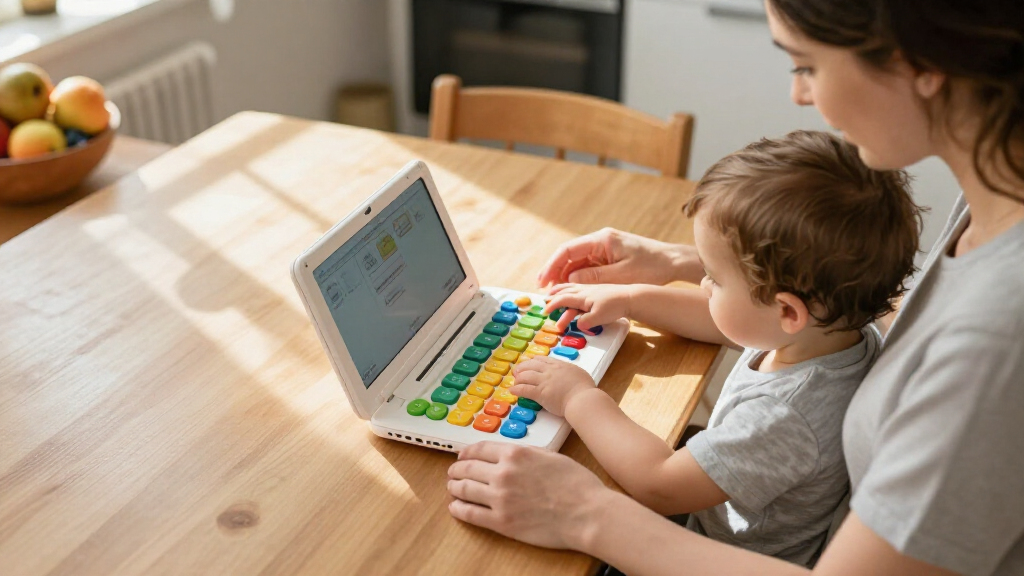

For most families, I’d start with the VTech Toddler Tech Laptop for its toddler-focused format, then compare it with the LeapFrog My Own Leaptop for pretend-play appeal and the VTech Genio Bilingual JuniorBook for language options. The best toddler learning laptops balance simple controls, age-appropriate activities, and sturdy-feeling construction without overwhelming a young child. The main tradeoff is whether you want a straightforward toy for early exploration, a more varied preschool activity set, or bilingual and character-led play. Some models lean heavily on buttons and sounds, while others offer a touch-style or 2-in-1 format. Read on for the full breakdown and guidance on matching a laptop toy to your child’s age and interests.

Turn the school run and nap time into listening time
- Thousands of audiobooks, podcasts and originals
- Listen on your phone, tablet or Echo — also offline
- Cancel anytime
Complete the kit


Key Takeaways
- Toddler simplicity separates the strongest starting picks: the VTech Toddler Tech Laptop and LeapFrog My Own Leaptop are more approachable first choices than models aimed at broader preschool skills.
- Format matters as much as the activity list: 2-in-1 designs such as the LeapFrog 2-in-1 LeapTop Touch suit children who benefit from switching between laptop-style and tablet-style play.
- Bilingual models serve a specific purpose: the VTech Genio and several Lexibook options add language variety, but buyers should check that the languages and activity style fit their household.
- Character themes are a motivation tradeoff: the Unicorn, Spider-Man, and Frozen 2 Lexibook models may appeal to fans, while less themed models can be easier to choose for broad, longer-term use.
- More activities do not automatically mean a better first toy: preschool-focused options such as the VTech Play Smart and LeapFrog My First STEAM Laptop may suit children ready for varied tasks, while very young beginners may do better with simpler controls.
| 2-in-1 Learning Laptop Toy for Toddlers |  | Best for Early Toddler Exploration | Brand: GMAOPHY | Model: LAPTOP-G6 | Age range: 12 months and up | VIEW LATEST PRICE | See Our Full Breakdown |
| VTech Genio Bilingual JuniorBook Learning Laptop for Kids |  | Best for Bilingual Computer-Skills Practice | Brand: VTech | Age range: 5+ years | Activities: More than 80 apps and games | VIEW LATEST PRICE | See Our Full Breakdown |
| LeapFrog My Own Leaptop, Green |  | Best for Simple Pretend-Play Basics | Brand: LeapFrog | Color: Green | Age range: 2+ years | VIEW LATEST PRICE | See Our Full Breakdown |
| Lexibook Unicorn Bilingual Educational Laptop for Kids |  | Best for Broad Bilingual Activity Variety | Brand: Lexibook | Model: JC598UNIi2 | Age range: 4 years and up | VIEW LATEST PRICE | See Our Full Breakdown |
| Winfun Bilingual Learning Laptop for Kids |  | Best for Portable Bilingual Play | Brand: Winfun | Model: 240401 | Age range: 36 months to 15 years | VIEW LATEST PRICE | See Our Full Breakdown |
| Laradola 2-in-1 Learning Laptop Toy for Toddlers |  | Best for Flexible Screen-Free Play | Age range: 12 months–4 years | Play modes: 4 | Learning themes: 100+ | VIEW LATEST PRICE | See Our Full Breakdown |
| Lexibook Spider-Man Bilingual Educational Laptop for Kids |  | Best for Bilingual Activity Variety | Age range: 3 years and up | Languages: English and Spanish | Activities: 170 (85 in each language) | VIEW LATEST PRICE | See Our Full Breakdown |
| Lexibook Disney Frozen 2 Bilingual Educational Laptop for Kids |  | Best for Frozen Fans Ready for Preschool Practice | Age range: 4 years and up | Languages: English and Spanish | Activities: 124 | VIEW LATEST PRICE | See Our Full Breakdown |
| VTech Play Smart Preschool Laptop |  | Best for Personalized Early Keyboard Practice | Age range: 3–6 years | Activities: 30 | Learning categories: Letters and words, numbers and shapes, animals and foods, logic games, and music | VIEW LATEST PRICE | See Our Full Breakdown |
| VTech Swipe and Learn Smarties Laptop, Blue |  | Best for Younger Toddlers and Music Play | Age range: 18 months–4 years | Learning features: Letters, phonics, animals, weather, numbers, counting, and music | Instruments: Piano, flute, guitar, violin, and xylophone | VIEW LATEST PRICE | See Our Full Breakdown |
| VTech Toddler Tech Laptop |  | Best for the Youngest Beginners | Recommended age: 12–36 months | Learning objectives: Cause and effect, counting, fine motor skills | Controls: Five app buttons, spinning disc, slider, arrow cursor | VIEW LATEST PRICE | See Our Full Breakdown |
| LeapFrog 2-in-1 LeapTop Touch |  | Best for Laptop-to-Tablet Play | Age range: 2–5 years | Learning modes: ABCs, numbers, games, music, messages | Keyboard: Letters A–Z and numbers 1–10 | VIEW LATEST PRICE | See Our Full Breakdown |
| VTech Tote & Go Laptop for Kids, Orange |  | Best for Growing Preschool Skills | Age range: 3–6 years | Learning activities: 20 | Words taught: More than 60 | VIEW LATEST PRICE | See Our Full Breakdown |
| LeapFrog ABC and 123 Laptop for Preschoolers, Green |  | Best for Playful Computer Skills | Age range: 3 years and up | Activities: 11 | Educational objectives: Basic computer skills, counting, language | VIEW LATEST PRICE | See Our Full Breakdown |
| LeapFrog My First STEAM Laptop | 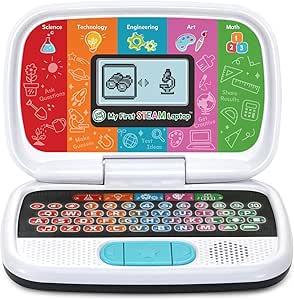 | Best for Early STEAM Exploration | Recommended age: 3 years and up | Learning areas: Science, technology, engineering, art, and math | Activities: Plant growth, fossils, robot building, shape matching, creative design, inventions, counting | VIEW LATEST PRICE | See Our Full Breakdown |
| toddler learning laptop | Age range |
|---|---|
| 2-in-1 Learning Laptop Toy for | 12 months and up |
| VTech Genio Bilingual JuniorBo | 5+ years |
| LeapFrog My Own Leaptop | 2+ years |
| Lexibook Unicorn Bilingual Edu | 4 years and up |
| Winfun Bilingual Learning Lapt | 36 months to 15 years |
| Laradola 2-in-1 Learning Lapto | 12 months–4 years |
| Lexibook Spider-Man Bilingual | 3 years and up |
| Lexibook Disney Frozen 2 Bilin | 4 years and up |
| VTech Play Smart Preschool Lap | 3–6 years |
| VTech Swipe and Learn Smarties | 18 months–4 years |
| VTech Toddler Tech Laptop | — |
| LeapFrog 2-in-1 LeapTop Touch | 2–5 years |
| VTech Tote & Go Laptop for Kid | 3–6 years |
| LeapFrog ABC and 123 Laptop fo | 3 years and up |
| LeapFrog My First STEAM Laptop | — |
More Details on Our Top Picks
2-in-1 Learning Laptop Toy for Toddlers
For toddlers just starting to explore buttons and sounds, this keyboard-to-tablet design offers more variety than the simpler pretend-play setup of the LeapFrog My Own Leaptop. Its four modes cover letters, numbers, colors, spelling, quizzes, and music, with 120+ learning themes and more than 70 quiz questions to give little learners different activities to try. Pretend-play keys also introduce everyday vocabulary and communication, so the appeal is not limited to answering prompts.
The tradeoff is age range: at 12 months and up, the activities are aimed at younger children and may not hold an older preschooler’s attention. The available details also omit dimensions and power requirements, making it harder to plan for storage or replacement batteries. I’d choose this over My Own Leaptop for mode variety, but not for a child ready for more advanced learning tasks.
Pros:- Switches between keyboard and tablet modes for two styles of pretend play.
- Four modes cover letters, numbers, colors, spelling, quizzes, and music.
- More than 120 learning themes and 70+ quiz questions offer activity variety.
- Rounded-edge ABS construction is designed with young toddlers in mind.
Cons:- The toddler-focused content may feel too simple as a child gets older.
- Product information does not specify dimensions or power requirements.
Best for: Families seeking a first interactive learning toy for a toddler around 12 months old, especially one with both keyboard and tablet-style play.
Not ideal for: Parents of older preschoolers who want progressively harder computer skills or shoppers who need confirmed dimensions and power details.
- Brand:GMAOPHY
- Model:LAPTOP-G6
- Age range:12 months and up
- Modes:Learning, spelling, quiz, and music
- Learning themes:120+
- Quiz questions:70+
- Function keys:8
- Material:ABS plastic
Our verdict“Choose this for a young toddler who will benefit from varied, hands-on modes, but skip it if you need advanced activities or clear power and size details.”
VTech Genio Bilingual JuniorBook Learning Laptop for Kids
This is the most school-like option in this group: its full-size QWERTY keyboard and cursor controller give children a more recognizable computer setup than the toy-style controls on the Winfun Bilingual Learning Laptop. More than 80 pre-loaded apps and games cover math, science, language arts, music, and Spanish, while English-and-Spanish activities and a vocabulary of over 200 words make the bilingual focus a meaningful part of play.
Its clear limitation for a toddler roundup is the stated 5+ age range; younger toddlers may be better served by the simpler modes on the 2-in-1 Learning Laptop Toy for Toddlers. On the other hand, children ready for structured activities can use it offline, without an internet connection. It weighs 1.9 pounds and runs on four AA batteries; the included demo batteries are not intended for regular use, so battery replacement is part of ownership.
Pros:- More than 80 pre-loaded apps and games cover several school subjects.
- English and Spanish activities support bilingual practice.
- Full-size QWERTY keyboard and cursor controller introduce familiar computer controls.
- Activities work offline without an internet connection.
Cons:- The 5+ age recommendation makes it a poor fit for younger toddlers.
- Requires four AA batteries, and included demo batteries should be replaced for regular use.
Best for: Families with children aged five or older who want offline English-and-Spanish activities alongside keyboard and cursor practice.
Not ideal for: Parents shopping for a toddler’s first laptop toy or anyone wanting rechargeable power rather than four AA batteries.
- Brand:VTech
- Age range:5+ years
- Activities:More than 80 apps and games
- Vocabulary:Over 200 words
- Languages:English and Spanish
- Keyboard:Full-size QWERTY
- Internet:Not required; activities are pre-loaded
- Power:4 AA batteries
- Dimensions and weight:11.3 × 7.5 × 1.4 in; 1.9 lb
Our verdict“Pick the JuniorBook for an older child who wants bilingual, offline learning and computer-style controls, not for a toddler needing simpler play.”
LeapFrog My Own Leaptop, Green
The My Own Leaptop is a straightforward first step into laptop pretend play: its four modes introduce ABCs, letter sounds, animal names, and early vocabulary without the broad subject menu found on the Lexibook Unicorn Bilingual Educational Laptop. Children can play at sending pretend emails, spell a name, or switch to songs and games, while 26 animal animations and 16 melodies add variety without making the toy feel like a schoolwork station.
That simplicity suits younger learners, but it also sets a ceiling. Unlike the Lexibook, it does not list bilingual activities or a wide range of math and logic lessons, and its screen and email functions are pretend-play only. A carry handle helps with portability, though the unit still needs three AA batteries; demo batteries are included, with new ones recommended for regular use. I’d favor it for basic language play, not for a child seeking more structured lessons.
Pros:- Four modes mix early literacy, games, pretend messages, and music.
- Introduces letters, letter sounds, and early vocabulary.
- Twenty-six animal animations and 16 songs provide playful variety.
- Carry handle makes it easier to take along than a less portable learning station.
Cons:- Screen and email activities are pretend-play features, not real computer functions.
- Requires three AA batteries; new batteries are recommended for regular use.
Best for: Caregivers of children aged two and up who want a portable, uncomplicated toy for letters, animal vocabulary, music, and pretend computer play.
Not ideal for: Families looking for bilingual lessons, broad subject coverage, or real computer and email functions.
- Brand:LeapFrog
- Color:Green
- Age range:2+ years
- Learning modes:ABCs, Messages, Games, Music
- Songs and melodies:16
- Animal animations:26
- Batteries:3 AA; demo batteries included, new batteries recommended for regular use
Our verdict“Choose My Own Leaptop for simple, portable literacy-themed pretend play, but opt for the Lexibook Unicorn if bilingual and broader subject activities matter more.”
Lexibook Unicorn Bilingual Educational Laptop for Kids
For a child ready to move beyond basic letters and songs, the 124 activities give this unicorn-themed laptop a wider lesson mix than the LeapFrog My Own Leaptop. English and Spanish content spans language, math, typing, logic, general knowledge, clock reading, and music, so it can serve as a compact activity hub rather than just a pretend computer. A keyboard and mouse also provide more control options than a toy with only simple buttons.
The tradeoff is presentation: the animated LCD screen is small, so activities rely on simple visuals rather than a large or immersive display. Its age recommendation starts at four, which puts it closer to preschool learning than toddler-first exploration. That makes it less suitable for very young children than the GMAOPHY 2-in-1 Learning Laptop Toy for Toddlers, but a stronger match for families prioritizing bilingual variety. It requires two AA batteries, and the listed warranty is three months.
Pros:- Offers 124 activities across language, math, typing, logic, and other topics.
- Supports both English and Spanish.
- Includes a keyboard and mouse for varied interaction.
- Combines educational activities with games and music.
Cons:- Small animated LCD limits the visual experience.
- Requires two AA batteries.
- The stated age range begins at four, so it is not aimed at younger toddlers.
Best for: Families with children aged four and up who want a bilingual toy laptop covering several early school subjects and basic typing.
Not ideal for: Parents of children under four or buyers who expect a large, detailed display for interactive learning.
- Brand:Lexibook
- Model:JC598UNIi2
- Age range:4 years and up
- Languages:English and Spanish
- Activities:124
- Battery requirement:2 AA batteries
- Included components:Instruction manual, mouse, educational laptop
- Warranty:3 months
Our verdict“Choose the Lexibook Unicorn for an older preschooler who wants bilingual variety, but select the GMAOPHY toy for a younger toddler’s simpler, more tactile play.”
Winfun Bilingual Learning Laptop for Kids
The Winfun is a practical pick for families who want an English-and-Spanish learning toy that can move between rooms or travel along. Five modes introduce letters, numbers, shapes, animals, foods, and music, while the built-in mouse and carry handle make it feel more like a small laptop than the simpler LeapFrog My Own Leaptop. Volume and contrast controls are useful when play happens in different settings, letting caregivers adjust the sound and screen rather than accepting one fixed setup.
Its focus is broad early exposure, not deep instruction: the listed activities do not match the Lexibook Unicorn’s 124-item menu across subjects such as logic and clock reading. The Winfun is also designed for one player, so it is not the pick for shared or turn-based play. At 1.7 pounds, it is portable but not especially light for a young child, and it uses three AAA batteries. The stated age range extends from 36 months to 15 years, though the learning topics are most clearly suited to early learners.
Pros:- Five modes introduce several early-learning topics in English and Spanish.
- Volume and contrast controls allow adjustments for the play environment.
- Built-in mouse and carry handle support portable laptop-style play.
- Three AAA batteries are included.
Cons:- Designed for one player, limiting shared play.
- At 1.7 pounds, it may feel heavy for some young children to carry.
- Its listed early-learning topics are less extensive than the Lexibook Unicorn’s 124 activities.
Best for: Families with a child aged three or older who want portable English-and-Spanish practice with adjustable sound and screen contrast.
Not ideal for: Households seeking multiplayer activities, a very lightweight toy, or a detailed curriculum spanning advanced subjects.
- Brand:Winfun
- Model:240401
- Age range:36 months to 15 years
- Languages:English and Spanish
- Activity modes:5
- Number of players:1
- Batteries:3 AAA batteries included
- Weight:1.7 lb
- Dimensions:12.6 × 2.7 × 12.5 in
Our verdict“Pick the Winfun for portable bilingual practice and adjustable controls, but choose the Lexibook Unicorn for a larger range of listed activities.”
Laradola 2-in-1 Learning Laptop Toy for Toddlers
The Laradola’s strongest distinction is its detachable laptop-and-tablet design: toddlers can use the keyboard base or remove the learning unit for a different play position. Its four modes cover letters, spelling, music, and quizzes, with 100+ themes and 70+ quiz questions to give families more variety than the focused VTech Swipe and Learn Smarties Laptop. Lights, sounds, and seven volume settings add feedback, while the screw-secured battery compartment and BPA-free ABS body suit frequent toddler handling. The tradeoff is that this is a screen-free, toddler-oriented toy, not a miniature computer with a display or mouse. It also needs three AAA batteries that are not included, so it is not ready for play straight from the box.
Pros:- Detaches from its base for two play configurations
- Four modes span letters, spelling, music, and quizzes
- 100+ themes and 70+ quiz questions offer broad activity variety
- Seven volume levels and a screw-secured battery compartment suit toddler use
Cons:- Three AAA batteries are required and not included
- No screen, mouse, or English-Spanish activity option
Best for: Families with toddlers who want screen-free activities and the option to switch between keyboard and standalone tablet-style play.
Not ideal for: Buyers seeking an animated display, bilingual lessons, or a toy that can be used immediately without supplying batteries.
- Age range:12 months–4 years
- Play modes:4
- Learning themes:100+
- Quiz questions:70+
- Volume levels:7
- Design:Detachable 2-in-1 laptop and tablet
- Material:BPA-free ABS
- Power:3 AAA batteries, not included
Our verdict“Choose the Laradola if flexible, screen-free toddler play matters more than a display or bilingual lessons.”
Lexibook Spider-Man Bilingual Educational Laptop for Kids
For families seeking a themed laptop with substantial bilingual content, this Spider-Man model stands out with 170 activities split between English and Spanish. Lessons span language, math, logic, general knowledge, clock reading, and music, so it reaches beyond the early letters-and-numbers emphasis of the VTech Play Smart Preschool Laptop. An animated LCD, keyboard, and included mouse give children several ways to interact and make the toy feel more like a small computer. The main tradeoff is the fixed Spider-Man theme, which may appeal less to children who do not follow the character; its age guidance also starts at three, rather than covering younger toddlers like the Laradola. Two AA batteries are needed, and the activity count does not by itself mean every subject will suit every child.
Pros:- 170 activities cover multiple subjects in two languages
- English and Spanish content supports bilingual practice
- Animated LCD, keyboard, and mouse offer varied interaction
- Includes music and games alongside academic activities
Cons:- Requires two AA batteries
- Spider-Man branding may limit appeal for children who prefer open-ended or non-character toys
- Age guidance begins at three years and up
Best for: Caregivers of children aged three and up who want English-Spanish practice across several school-readiness subjects in a character-themed format.
Not ideal for: Families with toddlers under three, children uninterested in Spider-Man, or buyers who prefer screen-free play.
- Age range:3 years and up
- Languages:English and Spanish
- Activities:170 (85 in each language)
- Subjects:Language, math, logic, general knowledge, clock reading, and music
- Screen:LCD with animations
- Included components:Educational laptop, instruction manual, and mouse
- Power:2 AA/LR6 batteries
- Model:JC599SPi2
Our verdict“Pick this Lexibook for a Spider-Man fan aged three or older who will benefit from a broad mix of English and Spanish activities.”
Lexibook Disney Frozen 2 Bilingual Educational Laptop for Kids
The Frozen 2 laptop makes the most sense for a child who already likes the characters and is ready for English and Spanish activities from age four. Its 124 activities cover language, math, logic, music, and general knowledge, with memory, speed, and problem-solving games for a change of pace. Like the Spider-Man Lexibook, it pairs an animated LCD with a keyboard and mouse; the Spider-Man model offers more activities and a broader listed subject range, while this one has a clearer fit for older preschoolers and Frozen fans. That character appeal is also a limitation: children who are not interested in Frozen may get less from the themed presentation. The screen is a basic animated LCD rather than a tablet-style display, and it requires two AA batteries.
Pros:- 124 activities span academic practice, music, and games
- English and Spanish content supports language exposure
- Memory, speed, and problem-solving games add variety
- Keyboard and mouse provide familiar laptop-style interaction
Cons:- Requires two AA batteries
- Frozen branding can narrow its appeal
- Animated LCD is more limited than a tablet-style display
Best for: Families with Frozen-loving children aged four and up who want bilingual practice through a mix of lessons and games.
Not ideal for: Parents shopping for a child under four, a screen-free toy, or a broadly themed laptop with more listed activities and subject areas.
- Age range:4 years and up
- Languages:English and Spanish
- Activities:124
- Subjects:Language, math, logic, music, and general knowledge
- Display:LCD screen with animations
- Included components:Educational laptop, mouse, and instruction manual
- Power:2 AA batteries required
- Manufacturer warranty:3 months
Our verdict“Choose this model for a Frozen fan aged four or older; the Spider-Man Lexibook is the broader pick if activity count and subject range matter more.”
VTech Play Smart Preschool Laptop
The Play Smart Preschool Laptop is a more focused choice than the activity-heavy Lexibook Spider-Man: it offers 30 leveled activities across early learning categories, with a 26-letter keyboard and 10 number keys that make letter and number practice part of the play. Personalization lets a child add a name, age, and avatar, which can make sessions feel more tailored without relying on a licensed character. It also introduces beginning Spanish, though this is not the same as the full English-Spanish activity sets on the two Lexibook models. Its smaller activity selection suits families who want a simpler preschool learning toy, but may feel limited for a child ready for a wider range of challenges. Two AA batteries are required; included batteries are for demonstration, so fresh ones are recommended.
Pros:- 30 activities span five learning categories
- 26-letter keyboard and 10 number keys support early key familiarity
- Personalization includes name, age, and avatar
- Includes beginning Spanish alongside core preschool topics
Cons:- Activity selection is narrower than the Lexibook Spider-Man laptop
- Two AA batteries are needed, and demonstration batteries should be replaced
- Does not offer the English-Spanish activity split of the Lexibook models
Best for: Families with children aged three to six who want a straightforward laptop for keyboard familiarity, early academic skills, and a touch of personalization.
Not ideal for: Buyers looking for a large bilingual curriculum, a mouse and animated display, or the wider activity range of the Lexibook Spider-Man model.
- Age range:3–6 years
- Activities:30
- Learning categories:Letters and words, numbers and shapes, animals and foods, logic games, and music
- Keyboard:26-letter keyboard with 10 number keys
- Language feature:Beginning Spanish
- Personalization:Name, age, and avatar
- Power:2 AA batteries
- Material:Plastic
Our verdict“Choose the Play Smart for a personalized, keyboard-focused introduction to preschool skills rather than a broad bilingual activity library.”
VTech Swipe and Learn Smarties Laptop, Blue
For younger toddlers, the Swipe and Learn Smarties Laptop favors immediate, playful feedback over the larger subject libraries found on the Lexibook Spider-Man and Frozen 2 laptops. Its activities introduce letters, phonics, numbers, animals, and weather, while animated lights and piano keys give little hands clear ways to respond. Music mode adds an animal band and five instrument sounds, making this the strongest music-led pick in this group. Its age range begins at 18 months, younger than those Lexibook models, but the learning content is less expansive: there is no listed bilingual curriculum, mouse, or animated LCD. That makes it a better match for early exploration than for a preschooler seeking broader lessons. Three AA batteries are needed; the included batteries are for demonstration, and new ones are recommended for regular use.
Pros:- Suitable for a younger age range than the Lexibook educational laptops
- Introduces letters, phonics, numbers, animals, weather, and counting
- Animated lights and piano keys provide responsive play
- Music mode includes five instrument sounds
Cons:- Requires three AA batteries, with new batteries recommended for regular use
- No listed bilingual activity program
- Offers less subject breadth than the Lexibook Spider-Man and Frozen 2 models
Best for: Families with children aged 18 months to four who want an interactive first learning laptop with music, lights, and simple early concepts.
Not ideal for: Caregivers seeking English-Spanish lessons, a mouse and LCD interface, or a broad activity library for an older preschooler.
- Age range:18 months–4 years
- Learning features:Letters, phonics, animals, weather, numbers, counting, and music
- Instruments:Piano, flute, guitar, violin, and xylophone
- Interactive features:Animated lights and piano keys
- Color:Blue
- Dimensions:9.2 x 11 x 2 inches
- Power:3 AA batteries; included batteries are for demonstration
- Included components:Laptop and Quick Start Guide
Our verdict“Pick the Swipe and Learn for a younger toddler who will get more from musical, light-based interaction than from a larger preschool curriculum.”
VTech Toddler Tech Laptop
For toddlers just starting to explore pretend computer play, the VTech Toddler Tech Laptop keeps the activities simple and hands-on. Five app buttons, a spinning disc, a slider, and an arrow cursor give little fingers different ways to trigger songs, phrases, counting, and cause-and-effect responses. Its mirror screen and light-up emojis add visual interaction without asking children to read or follow complex instructions. Compared with the LeapFrog 2-in-1 LeapTop Touch, this VTech is aimed at younger children and offers more varied physical controls, while the LeapFrog adds a tablet-style mode and more structured letter and number practice. The tradeoff is a shorter learning runway: its toddler-focused activities may feel limited as a child grows. It also needs three AA batteries, and the included ones are for demonstration.
Pros:- Introduces counting and first words through songs, phrases, and pretend apps.
- Offers several kinds of physical controls for fine-motor practice.
- Mirror screen and light-up emojis add visual feedback.
- Designed for younger toddlers who may not be ready for letter-focused activities.
Cons:- Toddler-level content may not hold the interest of older preschoolers.
- Requires three AA batteries, and the included batteries are for demonstration.
Best for: Families with children around 12–36 months who want simple cause-and-effect play and varied buttons, sliders, and spinning controls.
Not ideal for: Families seeking sustained preschool lessons, a tablet-style play mode, or activities that grow with a child past the toddler stage.
- Recommended age:12–36 months
- Learning objectives:Cause and effect, counting, fine motor skills
- Controls:Five app buttons, spinning disc, slider, arrow cursor
- Batteries:3 AA; included batteries are for demonstration
- Dimensions:10 × 7.01 × 1.8 inches
- Weight:15.84 ounces
- Material:Plastic
- Warranty:90 days against manufacturer defects
Our verdict“Choose this VTech for a young toddler who needs simple, tactile learning play rather than a more advanced preschool laptop.”
LeapFrog 2-in-1 LeapTop Touch
The LeapFrog 2-in-1 LeapTop Touch earns its place for children who enjoy switching how they play: fold it into a laptop-style keyboard or open it as a touch-screen tablet. Its five modes cover ABCs, numbers, games, music, and messages, while the A–Z and 1–10 buttons give children familiar practice controls. The customizable name feature makes the activities feel more personal, and the handle suits families who want to carry the toy between rooms or on trips. Compared with the VTech Toddler Tech Laptop, this model offers more direct letter-and-number practice and lasts into the preschool age range, but it has fewer distinct physical controls for very young toddlers to explore. Its 2-in-1 format is the main differentiator; buyers should still expect a battery-powered toy, not an open-ended tablet, and plan on fresh AA batteries for regular play.
Pros:- Converts between keyboard laptop and touch-screen tablet formats.
- Five modes cover letters, numbers, games, music, and messages.
- Name customization connects activities to the child.
- Take-along handle makes it easier to carry.
Cons:- New AA batteries are recommended for regular use.
- Its screen and activities remain toy-based rather than offering open-ended tablet use.
- At 1.3 pounds, it is heavier than the VTech Toddler Tech Laptop.
Best for: Families with children ages 2–5 who want one toy for pretend laptop play, touch interaction, and personalized early literacy activities.
Not ideal for: Buyers looking for a highly tactile toy for a young toddler, open-ended tablet functions, or a rechargeable power source.
- Age range:2–5 years
- Learning modes:ABCs, numbers, games, music, messages
- Keyboard:Letters A–Z and numbers 1–10
- Power:Battery powered; 3 AA batteries
- Dimensions:2.05 × 10.08 × 6 inches
- Weight:1.3 pounds
- Included components:2-in-1 LeapTop Touch and Parent’s Guide
- Warranty:90 days against manufacturer defects
Our verdict“Pick the LeapTop Touch for a preschooler who will benefit from switching between keyboard and touch play in one toy.”
VTech Tote & Go Laptop for Kids, Orange
Among these picks, the VTech Tote & Go Laptop is the clearest fit for preschoolers ready for more than introductory button play. Its 20 activities teach more than 60 words and cover spelling, shapes, logic, and animals; progressive difficulty gives children a reason to revisit activities as their skills develop. The customizable profile and attached mouse add pretend-computer details, while manual screen-contrast adjustment lets caregivers tailor the display. Compared with the LeapFrog ABC and 123 Laptop, the Tote & Go emphasizes a broader set of learning topics and adjustable challenge rather than animated character interactions, simple coding, and texting. That broader practice comes with a less polished visual experience: the screen is not backlit, so it may be harder to see in dim rooms. It also relies on two AA batteries, with the included pair intended for demonstration.
Pros:- Twenty activities introduce spelling, shapes, logic, animals, and more than 60 words.
- Progressive difficulty can support repeat play as skills develop.
- Customizable name, age, and avatar make the profile personal.
- Attached mouse introduces basic mouse skills.
Cons:- The screen is not backlit, which can make play harder in dim rooms.
- Requires two AA batteries; included batteries are for demonstration.
- Its 1.8-pound weight is less convenient for smaller children to carry than lighter options such as the LeapFrog My First STEAM Laptop.
Best for: Families with children ages 3–6 who want varied early-learning activities and gradually increasing challenge in a portable laptop toy.
Not ideal for: Families who need a backlit screen for dim spaces or want character-led animations and introductory coding activities.
- Age range:3–6 years
- Learning activities:20
- Words taught:More than 60
- Melodies:30
- Batteries:2 AA; included batteries are for demonstration
- Dimensions:2.68 × 10.67 × 8.23 inches
- Weight:1.8 pounds
- Warranty:30 days against manufacturer defects
Our verdict“Choose the Tote & Go for a preschooler who wants a wide range of lessons and increasing difficulty more than animated storytelling.”
LeapFrog ABC and 123 Laptop for Preschoolers, Green
Children who want a character at the keyboard may get more out of the LeapFrog ABC and 123 Laptop than a lesson format built around buttons alone. Across 11 activities, Pixel animates, lights up, sings, dances, and tells jokes while children practice letters, counting, typing, and basic computer skills. Simple programming and a text activity with Pixel’s friend Chip add a playful introduction to ideas that the VTech Tote & Go Laptop does not emphasize as strongly. The VTech offers more activities and broader topic coverage, while this LeapFrog leans on character interaction to keep the lessons lively. The tradeoff is a narrower activity count and a preschool focus that may not suit younger toddlers. It also takes four AA batteries, and new batteries are recommended for regular use.
Pros:- Combines letter, counting, typing, and basic computer-skill activities.
- Pixel’s animations, lights, jokes, songs, and movement make lessons character-led.
- Simple programming and text activities introduce additional computer concepts.
- Compact laptop-style format is suited to tabletop play.
Cons:- Offers 11 activities, fewer than the VTech Tote & Go Laptop’s 20.
- Requires four AA batteries, with new batteries recommended for regular use.
- Designed for ages 3 and up, so it is not a fit for younger toddlers.
Best for: Families with children ages 3 and up who respond to animated characters and want early practice with typing, basic coding, and counting.
Not ideal for: Buyers seeking a larger activity library, gradual difficulty levels, or a toy for children younger than three.
- Age range:3 years and up
- Activities:11
- Educational objectives:Basic computer skills, counting, language
- Batteries:4 AA; included batteries are for demonstration
- Dimensions:9.45 × 8.1 × 2.24 inches
- Weight:1.6 pounds
- Material:Plastic
- Model number:80-615130
Our verdict“Pick this LeapFrog when animated character play and introductory coding matter more than having the widest range of lessons.”
LeapFrog My First STEAM Laptop
The LeapFrog My First STEAM Laptop stands apart from alphabet-first toys by introducing science, technology, engineering, art, and math through guided play. Children can explore plant growth and fossils, build robots, match shapes, design, learn about inventions, and practice counting with help from Dr. Frankensteam and STEAM-Bot. That subject range makes it a more exploratory choice than the LeapFrog ABC and 123 Laptop, which puts more emphasis on typing, counting, and basic computer skills with an animated character. The STEAM Laptop is a better match for curious preschoolers who enjoy varied themes, but it is designed for one player, so it does not offer a shared multiplayer activity. Its compact 1.2-pound body is easy to move around, though families still need to supply fresh AA batteries after the demo pair runs down.
Pros:- Covers science, technology, engineering, art, and math in one toy.
- Activities range from plant growth and fossils to robot building and creative design.
- Animated guides help children follow the activities.
- Compact 1.2-pound design is easier to carry than the VTech Tote & Go Laptop.
Cons:- Designed for a single player.
- Requires two AA batteries; included batteries are for demonstration.
- Its STEAM focus may be less useful to families prioritizing a broad spelling and word-learning curriculum.
Best for: Families with children ages 3 and up who enjoy science and creative activities alongside early counting and shape practice.
Not ideal for: Children who prefer multiplayer play, a large keyboard-based literacy curriculum, or activities focused mainly on letters and typing.
- Recommended age:3 years and up
- Learning areas:Science, technology, engineering, art, and math
- Activities:Plant growth, fossils, robot building, shape matching, creative design, inventions, counting
- Players:1
- Batteries:2 AA; included batteries are for demonstration
- Dimensions:9.33 × 6.22 × 2.17 inches
- Weight:1.2 pounds
- Included components:My First STEAM Laptop and Quick Start Guide
Our verdict“Choose the My First STEAM Laptop for a preschooler drawn to science and creative problem-solving more than a conventional letter-and-number laptop.”
How We Picked
I compared these 15 laptop toys by how well their formats, controls, and learning activities appear suited to toddler and preschool use. I gave priority to approachable interaction, clear age fit, useful variety across early concepts, and features that could make a toy relevant beyond a brief first play session. I also considered whether a product’s language options, touch-style play, portability, or character theme offers a real advantage for a particular household.
The order reflects usefulness as a learning laptop for young children, not a claim that every child needs the same feature set. Straightforward toddler-friendly choices rank ahead of models whose strongest appeal is a specific character or a more advanced activity mix. Bilingual and 2-in-1 designs earn a place for families who will use those features, while less specialized options suit broader needs. Because product names alone do not confirm details such as volume control, durability, or exact activity content, I recommend checking the current package information before buying.
Factors to Consider When Choosing Best Toddler Learning Laptops
I’d choose a toddler laptop by starting with the child’s readiness and the way the toy will be used, rather than by counting activities. These broader checks can help avoid a toy that feels too complicated, too limited, or mismatched to your household.
Match the Controls to Your Child’s Current Skills
A toddler may enjoy a toy with large, direct buttons more than one with several modes or a touch-style interface. Think about whether your child can press a key deliberately, follow a short prompt, and wait for a response before choosing a more involved format. A simple design can support independent play, while a feature-rich toy may require an adult nearby to explain what to do. One common mistake is buying for the skills a child might develop later rather than the actions they can manage now. If the child gets frustrated by multi-step play, fewer choices can be a benefit rather than a limitation. A model that grows into preschool use is useful only if its current activities are still accessible.
Choose Learning Activities You Can Reinforce
Look beyond broad labels such as educational or preschool and identify the concepts the toy actually practices. Letters, numbers, shapes, music, and vocabulary support different interests, and no single activity mix suits every child. Consider what you already talk about at home: a laptop can prompt letter spotting, counting objects, or naming colors together. Sound and lights may attract attention, but they do not by themselves make an activity educational or easy to follow. If a toy offers many modes, check whether a young child can find a favorite without needing an adult to reset it. A short, repeatable activity can be more useful than a long list that is hard to access.
Decide Whether Bilingual Play Fits Your Household
Bilingual features can be appealing when a child regularly hears both languages or a caregiver wants to introduce familiar words through play. Before choosing one, verify which languages are included and whether the activities present both in a way your family can use. A bilingual label alone does not tell you how much content is available in each language. If adults at home cannot support the second language, the toy may still be enjoyable, but its language-learning value could be less direct. Families focused on one language may prefer a model with a broader set of activities in that language. Match the language feature to your everyday routines rather than treating it as an automatic upgrade.
Pick a Play Format That Suits Your Space and Routine
Traditional keyboard layouts make pretend-computer play easy to recognize, while 2-in-1 designs offer a different way to interact. A touch-style mode may suit children who already enjoy tapping screens, but it can also blur the difference between a toy and a household device. Think about whether the laptop will stay in one play area, travel in a bag, or be used during quiet time. Portability is helpful only if the toy is easy to carry and its parts stay together. At home, a more substantial footprint may be fine if the child has a regular place to play. Choose the format around real use, not just the novelty of a convertible design.
Check Sound, Power, and Durability Details Before Buying
Interactive toys can be played repeatedly, so practical details affect how welcome they remain in the household. Check the packaging or listing for power requirements, whether batteries are included, and whether the sound level can be adjusted or muted. Loud or persistent audio may be a poor fit for shared rooms, travel, or quiet routines. Look for clear care instructions and a construction style suited to the way your child handles toys; avoid assuming that a plastic laptop is indestructible. A parent-friendly power switch or volume control can matter more day to day than an extra game. These details are easy to overlook when a themed design catches a child’s attention.
Set a Realistic Standard for Long-Term Use
A learning laptop is a toy, not a replacement for conversation, books, or hands-on play. Its value often comes from giving a child a repeatable prompt that an adult can build on, rather than teaching a skill independently. If you want longer use, look for a balance between activities a toddler can start now and tasks that may remain interesting as preschool skills develop. A highly specialized theme can be a strong first draw but may lose appeal when the child’s interests change. Conversely, a broad activity set may not hold attention if the controls are confusing. Decide whether your priority is immediate excitement, a particular learning focus, or a flexible toy for shared play.
Frequently Asked Questions
Which type of learning laptop makes the most sense as a first one for a toddler?
I’d favor a model with straightforward buttons, a clear response to each action, and activities that do not require several steps. The VTech Toddler Tech Laptop and LeapFrog My Own Leaptop are the most natural starting points in this lineup based on their toddler-oriented positioning. A 2-in-1 or more advanced preschool model may be a better fit once a child is comfortable following prompts and switching activities. Check the stated age range and activity description on the current packaging, since product versions can differ. Choose for the child’s present attention span, not an assumption that more features will hold interest.
Are bilingual toddler laptops useful if my child is only beginning to talk?
They can offer exposure to words and sounds, but a toy works best when a caregiver can connect its prompts to everyday objects and conversation. For a child just beginning to speak, short, familiar words may be more approachable than a wide range of unfamiliar vocabulary. The VTech Genio and Lexibook bilingual models make sense when their language options match what the family wants to hear and practice. Confirm the specific languages and how the toy switches between them before buying. If the content is not a fit for your home, a single-language model may be easier to use consistently.
Should I choose a character-themed laptop or a less themed model?
A familiar character can make a child more willing to pick up a toy, especially when that character is already a favorite. The Lexibook Unicorn, Spider-Man, and Frozen 2 models are the lineup’s clearest theme-led choices. A less character-specific laptop may be a safer choice if interests change often or siblings will share it. The theme should not outweigh the basics: check the activities, controls, language, and age fit first. If the child is drawn to the character but the play pattern is a poor match, the initial excitement may not translate into repeated use.
Does a 2-in-1 laptop toy offer enough extra value to choose over a standard model?
A 2-in-1 format can be worthwhile if the child benefits from more than one way to interact or enjoys switching between keyboard and touch-style play. It is not automatically better for every toddler, since extra modes can add choices that a younger child may find confusing. Compare the actual activities in each mode and ask whether both will be used regularly. The LeapFrog 2-in-1 LeapTop Touch and the 2-in-1 options in this roundup stand out for format flexibility, while a simpler laptop can be easier for a first-time user. Pick the convertible design for a specific play need, not just the number of configurations.
What should I check before buying a toddler laptop as a gift?
Start with the child’s age, language environment, and current interests, then check whether the product’s activities suit those needs. Confirm battery requirements, included accessories, volume controls, and any age guidance on the package. If you do not know whether the child likes a particular character, a less themed option is usually more flexible. For a young beginner, choose direct controls over a long feature list; for a preschooler, a broader activity mix may be more appealing. A gift is less likely to become frustrating when its format fits the child’s ability and the household’s sound and space needs.
Conclusion
For the best overall, I’d choose the VTech Toddler Tech Laptop as the most toddler-focused starting point in this lineup. The best value in practical use is the LeapFrog My Own Leaptop for families who want a straightforward, approachable play style without needing a specialized format. For a best premium-style feature set, consider the LeapFrog 2-in-1 LeapTop Touch if your child will use both interaction modes; for beginners, keep the controls simple with the VTech Toddler Tech Laptop or My Own Leaptop. The VTech Genio Bilingual JuniorBook is my pick for households prioritizing two-language play, while the character-themed Lexibook models suit children with a strong Unicorn, Spider-Man, or Frozen 2 preference. Choose the option that matches the child’s current skills and your family’s routines, rather than the one with the longest feature list.