The best 3D pens for kids balance age-appropriate safety, manageable controls, and enough creative freedom to keep projects fun. My best overall pick is the 3Doodler Start+ 3D Pen Set, which is designed specifically for children and includes an activity book. The 3Doodler Flow stands out for families seeking broader filament options, while the SCRIB3D P1 offers a more budget-minded route into standard pen-style 3D drawing. The main tradeoffs are child-friendly low-temperature materials versus wider material compatibility, plus guided activities versus more adjustable controls. Read on for the full breakdown and help matching a pen to your child’s age, supervision needs, and projects.

Turn the school run and nap time into listening time
- Thousands of audiobooks, podcasts and originals
- Listen on your phone, tablet or Echo — also offline
- Cancel anytime
Complete the kit


Key Takeaways
The 3Doodler Start+ set is the clearest kid-first choice in this lineup, pairing a child-oriented pen with guided activities rather than prioritizing adult-style adjustments.
The 3Doodler Flow and MYNT3D models serve different skill paths: Flow offers a broader material approach, while the MYNT3D Professional adds an OLED display for users who want more control.
SCRIB3D’s kits separate by how much comes in the box. The Advanced bundle’s 20-color PLA refill favors color variety, while the P1 is a simpler entry point.
Low-temperature child-focused options and standard filament pens are not interchangeable. Check the recommended age, material, and adult-supervision guidance before choosing based on a child’s age alone.
Included activities and refill supplies can matter more than extra settings. A child who needs project prompts may benefit more from a guided set than from a pen with a display or expanded controls.
| 3Doodler Flow 3D Printing Pen with Filaments, Stencil Book, and Guide |  | Best for Material Variety | Compatible filament: 1.75 mm PLA, ABS, and wood | Temperature display: Integrated LCD | Included filament: Eight colors, 80 feet total | VIEW LATEST PRICE | See Our Full Breakdown |
| 3Doodler Start+ 3D Pen Set for Kids with Activity Book |  | Best for Guided Beginners | Brand: 3Doodler | Model: Start+ | Recommended age: 6 and up | VIEW LATEST PRICE | See Our Full Breakdown |
| MYNT3D Professional 3D Printing Pen with OLED Display | 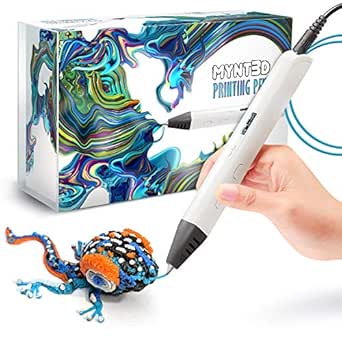 | Best for Fine Control | Temperature range: Listed as 130–240 °C; another product description states 140–230 °C | Temperature adjustment: 1 °C increments | Display: OLED | VIEW LATEST PRICE | See Our Full Breakdown |
| SCRIB3D P1 3D Printing Pen Kit |  | Best for Adjustable Drawing Speed | Compatible filament: PLA and ABS | Included filament: Three colors of PLA, 30 feet total | PLA temperature range: 160–210 °C (320–410 °F) | VIEW LATEST PRICE | See Our Full Breakdown |
| SCRIB3D Advanced 3D Printing Pen Kit |  | Best for Multiple Speed Presets | Filament: PLA, five colors, 15 meters (approximately 50 feet) | Speed settings: Eight | Display: LCD | VIEW LATEST PRICE | See Our Full Breakdown |
| SCRIB3D Advanced 3D Printing Pen Bundle with 20-Color PLA Filament Refill |  | Best for Long Creative Sessions | Filament material: PLA | Filament diameter: 1.75 mm | Total filament length: 348 feet | VIEW LATEST PRICE | See Our Full Breakdown |
| MYNT3D Super 3D Printing Pen, 1.75 mm ABS and PLA Compatible |  | Best for Adjustable Materials and Flow | Compatible filament: 1.75 mm ABS and PLA | Speed control: Stepless variable extrusion | Power output: 10 W | VIEW LATEST PRICE | See Our Full Breakdown |
| 3Doodler Start+ Essentials 3D Pen Set for Kids |  | Best for Younger Beginners | Model: Start+ | Age range: 6 years and up | Included components: 3D pen, DoodlePad/Doodlemat, 72 plastic strands, USB-C cable, stencils, and activity guide | VIEW LATEST PRICE | See Our Full Breakdown |
| 3D pens for kid | Warranty | Dimensions |
|---|---|---|
| 3Doodler Flow 3D Printing Pen | — | 3.1 × 10.74 × 4.44 inches |
| 3Doodler Start+ 3D Pen Set for | — | — |
| MYNT3D Professional 3D Printin | One-year limited | — |
| SCRIB3D P1 3D Printing Pen Kit | One year | — |
| SCRIB3D Advanced 3D Printing P | One year | 4.06 × 7.8 × 2.48 inches |
| SCRIB3D Advanced 3D Printing P | — | — |
| MYNT3D Super 3D Printing Pen | 1-year limited | 3.98 × 8.31 × 2.32 inches |
| 3Doodler Start+ Essentials 3D | 1 year against manufacturer defects | 9.06 × 6.02 × 2.56 inches |
More Details on Our Top Picks
3Doodler Flow 3D Printing Pen with Filaments, Stencil Book, and Guide
I’d pick the 3Doodler Flow for older kids or supervised family projects where trying different materials matters more than having the simplest setup. Its support for 1.75 mm PLA, ABS, and wood filament offers more experimentation than the PLA-focused SCRIB3D Advanced kit, while the LCD makes temperature easier to monitor as materials change. The included eight colors and 80 feet of filament give kids room to practice before a refill is needed, and the guide and stencils offer a starting point for projects. The tradeoff is that this is a heated-plastic tool, not a no-heat kids’ pen, and it needs time to warm up. I’d choose the 3Doodler Start+ instead for younger beginners who need a more guided, age-focused activity set.
Pros:- Supports 1.75 mm PLA, ABS, and wood filament for more material options than PLA-only starter kits.
- LCD shows temperature while the pen is in use.
- Includes eight colors and 80 feet of filament for extended practice.
- Supports both freehand drawing and stencil-based projects.
Cons:- Heated, extruded plastic calls for adult supervision and careful handling.
- Requires a warm-up period before drawing can begin.
Best for: Families with older children who want to explore multiple filament materials and use temperature feedback during supervised projects.
Not ideal for: Parents seeking a no-heat pen for young children, or beginners who want a set centered on guided projects rather than material experimentation.
- Compatible filament:1.75 mm PLA, ABS, and wood
- Temperature display:Integrated LCD
- Included filament:Eight colors, 80 feet total
- Drawing modes:Freehand and stencil use
- Included guidance:Activity guide
- Dimensions:3.1 × 10.74 × 4.44 inches
- Weight:15.8 ounces
- Model number:3DFLOW-US
Our verdict“Choose the 3Doodler Flow for supervised kids ready to explore several filament types; choose the Start+ for a more age-focused guided introduction.”
3Doodler Start+ 3D Pen Set for Kids with Activity Book
For a child who benefits from a clear first project, I’d put the 3Doodler Start+ ahead of the more settings-focused SCRIB3D P1. Its 14-project activity book, full-size stencils, and illustrated instructions give beginners a path from following steps to trying their own ideas. Tips and a glossary also make the set more teaching-oriented than the 3Doodler Flow, whose appeal is broader filament choice rather than a defined project sequence. That guidance is a real advantage for kids who feel stuck when handed an open-ended craft tool. The tradeoff is that the included activities shape the experience, so children who prefer to invent freely may want a less book-led set. The listed age recommendation is 6 and up; this is not the pick for buyers seeking detailed temperature and speed controls.
Pros:- Fourteen guided projects give beginners clear ways to start creating.
- Full-size stencils and illustrated steps support project setup.
- Tips and a glossary help children learn techniques and creative vocabulary.
- Designed for kids, with a stated recommended age of 6 and up.
Cons:- The activity-book format may feel restrictive to children who prefer entirely self-directed projects.
- The provided product details do not specify filament materials, included filament quantity, or adjustable controls.
Best for: Children aged 6 and up who are new to 3D drawing and enjoy following illustrated projects with full-size stencils.
Not ideal for: Older kids who want open-ended material experimentation or buyers looking for adjustable temperature and speed controls.
- Brand:3Doodler
- Model:Start+
- Recommended age:6 and up
- Included:3D pen set and activity book
- Number of projects:14
- Stencils:Full-size
- Theme:Animals
- Color:Multicolor
Our verdict“Pick the 3Doodler Start+ for a child who learns best by following projects, rather than a young maker seeking technical controls or material choice.”
MYNT3D Professional 3D Printing Pen with OLED Display
The MYNT3D Professional is the most control-oriented option here, making sense for older kids who already have a project in mind and want to tune how the pen draws. Its 1 °C temperature adjustments and adjustable extrusion speed offer more fine-tuning than the SCRIB3D P1’s stepless speed slider alone, while the OLED keeps temperature visible during use. That level of control can help a practiced maker adjust material flow for delicate lines or filling larger areas, but it also asks more of the user than the guided 3Doodler Start+. I’d be cautious about buying it as a first pen for a young child. The product information also gives conflicting temperature ranges and describes the included filament as PLA in one section and ABS in another, so I’d verify those details before choosing filament.
Pros:- Temperature adjusts in 1 °C increments for fine material tuning.
- Adjustable extrusion speed gives users control over filament flow.
- OLED display shows material temperature.
- Lightweight design weighs 12 ounces and includes a one-year limited warranty.
Cons:- Product information lists different temperature ranges in separate sections.
- Included filament is described inconsistently as PLA or ABS.
- Fine controls may be unnecessary and harder to manage for a first-time young user.
Best for: Older children or teens with adult supervision who already have 3D-pen experience and want precise temperature and extrusion adjustments.
Not ideal for: Young beginners who need guided activities, or buyers who want unambiguous information about the included filament and operating range.
- Temperature range:Listed as 130–240 °C; another product description states 140–230 °C
- Temperature adjustment:1 °C increments
- Display:OLED
- Extrusion control:Adjustable speed
- Included filament:Three colors of PLA or ABS; product descriptions differ
- Power:10 W; input 5 V DC, 2 A
- Adapter:100–240 V AC, 50/60 Hz
- Dimensions and weight:7.99 × 5.2 × 2.6 inches; 12 ounces
- Warranty:One-year limited
Our verdict“Choose the MYNT3D Professional for an experienced young maker who values precise adjustments, but skip it if clarity and beginner guidance matter more.”
SCRIB3D P1 3D Printing Pen Kit
I’d choose the SCRIB3D P1 for a kid who wants to switch between outlining and filling without moving up to the MYNT3D Professional’s finer temperature controls. Its stepless speed slider makes that change intuitive: slower flow can help with detail, while faster extrusion suits broader shapes. The kit also accepts PLA and ABS, though it includes only 30 feet of PLA, unlike the 3Doodler Flow’s larger assortment and multiple listed material types. A stencil guide gives new users a starting point, and the two-minute auto-sleep feature addresses idle time; the ceramic nozzle adds another designed-in feature. The drawbacks are the roughly 2–3 minute warm-up and the fact that ABS is compatible but not included. Since the nozzle heats during use, I’d reserve it for supervised projects rather than unsupervised young children.
Pros:- Stepless speed slider supports both detailed drawing and faster filling.
- Temperature settings accommodate PLA and ABS filament.
- Includes PLA filament, a power adapter, manual, and stencil guide.
- Two-minute auto-sleep feature and ceramic nozzle are built into the design.
Cons:- Warm-up takes about 2–3 minutes.
- Only PLA is included; ABS must be sourced separately.
- The nozzle heats during operation and calls for careful, supervised handling.
Best for: A supervised beginner or intermediate maker who wants a straightforward speed slider for switching between detail work and filling shapes.
Not ideal for: Families wanting a ready-to-use variety of filament materials, a larger starter supply, or a pen for unsupervised young children.
- Compatible filament:PLA and ABS
- Included filament:Three colors of PLA, 30 feet total
- PLA temperature range:160–210 °C (320–410 °F)
- ABS temperature range:210–235 °C (410–455 °F)
- Speed control:Stepless speed slider
- Auto-sleep:Two minutes
- Included accessories:Power adapter, manual, and stencil guide
- Dimensions and weight:4.61 × 7.87 × 1.97 inches; 12.9 ounces
- Warranty:One year
Our verdict“The SCRIB3D P1 suits kids ready to control drawing speed, provided an adult can supervise warm-up and heated-nozzle use.”
SCRIB3D Advanced 3D Printing Pen Kit
The SCRIB3D Advanced is a sensible fit for kids who want more control than a basic pen but would rather choose a preset than fine-tune every adjustment. Its eight speed settings offer clear steps for changing filament flow, and the LCD shows temperature while supporting setting adjustments. Compared with the SCRIB3D P1, it trades a stepless slider for defined speed choices; that can make repeatable settings easier, though it gives less continuous control. The soft-touch ergonomic shape is designed for a more comfortable grip, and the kit includes five PLA colors totaling about 50 feet plus a stencil guide. This is still a heated-nozzle tool, not a no-heat starter pen, and the listed 2–3 minute warm-up means it is less suited to children expecting instant, unsupervised craft time.
Pros:- Eight speed settings make filament-flow changes easy to select.
- LCD displays temperature and supports temperature and speed adjustments.
- Ergonomic soft-touch design is intended to support comfortable handling.
- Includes five colors of PLA totaling approximately 50 feet, plus a stencil guide.
Cons:- Requires a 2–3 minute warm-up before use.
- The nozzle heats during operation, so careful adult supervision is appropriate.
- Preset speed steps offer less continuous adjustment than the SCRIB3D P1 slider.
Best for: Older kids or teens who want visible temperature feedback, simple preset speed choices, and several PLA colors for supervised projects.
Not ideal for: Young children who need a no-heat introduction, or experienced users who prefer the SCRIB3D P1’s continuously adjustable speed slider.
- Filament:PLA, five colors, 15 meters (approximately 50 feet)
- Speed settings:Eight
- Display:LCD
- Warm-up time:2–3 minutes
- Design:Ergonomic soft-touch shape
- Included accessories:Power adapter, step-by-step manual, and stencil guide
- Dimensions:4.06 × 7.8 × 2.48 inches
- Weight:11.7 ounces
- Warranty:One year
Our verdict“Choose the SCRIB3D Advanced for a supervised young maker who prefers clear speed presets and an LCD over the P1’s continuous slider.”
SCRIB3D Advanced 3D Printing Pen Bundle with 20-Color PLA Filament Refill
I’d pick this bundle for families who want plenty of material for repeated projects without buying refills right away. Its 348 feet of PLA in 20 colors is a much larger supply than the three included colors with the MYNT3D Super, while the variable speed control and LCD screen give kids more control as they learn to guide the filament. A stencil book and project guide offer a useful starting point, too. The tradeoff is that this is a hot-nozzle-style pen rather than the child-focused, no-hot-parts design of the 3Doodler Start+, so it suits supervised older children better than young beginners. Filament compatibility is also not universal, so I’d check fit before buying other brands’ refills.
Pros:- Includes 348 feet of PLA filament in 20 colors
- Variable speed control and LCD screen support more controlled drawing
- Stencil book and project guide help children start making projects
- Ergonomic design is suited to extended drawing sessions
Cons:- Hot-nozzle operation calls for adult supervision with children
- Filament compatibility is not guaranteed for every 3D pen or refill brand
Best for: Families with older children who want a large range of PLA colors for frequent, supervised projects
Not ideal for: Families seeking a no-hot-parts pen for younger children or buyers who need guaranteed compatibility with third-party filament
- Filament material:PLA
- Filament diameter:1.75 mm
- Total filament length:348 feet
- Filament colors:20 assorted colors
- Controls and display:Variable speed control and LCD screen
- Nozzle:Ceramic
- Included accessories:Stencil book and project guide
Our verdict“Choose this bundle for supervised older kids who value a deep supply of colors and guided projects over a child-safe, no-hot-parts design.”
MYNT3D Super 3D Printing Pen, 1.75 mm ABS and PLA Compatible
The MYNT3D Super suits older kids who want to adjust how quickly filament feeds and work with more than one material. Its stepless speed control helps users slow the flow for small details or increase it for faster fills, and adjustable temperature settings support both 1.75 mm ABS and PLA. That flexibility sets it apart from the SCRIB3D Advanced bundle, which pairs its controls with a large PLA supply and project guides but lists PLA rather than ABS compatibility. This MYNT3D kit is leaner, though: it includes only three filament colors, and the included filament description is inconsistent about whether it is PLA or ABS. Because it uses a heated nozzle, I’d reserve it for supervised use rather than young children seeking a child-focused pen like the 3Doodler Start+.
Pros:- Stepless extrusion speed lets users adjust filament flow
- Adjustable temperature supports both 1.75 mm ABS and PLA
- Lightweight, ergonomic pen design
- Ultrasonic sealed nozzle is designed to resist clogging
Cons:- The included filament material is described inconsistently
- Only three filament colors are included
- Heated operation is less suited to unsupervised use by younger children
Best for: Older children or teens with adult supervision who want to adjust extrusion and experiment with ABS and PLA
Not ideal for: Young children or families who want a ready-to-use kit with a clear, generous supply of filament colors
- Compatible filament:1.75 mm ABS and PLA
- Speed control:Stepless variable extrusion
- Power output:10 W
- Input power:5 V DC, 2 A
- Adapter:100–240 V AC, 50/60 Hz
- Dimensions:3.98 × 8.31 × 2.32 inches
- Item weight:7.7 ounces
- Warranty:1-year limited
Our verdict“Pick the MYNT3D Super for supervised older users who want adjustable speed and material settings, not for young beginners or a color-rich starter kit.”
3Doodler Start+ Essentials 3D Pen Set for Kids
For younger children, I’d put the 3Doodler Start+ ahead of the SCRIB3D and MYNT3D pens because it is designed without hot parts and aimed at ages 6 and up. That child-focused design makes it a more suitable entry point for screen-free creative play, while the DoodlePad, 10 stencils, and activity guide give beginners several ways to start. Its 72 filament strands provide mixed colors, but they are not interchangeable with standard PLA or ABS: this set requires compatible 3Doodler Start plastic. Compared with the SCRIB3D Advanced bundle’s 348 feet across 20 colors, the Start+ offers less material and less choice, and its dedicated refills limit flexibility. I’d choose it for younger makers who value age-appropriate design over broad filament compatibility.
Pros:- Designed without hot parts for child-focused use
- Includes 72 mixed-color filament strands
- Ten stencils, a DoodlePad, and an activity guide support guided projects
- USB-C charging and a slimmer design than the previous version
Cons:- Requires compatible 3Doodler Start plastic filaments
- The 6-and-up design may not suit older users seeking adjustable, standard-filament pens
Best for: Families introducing children ages 6 and up to 3D drawing who prioritize no-hot-parts operation and guided activities
Not ideal for: Older kids seeking standard PLA or ABS compatibility, extensive color supplies, or a pen they can use with generic refills
- Model:Start+
- Age range:6 years and up
- Included components:3D pen, DoodlePad/Doodlemat, 72 plastic strands, USB-C cable, stencils, and activity guide
- Filament strands:72
- Charging connector:USB-C
- Dimensions:9.06 × 6.02 × 2.56 inches
- Weight:10.72 ounces
- Warranty:1 year against manufacturer defects
Our verdict“Choose the Start+ for younger beginners who need a child-focused, guided introduction and are comfortable using its dedicated filament.”
How We Picked
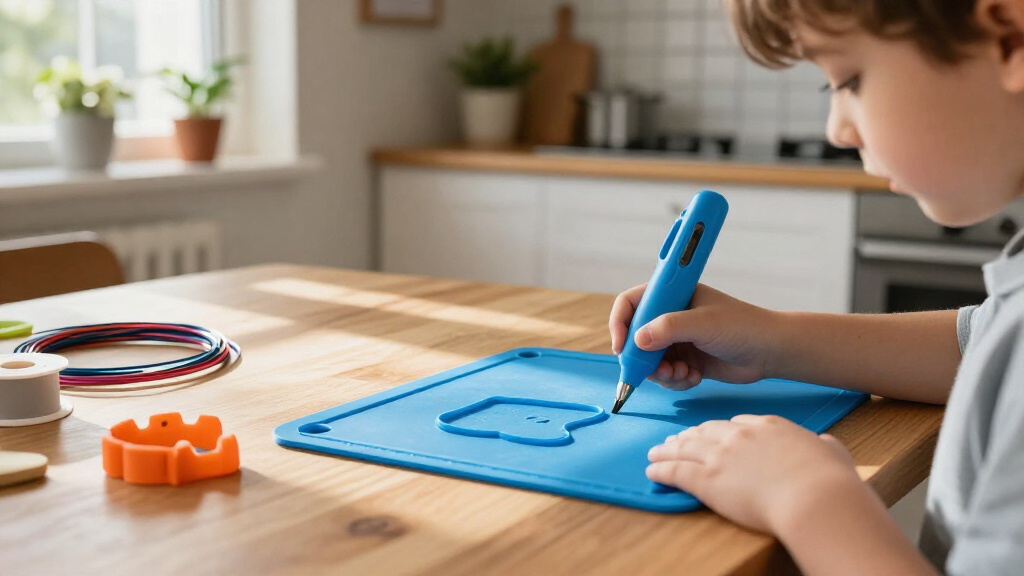
I compared these eight pens through the needs that shape a child’s first 3D-drawing experience: age fit and safety guidance, ease of handling, control simplicity, and the learning curve. I also looked at the materials each pen is designed to use, the usefulness of included guides or activity books, and whether refill supplies support varied projects. Those factors matter because a technically capable pen can still be a poor choice if its operating requirements or controls are a mismatch for the child using it.
The ranking favors kid-oriented design and a low-friction start, then weighs versatility and control for older children or supervised use. That puts the 3Doodler Start+ set ahead for families who want a child-focused kit, while the Flow, MYNT3D, and SCRIB3D options fit different needs around materials, settings, and kit contents. I treat bundle size as a practical benefit, not a substitute for age suitability or ease of use. Product details can vary by package, so I recommend checking the current manufacturer instructions before buying.
Factors to Consider When Choosing Best 3D Pens For Kids
Choosing a 3D pen for a child is less about finding the one with the most features and more about matching its operating demands to the child and the adult who will supervise. These broader checks can prevent a common mismatch: buying for creative potential while overlooking materials, setup, or the support a beginner needs.
Match the Pen’s Safety Profile to the Child
Start with the manufacturer’s age guidance and operating instructions, rather than assuming every product labeled for creative use suits every child. Pen designs and filament types can involve different temperatures and handling requirements, so confirm what the child may touch and what needs adult supervision. A lower-temperature, child-focused system may suit younger users, while a standard filament pen may be a better fit for an older child who can follow careful instructions. Do not judge safety by the pen’s name or appearance alone. Check whether the guidance calls for an adult to load material, manage the power connection, or handle the nozzle area. The best match is one the child can use within clear, realistic supervision rules.
Choose Materials Before You Choose Accessories
Filament compatibility affects both the creative options and the practical routine, so check the exact material and size a pen accepts before adding refills to a cart. Some systems are designed around their own lower-temperature consumables, while other pens accept common PLA or ABS formats. That difference can shape refill availability, project behavior, and the kinds of surfaces or forms a child can make. A common mistake is to assume that filament labeled for one pen will fit another because the reels look similar. Confirm the manufacturer’s specifications and avoid mixing materials unless the instructions allow it. If a child wants many colors, make sure the pen can use those refills before treating a large color pack as useful value.
Prioritize a Manageable First Project
Many children need a simple first win before they are ready to draw freestanding shapes. Activity books, templates, and stencils can help them practice controlled lines and build confidence without an adult inventing every project. For a child who enjoys open-ended making, templates may soon feel limiting, so a pen with adjustable controls or wider material options may offer more room to grow. Think about frustration tolerance as well as age: small controls and constant adjustments can interrupt the fun for a beginner. Set aside a flat, protected workspace and choose a first project with broad lines and a few parts. The goal is to make early practice satisfying, not to finish a complex model in one sitting.
Treat Controls as a Learning-Curve Decision
Speed settings, temperature adjustments, and displays can give older users more control, but each added setting asks the user to make another decision. A straightforward pen can be a better first tool if the child mainly wants to draw simple shapes with help. More adjustable models make sense when a child is ready to experiment with material flow and has an adult nearby to explain the controls. Do not assume that a display automatically makes a pen easier; it may show useful information while still requiring the child to interpret it. Consider who will troubleshoot jams or inconsistent extrusion, since a child may not be able to resolve those issues alone. Choose the level of control that supports the child’s next step, not the most advanced one available.
Compare the Whole Kit, Not Just the Pen
A starter set can be more useful when it includes project guidance and enough compatible material for practice, while a refill-heavy bundle can suit a child who already knows what they want to make. Look at the complete contents and check whether the guide is age-appropriate, whether templates are included, and how much usable filament comes with the set. A large number of colors does not help if the child has no project ideas or the pen cannot accept the refill type later. Also think about where replacement supplies will come from and whether the household is comfortable keeping them organized. If the pen is a gift, a kit with clear first steps can reduce the setup burden for the adult. For an experienced young maker, extra supplies may be more useful than another introductory booklet.
Plan for Adult Help and Ongoing Care
Even a child-focused pen may need an adult for setup, material changes, or troubleshooting, so consider how much hands-on help you can provide. Ask whether the instructions explain loading and clearing the pen, and check the manufacturer’s guidance for storage and cleaning. Small clogs or tangled filament can turn a creative session into a repair task, particularly with a beginner who expects the pen to work like a marker. Keep compatible refills and the power supply together so setup is predictable. If several children will share the pen, a simple routine for cooling, storage, and passing the tool between users can help prevent avoidable mishaps. A pen that fits your household’s supervision and maintenance habits is more likely to get regular use.
Frequently Asked Questions
Which kind of 3D pen is a better fit for a younger child?
I would start with a pen explicitly designed for children and follow its age and supervision instructions, rather than choosing by brand familiarity or the number of accessories. In this lineup, the 3Doodler Start+ sets are the clearest child-focused options. That does not mean an adult can leave a child unattended; read the operating instructions and check what tasks require help. A standard filament model may suit an older child who can manage its controls and material requirements with supervision. If you are unsure, prioritize the manufacturer’s age guidance over extra features.
Can I use the same filament in every pen in this roundup?
No—do not assume compatibility across the lineup. The products differ in their intended materials and specifications, and visually similar refills may not suit a particular pen. Before buying extra filament, check the exact model’s instructions for material type and size. Using an unsuitable refill can lead to poor extrusion or other operating problems. If you are buying a bundle for a child, verify that its included filament matches the pen rather than relying on the bundle title alone.
Should I choose a pen with more controls for a beginner?
Not automatically. Extra controls can help an older or more experienced child adjust the drawing process, but they can also add decisions before the child has learned basic line control. A beginner may get more value from a simple setup and templates that make early projects easier to start. A display or adjustable settings become more useful when the child is ready to experiment and an adult can explain what each setting does. Match the controls to the child’s patience and experience, not to a general assumption that more settings are better.
Is a refill bundle a better choice than a set with an activity book?
It depends on whether the child needs more material or more direction. A refill bundle, such as the SCRIB3D Advanced bundle with 20-color PLA, suits a child who already has project ideas and wants color choices. An activity-focused set is more helpful when the child is new to 3D drawing and needs prompts or templates to begin. Extra colors cannot replace compatible filament checks, and an activity book may be less valuable to a confident maker. Consider what is most likely to remove friction during the first few sessions.
When does it make sense to choose a more adjustable model instead of a kid-focused set?
A more adjustable model can make sense for an older child who has used a 3D pen before and wants to experiment with settings or materials. The MYNT3D Professional, for example, includes an OLED display, which gives control-oriented users more information than a basic starter approach. That added capability does not make it the easiest choice for every child, and it still needs to match the user’s age and supervision needs. If the child mainly wants guided crafts, a child-focused set may be more satisfying. Choose the advanced route when the child is ready to use its controls, not just because the feature list is longer.
Conclusion
For most families, I’d start with the 3Doodler Start+ 3D Pen Set as the best overall choice because its child-oriented design and activity book support a guided first experience. For beginners who need prompts, the Start+ sets are the most natural fit; compare the standard set with the Essentials set by checking the included activities and supplies in the package you are buying. For best value, consider the SCRIB3D P1 as a straightforward entry point, while the SCRIB3D Advanced bundle makes more sense for buyers who prioritize a broad range of PLA colors. For a premium, control-focused option, the MYNT3D Professional is better suited to older or more experienced users who can make use of its OLED display. If material flexibility is your specific priority, compare the 3Doodler Flow and compatible-material details carefully; whichever model you choose, match it to the child’s age, supervision needs, and comfort with setup.