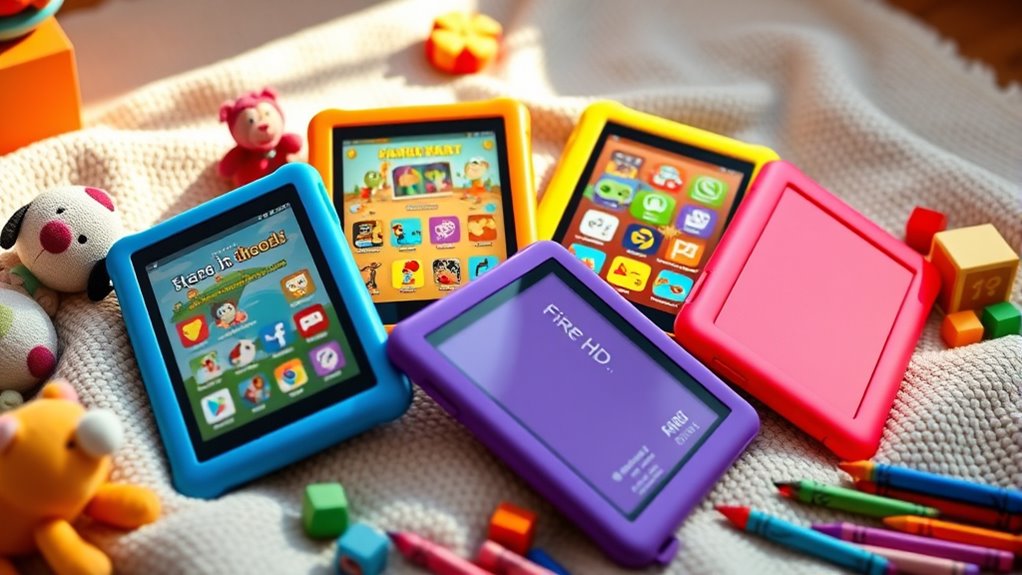

Parents looking for a reliable and kid-friendly tablet often turn to Fire HD options for their affordability and parental controls. The Amazon Fire HD 8 Kids Tablet stands out as the best overall choice thanks to its durable design and excellent content controls. For those wanting more space, the Fire HD 8 Kids Pro offers expanded storage and a more mature interface, making it ideal for older children. The main tradeoffs in this category involve balancing price, durability, and features—cheaper models may lack longevity, while premium options come with added costs. Keep reading for a detailed comparison of these models and more, so you can find the perfect fit for your child’s needs.

Turn the school run and nap time into listening time
- Thousands of audiobooks, podcasts and originals
- Listen on your phone, tablet or Echo — also offline
- Cancel anytime
Complete the kit


Key Takeaways
- The Fire HD 8 Kids tablets consistently outperform the Fire 7 models in screen size and performance, making them better suited for multimedia use.
- The Kids Pro versions provide more storage and advanced parental controls, appealing to families with older or more tech-savvy children.
- Durability is a key strength across all Kids tablets, but models with rubber bumpers and reinforced screens offer extra peace of mind.
- Price varies significantly; investing in the Kids Pro versions justifies the higher cost with more features and longer device lifespan.
- Choosing the right storage capacity depends on your child’s media habits; 32GB may suffice for light users, but 64GB is better for frequent media consumers.
| Amazon Fire HD 8 Kids Tablet (2024 Release), 8″ HD Screen, 32GB, Blue |  | Best Overall for Younger Kids | Display: 8-inch HD | Storage: 32GB | Expandable Storage: Up to 1TB (sold separately) | VIEW ON AMAZON | See Our Full Breakdown |
| Amazon Fire HD 8 Kids Pro Tablet, 8-inch HD Screen, 64GB, Hello Teal |  | Best for Older Kids and Extended Use | Display: 8-inch HD touchscreen, 1280 x 800 | Storage: 64GB | Expandable Storage: Up to 1TB microSD | VIEW ON AMAZON | See Our Full Breakdown |
| Amazon Fire 7 Kids Tablet, 7″, 32 GB, Red (Latest Release) |  | Best for Budget-Conscious Beginners | Display: 7 inches | Storage: 32GB | Expandable Storage: Up to 1TB | VIEW ON AMAZON | See Our Full Breakdown |
| Amazon Fire HD 8 Kids Pro Tablet (2024 Release), 8″ HD Screen, 64GB, Hello Teal | | Best for Older Kids and Extended Use | Display: 8-inch HD | Storage: 64GB | Battery Life: Up to 13 hours | VIEW ON AMAZON | See Our Full Breakdown |
| Amazon Fire HD 8 Kids Tablet (2024 Release), 8″ HD Display, 64GB, Blue | | Best for Versatile Use and Longer Durability | Display: 8-inch HD | Memory: 4GB RAM | Storage: 64GB | VIEW ON AMAZON | See Our Full Breakdown |
| Amazon Fire HD 8 Kids Tablet (2024 Release), 8-inch HD Display, 64GB, Blue | | Best Overall for Durability and Content | Display: 8-inch HD | Memory: 4GB RAM | Storage: 64GB | VIEW ON AMAZON | See Our Full Breakdown |
| Amazon Fire 7 Kids Tablet, 7-inch, 16 GB, Blue |  | Best for Budget-Conscious Families and Basic Use | Screen Size: 7 inches | Storage: 16 GB | Battery Life: up to 10 hours | VIEW ON AMAZON | See Our Full Breakdown |
| Amazon Fire HD 8 Tablet (Latest Model), 8″ HD Display, 3GB RAM, 32GB, Black |  | Best for Versatile Use and Smart Home Integration | Display: 8 inches HD | RAM: 3GB | Storage: 32GB | VIEW ON AMAZON | See Our Full Breakdown |
| fire hd tablets for kid | Storage | Battery Life | Display | Expandable Storage |
|---|---|---|---|---|
| Amazon Fire HD 8 Kids Tablet | 32GB | Up to 13 hours | 8-inch HD | Up to 1TB (sold separately) |
| Amazon Fire HD 8 Kids Pro Tabl | 64GB | Up to 13 hours | 8-inch HD touchscreen, 1280 x 800 | Up to 1TB microSD |
| Amazon Fire 7 Kids Tablet | 32GB | Up to 10 hours | 7 inches | Up to 1TB |
| Amazon Fire HD 8 Kids Pro Tabl | 64GB | Up to 13 hours | 8-inch HD | Up to 1TB |
| Amazon Fire HD 8 Kids Tablet | 64GB | Up to 13 hours | 8-inch HD | Up to 1TB |
| Amazon Fire HD 8 Kids Tablet | 64GB | up to 13 hours | 8-inch HD | up to 1TB |
| Amazon Fire 7 Kids Tablet | 16 GB | up to 10 hours | — | — |
| Amazon Fire HD 8 Tablet | 32GB | up to 13 hours | 8 inches HD | up to 1TB |
More Details on Our Top Picks
Amazon Fire HD 8 Kids Tablet (2024 Release), 8″ HD Screen, 32GB, Blue
This tablet stands out for its balance of durability, parental controls, and included content, making it ideal for children ages 3-7. Its rugged kid-proof case with a stand and handle ensures it can withstand rough handling, while the 1-year Amazon Kids+ subscription provides a wide range of ad-free educational and entertainment content. Compared to the Fire HD 8 Kids Pro, it offers a slightly simpler experience, which may suit parents who prefer straightforward devices for younger kids. The tradeoff is that the subscription automatically renews at $7.99/month, and expandable storage requires an extra purchase. Overall, this pick makes the most sense for families seeking an easy-to-manage, entry-level device that emphasizes durability and content.Pros:- Durable kid-proof case with stand/handle
- Includes a 1-year ad-free Amazon Kids+ subscription
- Long battery life of up to 13 hours
- Parental controls for monitoring and managing content
Cons:- Subscription renews automatically at $7.99/month after the first year
- Expandable storage requires separate purchase
Best for: Parents of children aged 3-7 who want a durable, easy-to-use tablet with built-in parental controls.
Not ideal for: Families with older children or those seeking more advanced features, as it has limited internal storage and basic processing.
- Display:8-inch HD
- Storage:32GB
- Expandable Storage:Up to 1TB (sold separately)
- RAM:3GB
- Battery Life:Up to 13 hours
- Included Subscription:1-year Amazon Kids+
Our verdict“This tablet is ideal for parents seeking a budget-friendly, durable device for young children with easy content management.”
Amazon Fire HD 8 Kids Pro Tablet, 8-inch HD Screen, 64GB, Hello Teal
In comparison with the Fire HD 8 Kids (2024), the Kids Pro version provides a larger internal storage of 64GB and an upgraded Wi-Fi 6 connection, making it better suited for children aged 6-12 who need more space and faster internet. Its durable case and parental controls make it a reliable choice for active kids, especially those who will use the device for longer periods or more complex tasks. The 13-hour battery life ensures extended usage, but the device doesn’t include cellular connectivity, which limits outdoor use without Wi-Fi. The 6-month subscription to Amazon Kids+ is a good bonus, though the renewal cost and microSD expansion require additional investment. This tablet makes sense for families prioritizing robust hardware and faster wireless capabilities for older children.Pros:- Durable kid-friendly case included
- Up to 13 hours of battery life for extended sessions
- Includes 6-month Amazon Kids+ subscription
- Supports expandable microSD storage up to 1TB
Cons:- No cellular connectivity for outdoor use
- Charging speed varies with the separate adapter
Best for: Parents of children aged 6-12 looking for a more powerful, long-lasting device with expandable storage.
Not ideal for: Very young children or families on a tight budget, as the device is more expensive and geared toward older kids.
- Display:8-inch HD touchscreen, 1280 x 800
- Storage:64GB
- Expandable Storage:Up to 1TB microSD
- Battery Life:Up to 13 hours
- Wi-Fi:Wi-Fi 6
- Color:Hello Teal
Our verdict“This tablet is best for families wanting a durable, feature-rich device for children aged 6-12 with longer battery life and expandable storage.”
Amazon Fire 7 Kids Tablet, 7″, 32 GB, Red (Latest Release)
Compared with the 8-inch models, the Fire 7 Kids offers a smaller screen and lower internal storage, making it suitable for younger children just starting to explore tablets. Its rugged Kid-Proof Case with stand helps protect against drops, and parental controls allow for safe browsing. The device’s 10-hour battery life is decent but less than the 13-hour options, which could limit longer outings. The internal storage of 32GB is modest, but expandable storage up to 1TB via microSD helps compensate. It’s a good choice for families who want a simple, affordable device for children aged 3-7, but it doesn’t support cellular connectivity or high-end features found in larger tablets.Pros:- Durable Kid-Proof Case with stand
- Parental controls and content filtering
- Expandable storage up to 1TB
- Up to 10 hours of battery life
Cons:- Limited internal storage without microSD expansion
- Smaller screen may not be ideal for media consumption
Best for: Parents of young children needing an affordable, basic tablet with durability and expandable storage.
Not ideal for: Older children or those wanting a larger screen or faster performance, as the 7-inch size and limited internal specs may feel restrictive.
- Display:7 inches
- Storage:32GB
- Expandable Storage:Up to 1TB
- Battery Life:Up to 10 hours
- Processor:Quad-core
- Age Range:3-7 years
Our verdict“This device is well-suited for families seeking an affordable, durable tablet to introduce young children to digital learning.”
Amazon Fire HD 8 Kids Pro Tablet (2024 Release), 8″ HD Screen, 64GB, Hello Teal
This latest Fire HD 8 Kids Pro offers a similar feature set to the earlier model but emphasizes longer battery life and a slightly larger internal storage capacity. Compared with the standard Fire HD 8 Kids, the Pro version supports a 6-month subscription to ad-free Amazon Kids+ and has a more recent design with a more robust case. Its 13-hour battery makes it well-suited for long trips or extended learning sessions. However, the need to purchase a microSD card for expandable storage and the renewal cost after six months are considerations. This device caters best to families with children aged 6-12 who require a more resilient device with longer battery life and adaptable storage options.Pros:- Durable kid-friendly case included
- Up to 13 hours of battery life
- Includes a 6-month subscription to Amazon Kids+
- Expandable storage up to 1TB
Cons:- Expandable storage requires separate microSD purchase
- Subscription renewal costs after initial period
Best for: Parents seeking a durable, feature-rich tablet for children aged 6-12 that supports longer usage periods.
Not ideal for: Younger children or families looking for a low-cost, simple device, as the premium features may be unnecessary.
- Display:8-inch HD
- Storage:64GB
- Battery Life:Up to 13 hours
- Expandable Storage:Up to 1TB
- Included Subscription:6-month Amazon Kids+
- Color:Hello Teal
Our verdict“This tablet is perfect for families wanting a tough, long-lasting device for older children with flexible storage options.”
Amazon Fire HD 8 Kids Tablet (2024 Release), 8″ HD Display, 64GB, Blue
Compared with the 32GB version, this 64GB model provides more internal storage, which is beneficial for children who prefer downloading content for offline use. Its 8-inch HD display offers a clear viewing experience, and the 13-hour battery life supports extended use. The included kid-proof case and parental controls make it suitable for children aged 3-7, especially families who want a device that can handle a variety of apps and media. However, it still requires Wi-Fi for full functionality and the subscription renews automatically, which might be an ongoing cost. This tablet is best for parents who prioritize internal storage and durability for younger children.Pros:- Durable kid-proof case with stand
- Long battery life of up to 13 hours
- Includes a 1-year Amazon Kids+ subscription
- Expandable storage up to 1TB
Cons:- Subscription auto-renews; ongoing cost
- Wi-Fi required for full content access
Best for: Parents of children aged 3-7 needing a reliable, storage-rich device for everyday use.
Not ideal for: Older children or families seeking a more advanced device with bigger screens or higher specs.
- Display:8-inch HD
- Memory:4GB RAM
- Storage:64GB
- Expandable Storage:Up to 1TB
- Battery Life:Up to 13 hours
Our verdict“This tablet suits families wanting a sturdy device with ample storage for their younger children’s daily activities.”
Amazon Fire HD 8 Kids Tablet (2024 Release), 8-inch HD Display, 64GB, Blue
The Fire HD 8 Kids Tablet (2024) stands out for its combination of a durable kid-proof case, long battery life, and a substantial content package with 6 months of Amazon Kids+. Compared to the Fire 7 Kids Tablet, it offers a larger 8-inch screen and more robust build, making it ideal for slightly older or more active children. However, while its extensive content subscription is a plus, the automatic renewal fee can surprise parents, and the device is limited to children aged 3-7, so older kids might find it restrictive. The included parental controls and expandable storage add to its appeal, but internet access is necessary for full content use, which may concern some parents.
Pros:- Durable kid-proof case with stand/handle
- Long battery life of up to 13 hours
- Includes 6 months of ad-free Amazon Kids+ content
- Parental controls for activity management
Cons:- Subscription renews automatically at $7.99/month after the first 6 months
- Limited to children aged 3-7, not suitable for older kids
- Requires internet for full content access
Best for: Parents seeking a durable, long-lasting tablet with comprehensive content for children aged 3-7
Not ideal for: Families with children older than 7 or those seeking a more versatile device for varied activities beyond basic entertainment
- Display:8-inch HD
- Memory:4GB RAM
- Storage:64GB
- Expandable Storage:up to 1TB
- Battery Life:up to 13 hours
- Included Subscription:6 months Amazon Kids+
Our verdict“This tablet is best suited for parents wanting a rugged, content-rich device for young children with minimal fuss.”
Amazon Fire 7 Kids Tablet, 7-inch, 16 GB, Blue
The Fire 7 Kids Tablet offers a compact, lightweight design with a 7-inch screen, making it highly portable and perfect for smaller hands. Its 1-year Amazon Kids+ subscription provides access to a wide range of ad-free books, videos, and educational apps, and the 2-year worry-free guarantee offers peace of mind. Compared with the Fire HD 8 Kids Tablet, it’s less powerful with fewer features but is more affordable and easier to handle for very young children. Its limited internal storage (16GB) can be expanded via microSD, but the smaller screen and shorter battery life of up to 10 hours might be drawbacks for some families. This device makes the most sense for parents prioritizing affordability and basic entertainment.
Pros:- Durable kid-proof case for protection
- Includes a 1-year Amazon Kids+ subscription
- 2-year worry-free guarantee
- Expandable storage via microSD
Cons:- Automatic renewal at $7.99/month after the first year
- Limited internal storage without microSD expansion
- Smaller 7-inch screen may feel restrictive for older kids
Best for: Budget-conscious families needing a straightforward, durable tablet for young children
Not ideal for: Parents seeking a larger screen, longer battery life, or more advanced features for older children
- Screen Size:7 inches
- Storage:16 GB
- Battery Life:up to 10 hours
- Included Subscription:1 year Amazon Kids+
- Color:Blue
- Warranty:2 years worry-free
Our verdict“This tablet is ideal for families on a budget who want a simple, rugged device for young children with basic content needs.”
Amazon Fire HD 8 Tablet (Latest Model), 8″ HD Display, 3GB RAM, 32GB, Black
The Fire HD 8 (Latest Model) provides a balanced combination of a bright 8-inch HD display, 3GB RAM, and expandable storage, making it suitable for both entertainment and light productivity. Unlike the Kids-specific models, it does not come with a rugged case or pre-installed parental controls, but it integrates seamlessly with Alexa, offering voice-controlled entertainment and smart home features. Its longer 13-hour battery life rivals the Kids models, yet the absence of dedicated child-proof features means parents will need to add protective cases and manage access. It’s better suited to families who want a device that can grow with their children or serve multiple household needs, rather than a dedicated kids’ device.
Pros:- Bright 8-inch HD display ideal for streaming and gaming
- Long battery life up to 13 hours
- Includes Alexa for voice control and smart home features
- Expandable storage up to 1TB
Cons:- No dedicated kid-proof case or parental controls built-in
- Some apps require subscriptions or additional purchases
- Refurbished units may come in generic packaging
Best for: Parents seeking a versatile tablet that can be used for both entertainment and smart home control, suitable for older children or multi-user households
Not ideal for: Parents looking for a dedicated, rugged device exclusively for young children or those wanting built-in parental controls
- Display:8 inches HD
- RAM:3GB
- Storage:32GB
- Expandable Storage:up to 1TB
- Rear Camera:5MP
- Battery Life:up to 13 hours
Our verdict“This model makes sense for families wanting a flexible device for older children or household use, rather than a dedicated kid-focused tablet.”
How We Picked
These tablets were evaluated based on durability, performance, parental controls, storage options, and value for money. We prioritized devices with sturdy builds and easy-to-use kid modes, as these are critical for parents. Devices were also assessed on software updates, battery life, and overall usability, ensuring they meet the daily needs of children. The ranking reflects a balance between price and features, making sure that each pick offers a clear advantage for its target user. Our goal was to identify options suitable for different age groups and budget levels, helping parents find the best fit for their child’s specific needs.| fire hd tablets for kid | Expandable Storage | Battery Life |
|---|---|---|
| Amazon Fire HD 8 Kids Tablet | Up to 1TB (sold separately) | Up to 13 hours |
| Amazon Fire HD 8 Kids Pro Tabl | Up to 1TB microSD | Up to 13 hours |
| Amazon Fire 7 Kids Tablet | Up to 1TB | Up to 10 hours |
| Amazon Fire HD 8 Kids Pro Tabl | Up to 1TB | Up to 13 hours |
| Amazon Fire HD 8 Kids Tablet | Up to 1TB | Up to 13 hours |
| Amazon Fire HD 8 Kids Tablet | up to 1TB | up to 13 hours |
| Amazon Fire 7 Kids Tablet | — | up to 10 hours |
| Amazon Fire HD 8 Tablet | up to 1TB | up to 13 hours |
Factors to Consider When Choosing Fire Hd Tablets For Kids
When selecting a Fire HD tablet for kids, it’s important to consider several factors beyond just price. Durability, parental controls, and storage are key to ensuring the device remains a useful and safe tool. Additionally, understanding your child’s age and media habits can help you choose the right model. Paying attention to software updates and battery life can extend the device’s lifespan, while selecting the right size and features ensures it fits your child’s needs and your budget. Avoiding common pitfalls like buying a device with limited parental controls or insufficient durability can save money and frustration in the long run.Durability and Build Quality
Children can be tough on devices, so a sturdy build with shock-absorbing bumpers or reinforced screens is vital. Many Kids tablets come with rubberized edges or drop-resistant designs that help withstand accidental drops. Opting for a model with a rugged case included can be a smart move, especially for younger kids. Cheaper models without these features may crack easily, leading to additional expenses. The durability of the device directly impacts its longevity and your overall satisfaction with your purchase.
Parental Controls and Safety Features
Effective parental controls are essential for managing screen time, filtering content, and setting usage limits. Some Fire HD models include dedicated kid modes that are easy to activate, providing a safe environment for children. The ability to customize access to apps and websites helps prevent accidental exposure to inappropriate content. Devices with more comprehensive controls often allow for monitoring usage and setting educational or time restrictions, which can be critical for balancing entertainment and learning. Be wary of models with limited control options, as they can make managing your child’s device use more difficult.
Storage Capacity and Media Use
Think about how much media your child will consume—videos, games, books—and choose storage accordingly. Models with 32GB of storage are usually fine for light users, but 64GB provides more flexibility and reduces the need for constant cloud downloads. Some devices also support expandable storage via microSD cards, offering a cost-effective way to increase capacity. Keep in mind that larger storage options often come at a higher price, so balancing cost and media needs is key. Insufficient storage can lead to frustration if the device runs out of space quickly.
Performance and Software Updates
A smooth experience depends on the device’s processor and RAM. Most Kids tablets feature optimized chips that handle daily tasks comfortably, but more demanding apps or games may require higher specs. Regular software updates extend device security and add new features, so choosing a model supported by frequent updates is wise. Fire tablets with newer operating systems tend to stay relevant longer, improving value over time. Be cautious of older models that may no longer receive updates, which could compromise security and compatibility.
Size and User Interface
Size matters when it comes to usability—smaller screens are easier for younger children to hold, but larger screens enhance viewing comfort. The 8-inch models strike a good balance, offering enough screen real estate without being unwieldy. The user interface should be intuitive, with straightforward menus and controls suited for kids. A more mature interface, as found in the Kids Pro models, benefits older children or those ready for more independence. Consider your child’s age and comfort with technology when selecting the right size and interface complexity.
Frequently Asked Questions
Can I switch between kid mode and regular mode on Fire tablets?
Yes, most Fire Kids tablets allow you to switch between kid-friendly and adult modes easily. Parental controls are typically password-protected, so you can switch modes as your child grows or when you want to access more advanced features. This flexibility helps extend the device’s usability across different age groups and allows for gradual independence. Make sure to set up the switch before giving the device to your child to prevent accidental changes.
How long does the battery last on Fire HD Kids tablets?
Battery life generally ranges from 8 to 12 hours depending on usage, screen brightness, and background activities. Most models are optimized for all-day use, making them suitable for long trips or extended play sessions. Regularly managing screen brightness and closing unused apps can help extend battery life. If your child tends to use the device heavily, consider a model with a larger battery or portable charging options to avoid disruptions.
Are the parental controls customizable for different children?
Many Fire HD Kids tablets offer customizable parental controls, allowing you to set individual profiles for multiple children. You can restrict content, set time limits, and control app access based on age or maturity level. Some models enable detailed monitoring, giving you insights into usage patterns. These features help tailor the experience to each child’s needs, making device management easier for parents. Check each model’s control options carefully to ensure they meet your specific requirements.
Is it possible to add more storage with microSD cards?
Yes, most Fire HD Kids tablets support expandable storage via microSD cards. This feature is especially useful for families with media-heavy children, as it allows you to increase storage without paying for higher-capacity models. Compatibility and maximum supported size vary, so review the product specifications before purchase. Using microSD cards can be a cost-effective way to keep your child’s device running smoothly, especially if they frequently download videos and games.
Should I buy the latest model or an older version?
Opting for the latest model typically means better performance, longer software support, and improved features, which can extend the device’s lifespan. However, older models often come at a lower price and can still meet basic needs, especially for younger children. If your budget is tight, an earlier version can be a sensible choice, but be aware that it may not receive future updates or support longer-term. Consider your child’s age and your budget when deciding whether to prioritize newer features or cost savings.
Conclusion
For parents seeking the best overall experience, the Amazon Fire HD 8 Kids Tablet (2024 Release) offers a perfect blend of durability, performance, and parental controls. Budget-conscious families or those new to tablets may find the Fire 7 Kids Tablet to be a practical choice, providing solid features at a lower price. For older children or tech-savvy users, the Fire HD 8 Kids Pro offers expanded storage and more mature controls, making it worth the higher investment. Beginners or those looking for a simple, reliable device should focus on models with easy-to-use interfaces, while parents needing maximum durability should prioritize rugged designs. Carefully consider your child’s age, media habits, and your budget to select the perfect Fire HD tablet for 2026.Fall Picks
fall essentials
As an affiliate, we earn on qualifying purchases.