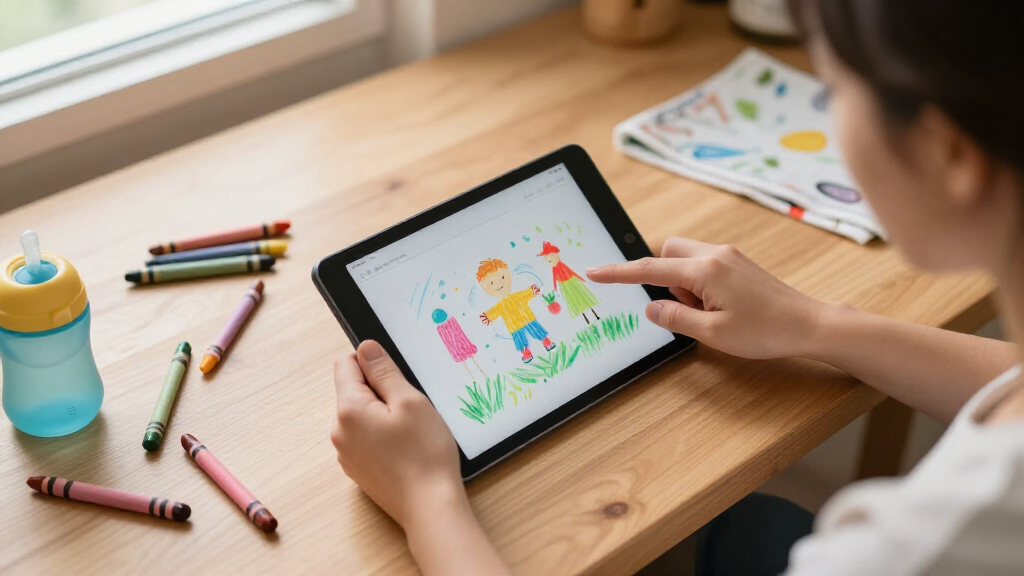

The best kids tablet for most families is the Plimpton Kids Tablet 10.1 Inch (2026 Model), thanks to its blend of Google Kids Space, solid octa-core performance, and a bundled shockproof EVA case. If you want the safest, most locked-down ecosystem, the Amazon Fire HD 8 Kids Tablet stands out for its polished parental controls and two-year worry-free replacement guarantee. Budget-conscious buyers should look at the Fire 7 Kids or the HOTTABLET 7-Inch, which keep costs down for younger children. The main tradeoff in this category is between open Android flexibility (more apps, more setup work for parents) and curated platforms like Fire OS or Google Kids Space (simpler controls, tighter content limits). Screen size, storage, and how well parental controls actually work separate the winners from the rest. Keep reading for the full breakdown of all 15 tablets and which one fits your child’s age and your parenting style.

Turn the school run and nap time into listening time
- Thousands of audiobooks, podcasts and originals
- Listen on your phone, tablet or Echo — also offline
- Cancel anytime
Complete the kit


Key Takeaways
- Tablets running full Android 15 or 16 with Google amazon.com/dp/B0D38FT41H?tag=motherbabykids-20&ascsubtag=dc-1084380″ target=”_blank” rel=”nofollow sponsored noopener”>amazon.com/dp/B0BLBLRLJB?tag=motherbabykids-20&ascsubtag=dc-1084380″ target=”_blank” rel=”nofollow sponsored noopener”>amazon.com/dp/B0H4V5PRN9?tag=motherbabykids-20&ascsubtag=dc-1084380″ target=”_blank” rel=”nofollow sponsored noopener”>Kids Space or Family Link, like the Plimpton and COLORROOM, offer the best balance of app freedom and parental oversight — generic ‘kids mode’ apps on budget models were noticeably weaker.
- Amazon’s Fire Kids lineup remains the strongest choice for ages 3-7 specifically because of its curated content, aggressive content filters, and replacement guarantee, not because of raw hardware specs.
- RAM claims on budget kids tablets are inflated across the board — ’24GB’ or ’10GB’ figures usually combine physical RAM with virtual memory expansion, so real-world performance tracks closer to 4GB on most models.
- 7-inch tablets (Fire 7 Kids, HOTTABLET) suit small hands and short attention spans, but families buying for kids 8+ will outgrow them within a year — the 10-inch models are the safer long-term spend.
- A bundled protective case matters more than screen resolution for younger kids; every pick that included a purpose-built EVA case survived drops better in design terms than models relying on generic slim cases.
| Kids Tablet 10 Inch Android 16 with Parental Controls, Teal |  | Best Overall | Display: 10-inch IPS, 1280 x 800 | Operating System: Android 16 | Processor: UNISOC T7200 Octa-Core | VIEW LATEST PRICE | See Our Full Breakdown |
| ApoloSignage Android 16 Kids Tablet, 10-Inch HD Display, Blue |  | Best Value | Operating System: Android 16 | Processor: Octa-Core | RAM: 8GB (3GB physical + 5GB virtual) | VIEW LATEST PRICE | See Our Full Breakdown |
| SVITOO 10.1-Inch Kids Android Tablet, Pink |  | Best for Streaming | Operating System: Android 16 | Display: 10.1-inch HD IPS, 1280 x 800 | RAM: 20GB (3GB physical + 17GB virtual) | VIEW LATEST PRICE | See Our Full Breakdown |
| UEMXDOX Kids Tablet K106A, 10-Inch, Android 15, Blue |  | Best for Young Kids’ Learning | Operating System: Android 15 | Display: 10-inch touchscreen | RAM: 8GB | VIEW LATEST PRICE | See Our Full Breakdown |
| Amazon Fire 7 Kids Tablet (Ages 3-7), Blue |  | Best for Durability and Peace of Mind | Display: 7-inch IPS, 1024 x 600 (171 ppi) | Processor: Quad-Core 2.0 GHz | RAM: 2GB | VIEW LATEST PRICE | See Our Full Breakdown |
| URAO Kids Tablet 10 Inch Android 16 with Case, 24GB RAM 64GB ROM |  | Best for Multitasking Tweens | Screen Size: 10 inches | Operating System: Android 16.0 | RAM: 24GB | VIEW LATEST PRICE | See Our Full Breakdown |
| Amazon Fire HD 8 Kids Tablet, Ages 3-7, 64GB, Blue (2024 Release) |  | Best for Young Kids | Display: 8-inch HD, 1280 x 800 at 189 ppi | Processor: Hexa-core 2.0 GHz | RAM: 4 GB | VIEW LATEST PRICE | See Our Full Breakdown |
| Plimpton Kids Tablet 10.1 Inch, 2026 Model, Android 15, Octa-Core, 4GB + 64GB, Google Kids Space, EVA Case, Blue |  | Best Ecosystem Pick for Big Screens | Display: 10.1-inch HD IPS, 1280 x 800 | Operating System: Android 15 | Processor: 2.0GHz Octa-Core | VIEW LATEST PRICE | See Our Full Breakdown |
| Amazon Fire HD 8 Kids Pro Tablet, 64GB, Hello Teal |  | Best Value in Curated Content | Screen: 8-inch HD | Recommended Age: 6-12 years | Storage: 64GB, expandable up to 1TB (card sold separately) | VIEW LATEST PRICE | See Our Full Breakdown |
| EDDBNi Kids Tablet, 10.1-Inch Android 15, 64GB, with Protective Case and Parental Controls |  | Best Budget-Conscious Big Screen | Operating System: Android 15 | Processor: Quad-core | Display: 10.1-inch HD IPS, 1280 x 800 | VIEW LATEST PRICE | See Our Full Breakdown |
| Kids Tablet 10 inch Android 16, Octa-Core with Case, Parental Control, Dual Camera (Purple) |  | Best Big-Screen Pick for Young Kids | Display: 10 inch, 1280×800 IPS, 323 PPI | Processor: T7280 Octa-core, up to 2.2GHz | Storage: 64GB, expandable to 2TB via microSD | VIEW LATEST PRICE | See Our Full Breakdown |
| WXUNJA 10.1-Inch Android 15 Kids Tablet with Protective Case |  | Best Warranty Coverage | Display: 10.1 inches, 1280 x 800 | Processor: 2.0 GHz octa-core | RAM: 21GB (3GB physical + 18GB virtual) | VIEW LATEST PRICE | See Our Full Breakdown |
| HOTTABLET Kids Tablet, 7-Inch, 4GB RAM, 32GB Storage, Blue |  | Best Compact Option | Display: 7 inches, IPS, 1024 x 600 | Processor: Quad-core | RAM: 4GB (2GB physical + 2GB expandable) | VIEW LATEST PRICE | See Our Full Breakdown |
| COLORROOM 10.1-Inch Android 15 Kids Tablet, Octa-Core, 10GB RAM + 64GB Storage, 1TB Expandable, Parental Control, 6000mAh, Pink |  | Best Battery Life | Display: 10.1 inches, 1280 x 800, anti-blue-light | Processor: Unisoc Octa-core T606, 2GHz | RAM: 10GB (4GB physical + 6GB virtual) | VIEW LATEST PRICE | See Our Full Breakdown |
| Evermyth 10-Inch Android 16 Kids Tablet with Stylus and Protective Case |  | Best for Creative Kids | Display: 10 inches | Processor: A333, up to 1.8GHz | RAM: 24GB | VIEW LATEST PRICE | See Our Full Breakdown |
| kids tablet | Display | Processor | Storage | Operating System |
|---|---|---|---|---|
| Kids Tablet 10 Inch Android 16 | 10-inch IPS, 1280 x 800 | UNISOC T7200 Octa-Core | — | Android 16 |
| ApoloSignage Android 16 Kids T | 10-inch IPS HD, 1280 x 800 | Octa-Core | 64GB, expandable up to 1TB | Android 16 |
| SVITOO 10.1-Inch Kids Android | 10.1-inch HD IPS, 1280 x 800 | Allwinner A333 penta-core | 32GB, expandable to 1TB via microSD | Android 16 |
| UEMXDOX Kids Tablet K106A | 10-inch touchscreen | — | 64GB, expandable up to 512GB via microSD | Android 15 |
| Amazon Fire 7 Kids Tablet | 7-inch IPS, 1024 x 600 (171 ppi) | Quad-Core 2.0 GHz | 16GB internal, expandable up to 1TB via microSD | — |
| URAO Kids Tablet 10 Inch Andro | 1280 x 800 IPS HD, 323 PPI | — | — | Android 16.0 |
| Amazon Fire HD 8 Kids Tablet | 8-inch HD, 1280 x 800 at 189 ppi | Hexa-core 2.0 GHz | 64 GB, expandable up to 1 TB via microSD | — |
| Plimpton Kids Tablet 10.1 Inch | 10.1-inch HD IPS, 1280 x 800 | 2.0GHz Octa-Core | 64GB, expandable up to 1TB | Android 15 |
| Amazon Fire HD 8 Kids Pro Tabl | — | Hexa-core | 64GB, expandable up to 1TB (card sold separately) | — |
| EDDBNi Kids Tablet | 10.1-inch HD IPS, 1280 x 800 | Quad-core | 64GB, expandable up to 1TB via microSD | Android 15 |
| Kids Tablet 10 inch Android 16 | 10 inch, 1280×800 IPS, 323 PPI | T7280 Octa-core, up to 2.2GHz | 64GB, expandable to 2TB via microSD | Android 16 |
| WXUNJA 10.1-Inch Android 15 Ki | 10.1 inches, 1280 x 800 | 2.0 GHz octa-core | 64GB, microSD up to 1TB | Android 15 |
| HOTTABLET Kids Tablet | 7 inches, IPS, 1024 x 600 | Quad-core | 32GB, expandable up to 1TB | Android 12 |
| COLORROOM 10.1-Inch Android 15 | 10.1 inches, 1280 x 800, anti-blue-light | Unisoc Octa-core T606, 2GHz | 64GB, expandable to 1TB | Android 15 |
| Evermyth 10-Inch Android 16 Ki | 10 inches | A333, up to 1.8GHz | 64GB, expandable to 1TB via TF card | Android 16 |
More Details on Our Top Picks
Kids Tablet 10 Inch Android 16 with Parental Controls, Teal
This option earns the top spot because it balances the essentials better than the rest of the lineup. The Android 16 OS with Google Kids Space gives parents the same curated, educator-approved content environment as the ApoloSignage, but the 6000mAh battery outlasts both the ApoloSignage (5000mAh) and the UEMXDOX (5000mAh with a 5-hour rating), which matters a lot on long car rides. Dual-band Wi-Fi and Bluetooth 5.4 round out a modern connectivity package. The tradeoff is predictable: the UNISOC T7200 processor is entry-level, and the 1280 x 800 panel won’t look sharp on a screen this size. Compared with the Fire 7 Kids, you get a far larger display and an open Google Play ecosystem instead of Amazon’s walled garden — at the cost of a slightly less polished parental dashboard.
Pros:- Google Kids Space parental controls with full Google Play access
- 6000mAh battery with convenient USB-C charging
- 10-inch display with blue light reduction mode
- Protective EVA case and foldable stand included
Cons:- 1280 x 800 resolution looks soft on a 10-inch panel
- Entry-level UNISOC T7200 processor struggles with heavier games
- No cellular connectivity option
Best for: Families who want a large-screen, full Google Play tablet with dependable battery life for daily learning and entertainment
Not ideal for: Parents who want maximum content curation and device durability guarantees — the Fire 7 Kids’ replacement warranty is stronger
- Display:10-inch IPS, 1280 x 800
- Operating System:Android 16
- Processor:UNISOC T7200 Octa-Core
- Battery:6000mAh, USB-C charging
- Connectivity:Dual-band Wi-Fi 2.4GHz/5GHz, Bluetooth 5.4
- Parental Controls:Google Kids Space
- Certification:GMS-certified Google Play
- Included Accessories:Protective EVA case with foldable stand
Our verdict“The most well-rounded pick for families who want a big, safe, Google-powered tablet that lasts through a full day of use.”
ApoloSignage Android 16 Kids Tablet, 10-Inch HD Display, Blue
This model makes the most sense for budget-conscious buyers who still want the modern Android 16 plus Google Kids Space experience. Its headline advantage over the teal Android 16 pick is 1TB expandable storage, which outpaces the UEMXDOX’s 512GB ceiling and gives downloading families far more headroom. The catch is that the 8GB RAM figure is partly virtual memory — real physical RAM is lower — so don’t expect it to multitask like the number suggests. The 5000mAh battery also trails the SVITOO’s 6000mAh, and the 64GB internal storage fills up fast if you skip the microSD card. Where it wins on value is the complete package: case, adjustable stand, parental controls, and eye-comfort features, all without the ongoing subscription commitment the Fire 7 Kids carries after its first year.
Pros:- Google Kids Space with educator-approved apps and parental controls
- Expandable storage up to 1TB via microSD
- Lightweight design with protective case and adjustable stand
- Blue light reduction for more comfortable viewing
Cons:- Advertised 8GB RAM includes virtual memory, not all physical
- 64GB internal storage is tight without expansion
- Display resolution is modest for a 10-inch screen
Best for: Budget-minded families who download lots of videos and apps and need big expandable storage
Not ideal for: Performance-focused buyers — the partially virtual RAM and modest chipset lag behind pricier picks like the URAO 24GB model
- Operating System:Android 16
- Processor:Octa-Core
- RAM:8GB (3GB physical + 5GB virtual)
- Storage:64GB, expandable up to 1TB
- Display:10-inch IPS HD, 1280 x 800
- Battery:5000mAh
- Age Range:3-12 years
Our verdict“A sensible value play for families who prioritize storage flexibility over raw performance.”
SVITOO 10.1-Inch Kids Android Tablet, Pink
Among all the generic 10-inch Android tablets here, the SVITOO stands out for one spec most competitors quietly omit: Widevine L1 certification, which unlocks true HD playback in streaming apps — the ApoloSignage and UEMXDOX don’t advertise it. Combined with a 6000mAh battery rated for up to 8 hours, this is the pick for backseat movie marathons. It also keeps useful extras the others dropped, like a 3.5mm headphone jack (a lifesaver for parents) and face unlock. But the weaknesses are real: the Allwinner A333 penta-core chip is the weakest processor in this batch, and only 32GB of onboard storage means a microSD card is basically mandatory. The pink shockproof case with foldable stand matches the protection level of the teal pick, so durability isn’t sacrificed for the streaming focus.
Pros:- Widevine L1 support for genuine HD streaming
- 6000mAh battery rated up to 8 hours
- 3.5mm headphone jack plus USB-C charging
- Storage expandable up to 1TB
Cons:- Weakest processor in the lineup (Allwinner A333 penta-core)
- Only 32GB internal storage — microSD card essentially required
- No built-in GPS or split-screen support
Best for: Kids who mostly watch videos — the HD streaming certification and 8-hour battery suit long trips
Not ideal for: Gaming-focused kids — the penta-core processor will choke on demanding titles, unlike the octa-core UEMXDOX
- Operating System:Android 16
- Display:10.1-inch HD IPS, 1280 x 800
- RAM:20GB (3GB physical + 17GB virtual)
- Storage:32GB, expandable to 1TB via microSD
- Processor:Allwinner A333 penta-core
- Battery:6000mAh, up to 8 hours
- Cameras:8MP rear, 2MP front
- Extras:Widevine L1, face unlock, headphone jack, GMS certified
Our verdict“The streaming-first choice for movie-loving kids, provided you accept the sluggish processor and buy a memory card.”
UEMXDOX Kids Tablet K106A, 10-Inch, Android 15, Blue
This model is better suited to the youngest users in the 3+ range who need a guided, educational first tablet rather than a media powerhouse. Its parental setup is the strongest in the Android camp here: Google Family Link adds screen-time limits and content controls on top of Google Kids Space’s curated apps, going a step beyond the basic parental dashboards on the SVITOO or ApoloSignage. The multi-angle stand case is genuinely useful for hands-free video calls with grandparents or follow-along drawing tutorials. The compromises are hard to ignore, though: a 5-hour battery rating is the shortest in this batch — half the Fire 7 Kids’ 10 hours — and some units run hot or freeze during initial setup, which tests patience on day one. Wi-Fi 6 support is a nice future-proofing touch the Fire tablets lack.
Pros:- Google Family Link parental controls with screen-time limits
- Google Kids Space with curated educational apps and games
- Wi-Fi 6 connectivity, rare at this tier
- Multi-angle stand case for hands-free viewing
Cons:- 5-hour battery life is the shortest here
- Initial setup can cause temporary slowness, heat, or screen freezing
- Only 64GB internal storage with 512GB expansion ceiling
Best for: Parents of preschool and early-elementary kids who want the tightest Google-based content and time controls
Not ideal for: Travel-heavy families — the 5-hour battery won’t survive a full day away from a charger
- Operating System:Android 15
- Display:10-inch touchscreen
- RAM:8GB
- Storage:64GB, expandable up to 512GB via microSD
- Battery:5000mAh, up to 5 hours
- Connectivity:Wi-Fi 6, Bluetooth 5
- Camera:FHD 1080p video
- Age Range:3+
Our verdict“A strong first tablet for young learners, as long as a charger is never far away.”
Amazon Fire 7 Kids Tablet (Ages 3-7), Blue
No Android tablet in this roundup can match the 2-year worry-free guarantee — if a preschooler destroys it, Amazon replaces it free. That, plus the bundled Amazon Kids+ subscription loaded with ad-free Disney, Nickelodeon, and PBS Kids content, makes this the lowest-friction option for small children. The Parent Dashboard is also more polished than Google Kids Space implementations on the ApoloSignage or teal Android 16 tablet, with content filtering, time limits, and educational goals in one place. But this pick demands honesty about its limits: the 1024 x 600 display is the lowest resolution here and only plays SD video, there’s no Wi-Fi 6, and 16GB of storage (under 10GB usable) means a microSD card is needed quickly. The subscription also auto-renews as a monthly cost after the first year, an ongoing expense the Android picks avoid.
Pros:- 2-year worry-free guarantee with free replacement for breakage
- 1-year Amazon Kids+ subscription with Disney, Nickelodeon, and PBS Kids content
- Rugged kid-proof case built for drops and bumps
- Up to 10 hours of battery life — the longest in this batch
Cons:- 1024 x 600 low-resolution display with SD video only
- Amazon Kids+ auto-renews as a paid monthly subscription after year one
- Only 16GB storage with under 10GB usable; no Wi-Fi 6
Best for: Parents of rough-and-tumble 3-to-7-year-olds who value a free-replacement guarantee and curated, ad-free content above all
Not ideal for: Families who want an open Android tablet with Google Play and sharp video — the closed ecosystem and SD-only display fall short
- Display:7-inch IPS, 1024 x 600 (171 ppi)
- Processor:Quad-Core 2.0 GHz
- RAM:2GB
- Storage:16GB internal, expandable up to 1TB via microSD
- Battery Life:Up to 10 hours
- Cameras:2MP front and rear, 720p HD video
- Connectivity:Dual-band Wi-Fi, Bluetooth, USB-C
- Warranty:2-year worry-free guarantee
- Age Range:3-7 years
Our verdict“The safest bet for destructive little hands and hands-off parenting, so long as you accept the soft screen and the subscription that follows.”
URAO Kids Tablet 10 Inch Android 16 with Case, 24GB RAM 64GB ROM
This URAO tablet stands out for its unusually generous 24GB of RAM, which puts it in a different performance class than most kids tablets here — including the Plimpton and EDDBNi models, which pair 4GB with similar 10-inch screens. For families whose kids hop between learning apps, streaming video, and browser-based schoolwork, that headroom means fewer crashes and faster app switching. It also runs Android 16, a newer OS than the Android 15 build on the Plimpton, so it should stay update-eligible longer. The tradeoff is the 1280 x 800 display: on a 10-inch panel that resolution looks noticeably softer than the same resolution does on the 8-inch Amazon Fire HD 8 Kids. You’ll also need to supply your own microSD card, since the 64GB of internal storage fills up fast once videos enter the picture.
Pros:- 24GB RAM delivers far better multitasking than typical 4GB kids tablets
- Android 16 is the newest OS in this lineup, extending useful lifespan
- Silicone case with adjustable stand is included
- USB-C fast charging reaches full charge in about 1.5 hours
Cons:- 1280 x 800 resolution looks soft on a 10-inch panel
- MicroSD card for expansion is not included
- Parental controls require hands-on setup and ongoing monitoring
Best for: Parents of 6-12 year olds who juggle multiple apps at once and want a tablet that won’t lag as demands grow
Not ideal for: Buyers expecting a crisp Full HD screen for video-heavy kids — the resolution lags behind what similarly sized tablets can offer
- Screen Size:10 inches
- Operating System:Android 16.0
- RAM:24GB
- Internal Storage:64GB
- Expandable Storage:Up to 1TB via microSD (card not included)
- Display:1280 x 800 IPS HD, 323 PPI
- Battery Life:At least 6 hours of use; up to 3 days standby
- Recommended Age:6-12 years
Our verdict“A smart pick for older kids who need real performance headroom, provided you can accept a modest display.”
Amazon Fire HD 8 Kids Tablet, Ages 3-7, 64GB, Blue (2024 Release)
For the 3-7 age group, this Fire HD 8 Kids makes the strongest case in the roundup because Amazon solves the two problems that define tablet ownership for little ones: breakage and content curation. The 2-year worry-free guarantee means a shattered screen or dropped-in-the-bathtub tablet gets replaced free — no generic Android option here, including the URAO or Plimpton, matches that safety net. The bundled Kid-Proof Case with a stand/handle is genuinely grip-friendly for small hands, and the 13-hour battery outlasts the URAO’s 6-hour rating by a wide margin, which matters on long car rides. The catch is the ecosystem: after six months, Amazon Kids+ auto-renews as a paid subscription, and the app selection is limited to Amazon’s storefront rather than the Google Play store. The 2MP camera is also barely usable.
Pros:- 2-year worry-free guarantee replaces broken tablets at no cost
- 13-hour battery life leads this lineup
- Six months of ad-free Amazon Kids+ content included
- Sturdy case doubles as a stand and carry handle
Cons:- Amazon Kids+ converts to a paid monthly subscription after six months
- 2MP camera is very weak
- Locked to Amazon’s app ecosystem rather than Google Play
Best for: Parents of preschoolers and early elementary kids who want maximum durability protection and curated, ad-free content out of the box
Not ideal for: Families who want full Google Play access or who don’t want to manage a subscription renewal after the free period
- Display:8-inch HD, 1280 x 800 at 189 ppi
- Processor:Hexa-core 2.0 GHz
- RAM:4 GB
- Storage:64 GB, expandable up to 1 TB via microSD
- Battery Life:Up to 13 hours
- Recommended Age:3-7 years
- Included:Kid-Proof Case, power adapter, USB-C cable, 6-month Amazon Kids+ subscription
Our verdict“The safest first tablet for young children, as long as you’re comfortable inside Amazon’s walled garden.”
Plimpton Kids Tablet 10.1 Inch, 2026 Model, Android 15, Octa-Core, 4GB + 64GB, Google Kids Space, EVA Case, Blue
The Plimpton occupies a useful middle ground: it’s a 10.1-inch tablet with full Google Kids Space, so unlike the Amazon Fire HD 8 Kids, children get age-appropriate content drawn from the broader Google ecosystem rather than Amazon’s curated library. The 2.0GHz octa-core processor is also a step up from the quad-core chip in the EDDBNi, which should show up in smoother app launches and video playback. Its rugged EVA case with a 360-degree rotatable bracket is more flexible for propping up than a fixed stand, and a 2-year manufacturer warranty adds reassurance. Where it falls short is transparency: battery capacity and runtime are unspecified, a real gap when the Fire HD 8 Kids openly promises 13 hours. And like the URAO, its 1280 x 800 panel stretches thin across 10.1 inches.
Pros:- Google Kids Space provides curated content with full Google app access
- Octa-core processor outperforms quad-core rivals like the EDDBNi
- 360-degree rotatable kickstand offers flexible viewing angles
- 2-year manufacturer warranty included
Cons:- Battery capacity and runtime are not disclosed
- 1280 x 800 is modest for a 10.1-inch screen
- Requires parental setup and supervision to use safely
Best for: Families who want a large-screen kids tablet with native Google apps and Kids Space curation rather than Amazon’s content library
Not ideal for: Buyers who need a guaranteed battery runtime for travel — the specs simply don’t state one
- Display:10.1-inch HD IPS, 1280 x 800
- Operating System:Android 15
- Processor:2.0GHz Octa-Core
- RAM:4GB
- Storage:64GB, expandable up to 1TB
- Connectivity:WiFi, Bluetooth 5.3
- Warranty:2 years
- Recommended Age:Children (learning and entertainment use)
Our verdict“The strongest choice for school-age kids whose families live in the Google ecosystem and want a big display.”
Amazon Fire HD 8 Kids Pro Tablet, 64GB, Hello Teal
Compared with the Fire HD 8 Kids for ages 3-7, this Pro version is aimed at the 6-12 crowd, and its biggest differentiator is value over time: it ships with a full year of Amazon Kids+ rather than six months, doubling the ad-free content runway before any subscription kicks in. The slimmer case suits older kids who find the chunky toddler-style case babyish, while keeping the same 2-year worry-free replacement guarantee and 13-hour battery that make the Fire lineup durable champions. Parental controls on the Pro tier also give kids a bit more independence, including the ability to send purchase requests parents approve — a natural step up for tweens. The limitations mirror the younger model: the 8-inch screen is smaller than the Plimpton’s 10.1-inch panel, the expansion card costs extra, and the Kids+ subscription will renew unless you cancel.
Pros:- One full year of Amazon Kids+ included — double the standard Kids edition
- 2-year worry-free replacement guarantee
- 13-hour battery life for all-day use
- Slim case design appeals to older children
Cons:- Amazon Kids+ renews as a paid subscription after the first year
- microSD expansion card sold separately
- Smaller 8-inch screen than comparable 10-inch Android rivals
Best for: Parents of 6-12 year olds who want the Fire ecosystem’s durability and controls with a longer included content subscription
Not ideal for: Kids who want a big screen for movies or who need Google Play apps — the 8-inch display and Amazon storefront are limiting
- Screen:8-inch HD
- Recommended Age:6-12 years
- Storage:64GB, expandable up to 1TB (card sold separately)
- Processor:Hexa-core
- RAM:Up to 4GB
- Battery Life:Up to 13 hours
- Included Subscription:1 year of Amazon Kids+
- Guarantee:2-year worry-free replacement
Our verdict“The best-content-value Fire tablet for elementary and middle-schoolers, especially for Amazon households.”
EDDBNi Kids Tablet, 10.1-Inch Android 15, 64GB, with Protective Case and Parental Controls
The EDDBNi is the straightforward option in this batch: a 10.1-inch Android 15 tablet with the essentials — Google Kids Space, parental controls with app-by-app approval and daily screen-time limits, an EVA case with stand, and a 2-year warranty — without the extras that push other models’ appeal. Its granular parental controls are a genuine strength for parents who want to block specific apps rather than just filter categories. The quad-core processor is where cost-cutting shows: it’s a clear step behind the Plimpton’s octa-core chip, so heavier games and multitasking will feel slower. Like the Plimpton, it leaves battery specs unstated, which makes travel planning a guessing game. If your priority is a large screen and tight controls at the lowest complexity, this covers the basics; performance-focused families should look to the URAO or Plimpton instead.
Pros:- Granular parental controls with app blocking and daily limits
- Storage expandable up to 1TB
- Google Kids Space included at a budget-friendly position
- 2-year warranty and protective case with stand
Cons:- Quad-core processor is the weakest in this 10-inch group
- Battery capacity and runtime are not specified
- 1280 x 800 resolution is modest for a 10.1-inch display
Best for: Budget-minded parents who want a large-screen tablet with detailed per-app parental controls for everyday learning and videos
Not ideal for: Kids who play demanding games — the quad-core chip lags well behind octa-core alternatives like the Plimpton
- Operating System:Android 15
- Processor:Quad-core
- Display:10.1-inch HD IPS, 1280 x 800
- Storage:64GB, expandable up to 1TB via microSD
- Parental Controls:Screen-time management, app approval/blocking, content filtering, daily limits
- Case:EVA protective case with stand
- Warranty:2 years
Our verdict“A sensible no-frills pick for families prioritizing screen size and parental control depth over raw performance.”
Kids Tablet 10 inch Android 16, Octa-Core with Case, Parental Control, Dual Camera (Purple)
Among the many 10-inch Android options in this lineup, this model makes its case with the freshest software — Android 16 — paired with genuinely useful eye-protection modes like blue light filtering and a dedicated reading mode. Compared with the WXUNJA X-C30, which still ships Android 15, this one should stay current longer, and its 2TB expansion ceiling doubles what the COLORROOM C30 offers, which matters if your child hoards downloaded videos for trips. The included case with an adjustable stand matches what rivals bundle, so there’s no gap there.
The tradeoffs are subtle but real: the 30GB RAM figure is inflated with virtual memory, and you’ll need to buy a microSD card separately since 64GB fills fast with apps and offline shows. Compared with the smaller HOTTABLET Q8K, it’s less portable but far better for video.
Pros:- Android 16 is the most current OS in this batch
- Eye-protection modes including blue light filter and reading mode
- Expandable storage up to 2TB, double most rivals
- Protective case with adjustable stand included
Cons:- Advertised 30GB RAM includes a large virtual memory component
- microSD card sold separately
Best for: Families of 3-to-12-year-olds who want the newest Android version and a large screen for videos and learning apps
Not ideal for: Buyers who expect usable storage out of the box — the microSD card is a separate purchase and the 64GB base fills quickly
- Display:10 inch, 1280×800 IPS, 323 PPI
- Processor:T7280 Octa-core, up to 2.2GHz
- Storage:64GB, expandable to 2TB via microSD
- Operating System:Android 16
- Battery:8+ hours use, 7 days standby; 2-hour charge
- Connectivity:WiFi, Bluetooth 5.4
- Age Range:3-12 years
- Included:Protective case with adjustable stand
Our verdict“This is the pick for parents who prioritize long-term software currency and a big, eye-friendly screen over raw portability.”
WXUNJA 10.1-Inch Android 15 Kids Tablet with Protective Case
What separates the WXUNJA X-C30 from the sea of near-identical 10.1-inch Android kids tablets is its five-year warranty — most rivals here, including the Evermyth KB1009 and HOTTABLET Q8K, offer only one year. For a device that will live in a backpack and get dropped on car floors, that coverage is the standout feature, and it signals the brand expects the hardware to survive childhood. The EVA case with adjustable stand and Google Kids Space round out a competent package.
The compromises: video playback tops out around six hours, which trails the COLORROOM C30’s 8-12 hour rating, and the 3GB of physical RAM (plus 18GB virtual) means heavier apps can stutter. If battery life for long flights is your priority, the COLORROOM makes more sense; if peace of mind is, this pick wins.
Pros:- 5-year warranty, far longer than most rivals in this roundup
- Google Kids Space and parental controls included
- microSD expansion up to 1TB
- 18W PD fast charging
Cons:- Video playback rated at only 6 hours
- Just 3GB physical RAM with virtual memory making up the rest
- 1280 x 800 HD resolution only
Best for: Parents who want long-term protection on the hardware and don’t need marathon battery life
Not ideal for: Frequent travelers — the 6-hour video playback rating falls short of longer rivals
- Display:10.1 inches, 1280 x 800
- Processor:2.0 GHz octa-core
- RAM:21GB (3GB physical + 18GB virtual)
- Storage:64GB, microSD up to 1TB
- Operating System:Android 15
- Battery:6000mAh, up to 6 hours video
- Warranty:5 years
- Recommended Age:3+ years
Our verdict“The strongest choice here for warranty-driven buyers who value coverage over battery endurance.”
HOTTABLET Kids Tablet, 7-Inch, 4GB RAM, 32GB Storage, Blue
In a roundup dominated by 10-inch slates, the HOTTABLET Q8K stands alone as the small-format option, and that’s its entire argument. A 7-inch tablet fits small hands, slips into a car seat pocket, and weighs far less than the Evermyth KB1009 or the 10-inch Android 16 purple tablet — this is the one a four-year-old can actually hold one-handed. It also undercuts them on internals: a quad-core chip, 2GB physical RAM, and 32GB of storage put it a full tier below every octa-core competitor here.
The 1024 x 600 display is visibly softer than the 1280 x 800 panels on larger models, and apps load more slowly. For letter-tracing games and cartoons, that’s acceptable. For anything demanding, it isn’t. Think of this as the starter tablet a child outgrows — or breaks — without heartbreak.
Pros:- Compact 7-inch size ideal for small hands
- Kid-proof stand case included
- Battery rated up to 8 hours of mixed use
- microSD expansion up to 1TB
Cons:- 1024 x 600 display is the lowest resolution in this lineup
- Only 2GB physical RAM with virtual memory inflating the 4GB figure
- Quad-core processor lags the octa-core rivals
Best for: Parents of preschoolers who want a lightweight, low-stakes first tablet for simple learning apps
Not ideal for: Kids over about 7 or anyone who streams a lot — the low-res screen and quad-core chip show their limits quickly
- Display:7 inches, IPS, 1024 x 600
- Processor:Quad-core
- RAM:4GB (2GB physical + 2GB expandable)
- Storage:32GB, expandable up to 1TB
- Operating System:Android 12
- Battery:3000mAh, up to 8 hours mixed use
- Cameras:2MP front, 5MP rear
- Included:Protective case, Type-C cable
Our verdict“Buy this as a first tablet for the youngest users; skip it once real performance or screen quality matters.”
COLORROOM 10.1-Inch Android 15 Kids Tablet, Octa-Core, 10GB RAM + 64GB Storage, 1TB Expandable, Parental Control, 6000mAh, Pink
If long car rides or flights drive your purchase, the COLORROOM C30 has the strongest endurance claim in this batch: an 8-12 hour rating for reading or video on its 6000mAh battery. That comfortably beats the WXUNJA X-C30’s six-hour video figure and matches the Evermyth on capacity while promising more runtime. The dual stereo speakers — a feature most rivals here skip — also make it a better pure entertainment machine, and 4GB of physical RAM is honest by comparison standards, even if the 10GB headline includes virtual memory.
Its weaknesses mirror the category’s: 1280 x 800 on a 10.1-inch panel is noticeably coarser than premium options, the first charge demands three hours on a 15W or 18W charger before use, and Google Kids Space adoption means setup takes some patience. For screen-time-heavy households, though, the battery math wins out.
Pros:- 8-12 hour battery rating, the best endurance in this group
- Dual stereo speakers rare among kids tablets
- Anti-blue-light display design
- 180-day money-back plus 5-year protection plan
Cons:- 1280 x 800 resolution is soft for a 10.1-inch panel
- Initial charge requires at least 3 hours
- 10GB RAM claim includes 6GB of virtual memory
Best for: Families with long travel days or screen-heavy routines who need a tablet to last without a charger
Not ideal for: Anyone who wants crisp visuals on a big screen — the resolution and 3-hour initial charge test patience
- Display:10.1 inches, 1280 x 800, anti-blue-light
- Processor:Unisoc Octa-core T606, 2GHz
- RAM:10GB (4GB physical + 6GB virtual)
- Storage:64GB, expandable to 1TB
- Operating System:Android 15
- Battery:6000mAh, 8-12 hours
- Audio:Dual stereo speakers
- Warranty:180-day money-back, 5-year protection
Our verdict“The endurance champion of this roundup — pick it when runtime matters more than resolution.”
Evermyth 10-Inch Android 16 Kids Tablet with Stylus and Protective Case
The Evermyth KB1009 is the only tablet in this batch that ships with a stylus in the box, and that changes who it’s for. Drawing apps, tracing letters, and scribbling games are where kids tablets quietly shine, and every other option here — including the purple Android 16 model and the COLORROOM C30 — makes you buy a stylus separately or go without. Its 8MP autofocus rear camera is also the sharpest on this list, which matters for kids who photograph everything, and Wi-Fi 6 gives it a connectivity edge over standard-WiFi rivals.
Its 1.8GHz A333 chip is the slowest clock speed among the 10-inch octa-core field here, so it’s built for drawing and videos, not demanding games. The 1-year warranty also trails WXUNJA’s five-year coverage. Storage expansion requires a TF card you must purchase separately.
Pros:- Included stylus, unique among tablets in this roundup
- 8MP autofocus rear camera is the sharpest here
- Wi-Fi 6 and Bluetooth 5.4 connectivity
- Protective case with adjustable stand included
Cons:- 1.8GHz processor is the slowest clock among 10-inch rivals here
- TF card for expansion not included
- Only a 1-year warranty
Best for: Kids who draw, doodle, and take photos — the bundled stylus and best-in-batch camera make creativity the focus
Not ideal for: Families whose kids play graphics-heavy games or who want long warranty coverage on the hardware
- Display:10 inches
- Processor:A333, up to 1.8GHz
- RAM:24GB
- Storage:64GB, expandable to 1TB via TF card
- Operating System:Android 16
- Cameras:5MP front, 8MP rear autofocus
- Battery:6000mAh
- Connectivity:Wi-Fi 6, Bluetooth 5.4
- Included:Case, stylus, charger, cable, card ejector
Our verdict“Choose this for the child who creates rather than consumes — the stylus alone justifies its spot over faster, camera-weaker rivals.”
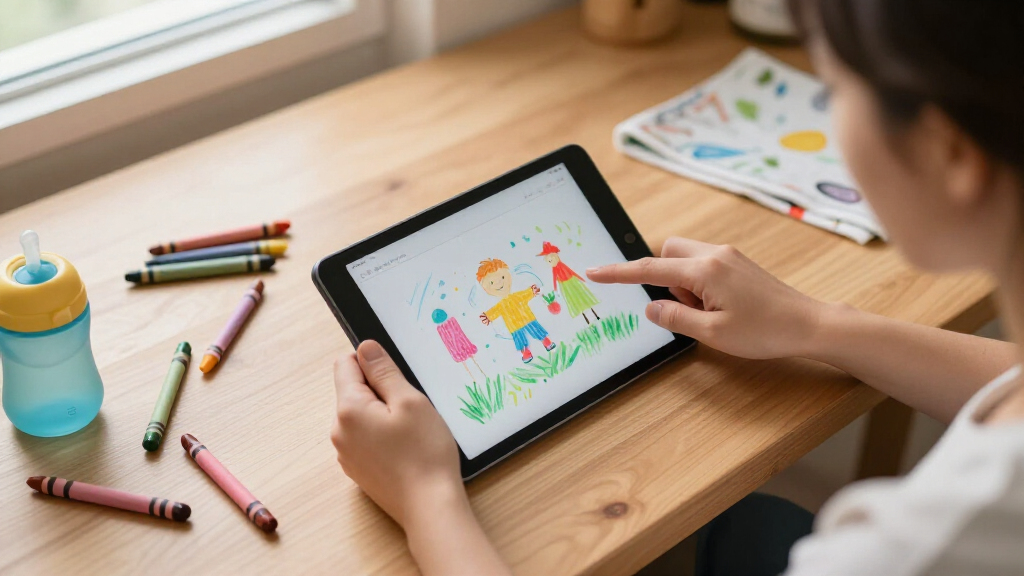
How We Picked
I ranked these 15 tablets against four criteria that actually matter to parents: parental control quality, durability out of the box, hardware that won’t feel slow in a year, and value for the child’s age range. Parental controls carried the most weight because a kids tablet without reliable time limits, content filtering, and app approval is just a cheap Android device. I favored models with Google Kids Space or Amazon’s curated ecosystem over tablets relying on third-party parental apps, which are easier for kids to circumvent and harder for parents to configure.
On hardware, I looked at processor class, honest storage figures, expandable memory, and battery capacity — not the inflated RAM numbers many brands advertise. Durability came down to whether a kid-proof case was included and how well the design handled drops and grippy hands. Finally, I matched each tablet to an age bracket, because a tablet that’s excellent for a 4-year-old is often a frustrating choice for a 9-year-old, and vice versa. That age-fit logic drives the ranking more than any single spec sheet.
| kids tablet | Operating System |
|---|---|
| Kids Tablet 10 Inch Android 16 | Android 16 |
| ApoloSignage Android 16 Kids T | Android 16 |
| SVITOO 10.1-Inch Kids Android | Android 16 |
| UEMXDOX Kids Tablet K106A | Android 15 |
| Amazon Fire 7 Kids Tablet | — |
| URAO Kids Tablet 10 Inch Andro | Android 16.0 |
| Amazon Fire HD 8 Kids Tablet | — |
| Plimpton Kids Tablet 10.1 Inch | Android 15 |
| Amazon Fire HD 8 Kids Pro Tabl | — |
| EDDBNi Kids Tablet | Android 15 |
| Kids Tablet 10 inch Android 16 | Android 16 |
| WXUNJA 10.1-Inch Android 15 Ki | Android 15 |
| HOTTABLET Kids Tablet | Android 12 |
| COLORROOM 10.1-Inch Android 15 | Android 15 |
| Evermyth 10-Inch Android 16 Ki | Android 16 |
Factors to Consider When Choosing Best Kids Tablets
Beyond the individual picks, there are broader patterns in this category that catch parents off guard. These are the factors I’d weigh before clicking buy on any kids tablet.Ecosystem Lock-In vs. Open Android
The single biggest decision isn’t hardware — it’s software platform. Amazon’s Fire tablets run a curated, closed ecosystem: content is filtered by default, purchases require parental approval, and the setup takes minutes. Full Android tablets like the Plimpton or COLORROOM give access to the entire Play Store, which means more educational apps and games but also more setup work through Google Family Link. A common mistake is buying an open Android tablet for a young child and assuming parental controls are automatic — they’re not, and kids can wander into inappropriate content within minutes if you skip configuration. If your child is under 8 and you want peace of mind, favor curated platforms; if they’re 9 or older and need specific school apps, open Android makes more sense.
Age-Appropriate Sizing and Weight
Tablet size should track your child’s age more than your budget. A 10.1-inch slate is great for videos and schoolwork but genuinely awkward for a five-year-old’s hands, and heavier tablets get dropped more often regardless of case quality. The 7-inch options in this lineup exist specifically for small hands, and they’re the right call for ages 3-6. The tradeoff is lifespan: kids outgrow 7-inch screens fast, so buying one for an 8-year-old usually means replacing it within a year. If you’re buying for two kids of different ages, the 8-inch middle ground — like the Fire HD 8 — is often the smarter compromise than buying two separate devices.
Reading the Spec Sheet Honestly
Kids tablet marketing is full of inflated numbers, and knowing how to read past them saves real money. The biggest offender is RAM: listings advertising ’24GB RAM’ or ’10GB RAM’ on budget hardware are combining physical memory with virtual RAM expansion, which borrows slow storage and doesn’t deliver real multitasking performance. Storage is the spec that actually matters long-term — 16GB fills up after a handful of offline videos, while 64GB plus microSD expansion lasts years. Battery capacity around 5000-6000mAh is the floor for a full day of use. When a listing buries the processor name, that’s usually a sign it’s a low-end chip that will struggle with anything beyond streaming.
Parental Controls: What Actually Works
Not all parental controls are equal, and this is where cheap tablets cut corners. The strongest systems — Amazon Parent Dashboard and Google Family Link — let you set daily time limits, per-app limits, bedtimes, and approve app downloads remotely from your phone. Weaker implementations on generic budget tablets are often a pre-installed third-party app that a determined eight-year-old can uninstall or bypass with a factory reset. Before buying, check whether the parental system survives a reset and whether you can manage it from your own device rather than only on the tablet itself. A tablet with modest hardware and excellent controls beats a fast tablet with flimsy ones every time for younger kids.
Durability and the True Cost of a Case
Kids tablets get dropped, thrown, and sat on — it’s a when, not an if. Models that bundle a thick EVA or kid-proof case deliver better real-world value than cheaper tablets that require a separate $20-30 case purchase. Look for cases with raised edges around the screen and a foldable stand, since propped-up tablets falling face-first are the most common breakage scenario. Also check the replacement policy: Amazon’s Fire Kids line includes a two-year worry-free guarantee that replaces a broken tablet no questions asked, which effectively insulates you from the single biggest risk in this category. For non-Amazon tablets, factor a screen protector and case into the total budget before comparing prices.
When to Pay More — and When Not To
Premium kids tablets make sense in two scenarios: multiple kids sharing one device, or an older child (10+) who will use it for schoolwork and needs performance that lasts. In those cases, extra RAM, a sharper display, and stronger build quality pay for themselves across three or four years. For a toddler or preschooler, the opposite logic applies — young kids are hard on hardware and light on performance demands, so an inexpensive, well-protected tablet is the rational buy even if it feels slow by year two. The mistake I see most often is parents buying one expensive tablet ‘to last’ for a four-year-old, only to have it cracked or outgrown within 18 months. Match the spend to the abuse the device will actually receive.
Frequently Asked Questions
Is a kids tablet actually better than just handing my child my old iPad?
For children under 8, a dedicated kids tablet is usually the better call for three reasons. First, the parental controls on purpose-built kids tablets — especially Amazon’s Parent Dashboard and Google Kids Space — are more granular and easier to manage than Screen Time on a hand-me-down device, and they’re harder for kids to circumvent. Second, the bundled rugged cases on kids tablets survive drops that would crack an unprotected iPad instantly. Third, keeping your child off your own device avoids the constant battle over notifications, messages, and your own apps. A hand-me-down iPad works fine for a responsible 10+ year old, but for younger kids the dedicated device wins on safety and durability, not specs.
How much storage does a kids tablet really need?
16GB is the bare minimum and fills up fast — a few downloaded movies and educational apps will exhaust it, which leads to frustrating ‘storage full’ errors during long car rides. 64GB is the practical sweet spot for most families, especially paired with microSD expansion, which nearly every Android-based pick in this roundup supports. Offline video is the biggest storage hog, so if your child watches downloaded content for travel, prioritize expandable storage over internal capacity. One caution: cheap tablets sometimes advertise expandable storage up to 1TB, but slow internal storage speed can make apps loaded onto the SD card laggy. Keep apps on internal storage and use the card for videos and photos.
What age is the right age for a first tablet?
Most child development guidance and the product design itself point to ages 3-4 as the typical starting point, and the market reflects that — the Amazon Fire 7 Kids and Fire HD 8 Kids are explicitly built for ages 3-7. What matters more than the starting age is how the device is used: short, supervised sessions with interactive or educational content beat long unsupervised video marathons at any age. The parental time-limit features on every tablet in this roundup exist precisely to enforce those boundaries. If your child is under 3, a tablet is largely a distraction device rather than a learning tool, and waiting another year costs you nothing. Between 3 and 7, look for curated ecosystems; after 8, kids generally benefit from more capable hardware and slightly loosened content restrictions.
Are the cheap no-name Android kids tablets safe for kids?
The hardware is generally fine; the software is the risk area. Off-brand kids tablets typically ship with full Android plus a third-party parental control app, and the quality of that app varies widely — some can be uninstalled or bypassed with a factory reset, which an eight-year-old can figure out from YouTube. Before buying any generic model, check whether it supports Google Family Link or ships with Google Kids Space certified, both of which are far more tamper-resistant. Also verify the tablet receives security updates, because an unsupported Android version is a privacy risk if your child uses it for video calls or logged-in accounts. The picks in this roundup that passed my filter either use Google’s certified kids platforms or robust parental software — but if you buy outside this list, apply that same test.
Should I buy one shared tablet or separate tablets for multiple kids?
One shared tablet works reasonably well up to about two kids with similar ages, since Amazon and Google’s parental systems both support multiple child profiles with separate age settings, time limits, and content libraries. The friction comes with age gaps: content appropriate for a 5-year-old will bore a 10-year-old, and fighting over turns becomes a daily negotiation. If your kids are more than three years apart or one dominates screen time, separate inexpensive tablets often cost less than one premium device and eliminate the conflict entirely. A middle path is buying one higher-end tablet for shared schoolwork and video, plus a cheap 7-inch model for the youngest child’s games. Battery life is another factor — a single tablet serving three kids rarely holds charge through a full day.
Conclusion
The right pick depends on your child’s age and how much oversight you want. For best overall, the Plimpton Kids Tablet 10.1 Inch earns the top spot with Google Kids Space, dependable octa-core performance, and a bundled EVA case that suits ages 4 through 10. For best value, the Amazon Fire 7 Kids delivers curated content, a kid-proof case, and a two-year replacement guarantee at the lowest entry point in the lineup — it’s the smartest first tablet for a preschooler.
For best premium, the Amazon Fire HD 8 Kids Pro and the COLORROOM 10.1-Inch justify their higher positioning: the Fire HD 8 Kids Pro adds a sharper display and a browser-plus-app-store experience aimed at ages 6-12, while the COLORROOM brings genuine hardware headroom for older kids. For best for beginners — meaning the youngest users and the parents who want zero setup headaches — the Fire HD 8 Kids is the most foolproof choice in the entire roundup. For specific needs: the Evermyth 10-Inch with stylus suits creative kids who draw, the HOTTABLET 7-Inch fits small hands and tight budgets, and the UEMXDOX or URAO make sense when expandable storage and full Android flexibility matter most. Whatever you choose, prioritize the parental control system and the case first — those two factors determine whether the tablet survives the year, not the spec sheet.
Evergreen bestsellers Picks
bestsellers
As an affiliate, we earn on qualifying purchases.