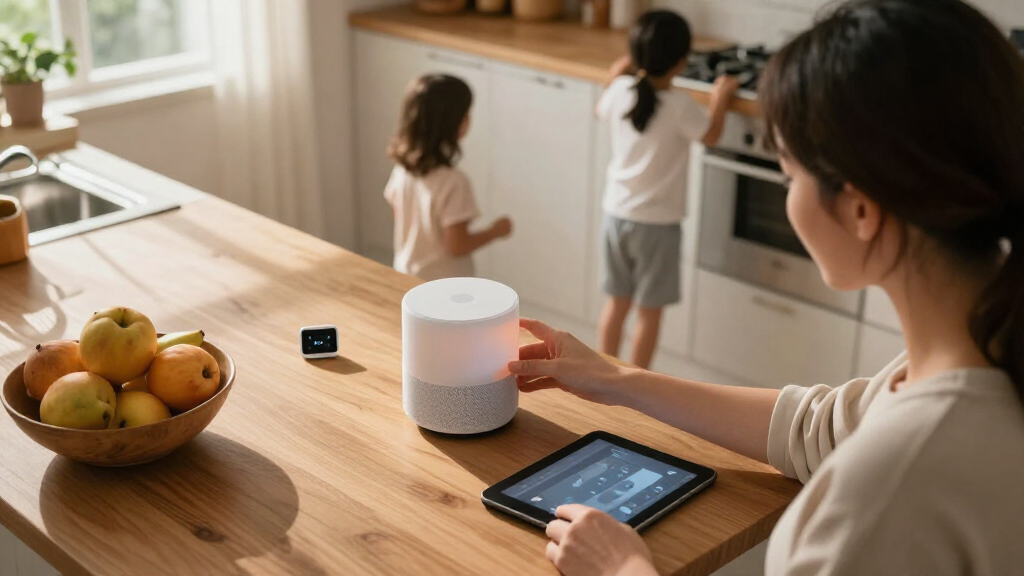

Choosing smart home devices for a family is less about finding the cleverest speaker and more about picking a system everyone can use safely and reliably. Amazon Alexa and Google Home are the two common starting points: both can control lights, plugs, thermostats, cameras, and other compatible devices by voice, but their strengths differ. Alexa tends to offer wider device selection and more ways to customize household routines. Google Home fits naturally into homes that already use Android, Google Calendar, Gmail, or YouTube, and many families find its everyday voice requests straightforward.

Turn the school run and nap time into listening time
- Thousands of audiobooks, podcasts and originals
- Listen on your phone, tablet or Echo — also offline
- Cancel anytime

Amazon Echo Show 15 (2nd Gen), 15.6-inch Full HD Smart Display with Fire TV and Alexa
- ✔ Display: 15.6-inch Full HD, 1920 x 1080
- ✔ Dimensions: 16.1 x 10.1 x 1.4 inches
- ✔ Weight: 4.96 lb

Amazon Echo Show 11 Smart Display with Full HD Touchscreen and Spatial Audio
- ✔ Display: 10.95-inch Full HD touchscreen, 1920 × 1200
- ✔ Dimensions: 10 × 5 × 7.2 inches
- ✔ Weight: 45.92 oz (1302 g)

Amazon Echo Show 5 Smart Display, Cloud Blue
- ✔ Display: 5.5-inch touchscreen
- ✔ Dimensions: 5.8 x 3.6 x 3.2 inches
- ✔ Weight: 16.1 oz (456 g)
The real decision is whether you want flexibility across a larger mix of devices or a closer fit with Google services. Neither platform is automatically childproof: parental settings, account permissions, purchase controls, and the capabilities of each connected device all matter. This comparison focuses on the family-level tradeoffs—ease of use, routines, compatibility, parental controls, privacy, reliability, and value—so you can choose a system that works for adults and children alike.
At a Glance
| Criteria | Amazon Alexa | Google Home | Winner |
|---|---|---|---|
| Device selection and compatibility | Broad range of Alexa-compatible devices and Echo models; check compatibility by device. | Works with many popular smart home brands, with compatibility depending on product and setup. | A |
| Family routines and automation | Highly customizable routines and a large library of integrations. | Routines cover common household tasks, with a more Google-centered approach. | A |
| Voice assistance and household sharing | Useful household voice control; features vary by device, account, and region. | Strong fit with Google services and shared household features; capabilities vary. | B |
| Parental controls and child use | Amazon Kids and parent settings can help, though setup and availability vary. | Family and child features depend on account, device, and region; configure separately. | Depends |
| Privacy and account management | Controls exist for recordings and purchases; families need to review settings. | Google account controls are available, but families should review voice and activity settings. | Depends |
| Setup and everyday ease | Simple entry point with Echo hardware and a large accessory range. | Often intuitive for households already using Android and Google apps. | B |
| Value and ecosystem flexibility | Good fit for mixed brands and varied budgets; some services and features cost extra. | Strong value when the household already pays for or relies on Google services. | Depends |
Amazon Echo Show 15 (2nd Gen), 15.6-inch Full HD Smart Display with Fire TV and Alexa
The Echo Show 15 (2nd Gen) is our best overall pick because its 15.6-inch Full HD display is the easiest of these three to treat as a household information point. A bigger screen gives family members a better chance of reading schedules, lists, or controls from nearby without gathering around a small panel. Its landscape or portrait orientation also gives us more flexibility about where and how to mount it, an advantage the smaller Echo Show 11 and Show 5 cannot match in scale.It also does more than organize a busy wall: Fire TV and the included remote make it a more complete entertainment screen, while the 13 MP camera with auto-framing can support video calls. The camera’s physical shutter offers a direct privacy measure when calls or camera features are not wanted. For smart-home control, built-in Zigbee, Matter, and Thread support gives it a broader hub role than we can infer from the Show 5’s listed specifications, and it matches the Show 11’s stated protocol support.The compromise is physical presence. At 16.1 inches wide and nearly five pounds, this is a display to plan for, not a casual bedside accessory; mounting and suitable Wi-Fi are part of the decision. It also does not support ad-hoc Wi-Fi networks, and some skills or streaming services may require subscriptions or other fees. Choose the Show 11 instead if you want similar modern hub protocols and a strong camera in a smaller screen; choose the Show 5 if a discreet room device matters more than shared visibility.
Pros:
- Large 15.6-inch Full HD screen supports shared viewing and portrait or landscape placement.
- Fire TV and an included remote add a dedicated entertainment use beyond household organization.
- Zigbee, Matter, and Thread support make it a capable hub for compatible devices.
- 13 MP auto-framing camera includes a physical shutter for direct privacy control.
Cons:
- Its large, nearly five-pound frame needs more deliberate placement than the Show 11 or Show 5.
- Requires Wi-Fi and does not support ad-hoc Wi-Fi networks.
- Some skills and streaming services may require subscriptions or other fees.
Best for: Families wanting a centrally mounted, easy-to-read display for household organization, compatible smart-home control, calls, and Fire TV.
Not ideal for: Households short on wall or counter space, using ad-hoc Wi-Fi, or looking for an inexpensive-to-place personal display rather than a prominent shared hub.
Bottom line: For families who can give it a central spot, the Echo Show 15 is the most complete shared hub in this lineup, though its size makes it a poor fit for small rooms.
“For families who can give it a central spot, the Echo Show 15 is the most complete shared hub in this lineup, though its size makes it a poor fit for small rooms.”
Amazon Echo Show 11 Smart Display with Full HD Touchscreen and Spatial Audio
The Echo Show 11 is the practical middle ground for families who want modern smart-home connectivity without dedicating a large wall area to a display. Its 10.95-inch Full HD touchscreen is substantially more accommodating than the Show 5 for household controls and video calls, while its smaller footprint is easier to place than the 15.6-inch Show 15. That balance makes it our pick for homes where the display will sit on a counter or shelf rather than act as a large mounted command center.Its smart-home credentials are unusually close to the top-ranked model: it has a built-in hub for Zigbee, Matter, and Thread, plus a 13 MP camera with auto-framing and 3.3× zoom. Ambient temperature, light, and presence sensors are also listed, giving it useful sensing capabilities for compatible Alexa features. Spatial audio and a woofer with two full-range drivers add a stronger entertainment and listening proposition than the small Show 5, although the supplied details do not establish Fire TV functionality or an included remote as they do for the Show 15.For privacy, the device has controls to disable its camera and microphones, so family members can turn off those functions on the device. The key tradeoff is that it is still a tabletop smart display, not a tiny personal speaker, and it lacks the Show 15’s larger shared canvas. It also does not support Bluetooth speakers requiring PIN codes, and hands-free voice control of connected mobile devices is not supported for Mac OS X. Pick it over the Show 15 when space is the constraint; move down to the Show 5 only when compact placement matters more than a readable shared screen.
Pros:
- 10.95-inch Full HD screen is a useful compromise between the Show 15 and Show 5.
- Built-in Zigbee, Matter, and Thread support matches the Show 15’s listed hub protocols.
- 13 MP auto-framing camera supports video calls and live view.
- On-device controls disable the camera and microphones.
Cons:
- The screen is less suited to distant or group viewing than the larger Show 15.
- Bluetooth speakers requiring PIN codes are not supported.
- Hands-free voice control of connected mobile devices is not supported for Mac OS X.
Best for: Families seeking a mid-size touchscreen with a capable connected-device hub, video calling, and on-device privacy controls.
Not ideal for: Buyers who need the largest possible shared screen, want a clearly specified Fire TV setup, or rely on Bluetooth speakers that require PIN codes.
Bottom line: The Echo Show 11 is the best compromise for families who want a substantial smart-home display but cannot justify the Show 15’s larger footprint.
“The Echo Show 11 is the best compromise for families who want a substantial smart-home display but cannot justify the Show 15’s larger footprint.”
Amazon Echo Show 5 Smart Display, Cloud Blue
The Echo Show 5 earns its place by solving a different problem from the other two: adding Alexa, a small touchscreen, and camera access where a larger family hub would be awkward. At 5.5 inches and just over a pound, it is much easier to fit on a bedside table or desk than either the Show 11 or Show 15. That makes it sensible for a family that wants a personal room display for basic controls, music, video, or calls rather than a central screen everyone gathers around.It includes a camera shutter and microphone/camera off button, giving households accessible privacy controls, and the camera can be used for video calls or viewing compatible cameras. Its recycled-material details may also matter to buyers who consider materials and packaging as part of a purchase. However, this compactness comes with real family-use limits: the 2 MP camera is a step down from the 13 MP cameras on the Show 11 and Show 15, and its small screen is not the natural choice for shared calendars or group viewing.Most importantly for a smart-home buying decision, the supplied Show 5 specifications do not list the Zigbee, Matter, and Thread hub support found in the other two models. It can control compatible smart-home devices, but families building around those protocols should compare it carefully with the Show 11 before choosing based on size alone. The Show 5 also requires Wi-Fi, does not support ad-hoc or peer-to-peer networks, and some skills or services may involve separate fees. It is the right pick for compact room use, not the strongest one-device family command center.
Pros:
- Small 5.5-inch display and light build fit bedside tables and desks more easily than the other picks.
- Camera supports video calls and viewing compatible cameras.
- Camera shutter and microphone/camera off button provide accessible privacy controls.
- Uses fabric made from post-consumer recycled polyester yarn and recyclable packaging.
Cons:
- Small screen is less useful for shared family information than the Show 11 or Show 15.
- 2 MP camera has lower listed resolution than the 13 MP cameras on the larger models.
- Ad-hoc and peer-to-peer Wi-Fi networks are not supported, and listed specifications do not identify Zigbee, Matter, or Thread hub support.
Best for: Families wanting a compact Alexa display for a bedroom, desk, or other personal space, especially where privacy controls and basic camera access matter.
Not ideal for: Households looking for a shared planning screen, a higher-resolution video-call camera, or clearly specified Zigbee, Matter, and Thread hub support.
Bottom line: The Echo Show 5 is the sensible space-saving choice for individual rooms, but families wanting one device to anchor shared routines should step up to the Show 11 or Show 15.
“The Echo Show 5 is the sensible space-saving choice for individual rooms, but families wanting one device to anchor shared routines should step up to the Show 11 or Show 15.”
As an Amazon Associate we earn from qualifying purchases.
Key Differences
The clearest practical gap is flexibility. Alexa has a broad accessory ecosystem and gives families many ways to link actions into routines, such as turning off a set of lights and adjusting a thermostat with one command. That advantage matters when your home has devices from several manufacturers or you want to tailor automations around school mornings, bedtime, or arrival home. Google Home can handle common routines too, but it is the more natural choice when the household already depends on Google accounts and services.
Neither platform should be treated as a complete parental-control system. Child accounts, voice purchasing, content access, and device permissions may be managed in different places, and exact features depend on hardware and location. A family should check settings on the assistant, each child’s account, and connected products such as cameras or door locks. The best choice is not simply the platform with more features; it is the one adults can configure and maintain without giving children unnecessary access.
For value, start with the devices you already own and the services your household uses. A low-cost speaker is not a bargain if it cannot control your preferred devices or becomes another account to manage. Alexa is the stronger general-purpose pick for mixed-brand homes and shoppers who want many hardware choices. Google Home is often the more convenient choice for Google-centered families, particularly if familiar account and calendar tools matter more than extensive customization.
Detailed Comparison
Device selection and compatibility (Amazon Alexa wins — moderate)
Alexa takes a moderate lead for breadth: its ecosystem includes a wide range of speakers, displays, plugs, lights, sensors, and third-party products. That gives families more chances to find a device at a preferred size or budget. Google Home also supports many well-known smart home brands, but compatibility still depends on the specific product, setup, and sometimes the manufacturer’s app. In practice, Alexa is the safer starting point for a household assembling a mixed-brand system from scratch. Before buying either way, verify that each product explicitly supports the platform and the features you need.
Family routines and automation (Amazon Alexa wins — moderate)
Alexa wins by a moderate margin for households that want detailed customization. Families can build routines that group several compatible actions under one trigger, which can make recurring tasks such as bedtime or leaving home easier. Google Home supports routines for everyday tasks, but Alexa’s breadth of integrations can make it easier to connect varied devices and tailor a setup. The practical benefit is less repetitive app control; the tradeoff is that more customization can take more time to configure and troubleshoot. Keep safety-critical actions, such as unlocking doors, behind appropriate restrictions rather than relying on a voice shortcut alone.
Voice assistance and household sharing (Google Home wins — minor)
Google Home gets a modest advantage for families whose everyday digital life already runs through Google. Calendar, account, and media habits can feel more cohesive when the assistant and other services share the same ecosystem. Alexa remains capable for voice control and household commands, and its hardware choices may suit rooms with different needs. Neither platform guarantees that every person’s voice, account, or requested service will behave identically; results depend on configuration and product support. Choose Google for ecosystem continuity, not on the assumption that every request will work better in every home.
Parental controls and child use (major difference)
There is no universal winner because family protections depend on the specific speaker, account setup, region, and connected services. Alexa offers child-oriented options, including Amazon Kids features on supported devices, while Google’s family and child controls are tied to its account and device environment. Both require adults to configure access rather than assuming a smart speaker is child-safe out of the box. Review voice purchasing, age-appropriate content, child accounts, and access to household controls. For younger children, keep sensitive controls such as door locks and cameras away from unrestricted voice access.
Privacy and account management (moderate difference)
This is a tie in the sense that neither platform removes the need for household oversight. Both provide account or device settings that users can review, but controls and data practices differ, and the details can change. Families should check how voice recordings and activity are handled, who can access each account, whether purchases require confirmation, and what data connected devices collect. A parent who already maintains several Google accounts may find Google’s controls more familiar; a family already managing Amazon devices may prefer Alexa’s settings. Convenience does not replace a privacy checkup.
Setup and everyday ease (Google Home wins — minor)
Google Home has a minor advantage when family members already use Android phones and Google apps, because the accounts and habits may already be in place. Alexa is also approachable, especially when starting with an Echo device, but a larger range of integrations can mean more choices and more setup decisions. The difference is less about one platform being universally simple and more about what the household knows. For a shared home, test the companion app and voice controls with the adults and older children who will use them; an interface that one person can maintain is more useful than a feature-rich system no one wants to manage.
Value and ecosystem flexibility (moderate difference)
Value depends on what the family already owns, so neither platform wins for every household. Alexa’s broad device range makes it easier to assemble a system across different budgets, while Google Home can avoid friction for families already using Google services and compatible hardware. Paying extra for a screen, premium speaker, or advanced device is worthwhile only if the family will use its specific features; the assistant platform itself does not make every upgrade worthwhile. Compare the total cost of the speaker, accessories, subscriptions, and any required hubs, then favor the option that works with devices you already have.
Amazon Alexa: Pros and Cons
Pros:
- Broad selection of compatible devices and Echo hardware
- Flexible routines suit recurring family schedules
- Good starting point for mixed-brand smart homes
Cons:
- More choices can add setup and maintenance work
- Child protections and purchase settings need active configuration
- Some features depend on specific hardware, services, or region
Google Home: Pros and Cons
Pros:
- Natural fit for households already using Google services
- Common routines and voice features are accessible to many families
- Can reduce ecosystem friction when Google accounts are already shared across household life
Cons:
- A less compelling choice if the family wants maximum device variety and customization
- Features differ by device, account, and region
- Google account settings still require parent attention and privacy review
Who Should Choose What
Choose Amazon Alexa if:
- You are building a smart home with devices from several manufacturers.
- You want flexible, multi-step routines for morning, bedtime, or leaving home.
- You want a wide choice of speaker and accessory prices and form factors.
Choose Google Home if:
- Your family already uses Google accounts, Android phones, Calendar, or other Google services.
- You want a familiar voice-control system for common household tasks without prioritizing extensive automation.
- You value keeping household tools within an ecosystem your family already knows.
Skip both if: Skip both for now if your household does not want voice-enabled devices or ongoing account management, or if your preferred devices lack verified support for either platform. A basic timer, manual switch, or standalone child-safe device may be a better fit.
Value for Money
Paying more for either ecosystem is worthwhile only when the added hardware solves a real household problem. A basic speaker may be enough for timers, simple questions, music, and control of a few lights. A screen or premium speaker can make sense if the family will use its display, audio quality, or supported calling and media features, but a higher price does not automatically bring better parental safeguards or broader compatibility.
For a new, mixed-brand setup, Alexa is often the better value because the wider device choice gives families more ways to match features and budgets. For a home already invested in Google services and compatible products, Google Home can be better value by reducing setup friction and making existing habits work together. Compare the full cost—including any subscriptions, hubs, and replacement devices—rather than the speaker price alone. Pay extra for a feature you will use; do not pay a premium just to add another screen or voice assistant to a room.
Final Verdict
For most families starting a smart home from scratch, choose Amazon Alexa. Its wider hardware selection and more flexible routines make it easier to build around different rooms, brands, budgets, and household schedules. That is the more useful general advantage for families who are still deciding what to connect.
Choose Google Home instead if your household already relies on Google accounts and services and wants familiar day-to-day voice control more than maximum customization. The deciding factor is ecosystem fit: Alexa is the stronger default for a varied device collection, while Google Home is the better match for a Google-centered household. With either system, configure child access, purchasing, privacy, and sensitive devices before giving children unrestricted control.
Frequently Asked Questions
Which smart home platform is easier for families to use?
It depends on the household’s existing habits. Google Home may feel easier in a family already using Android and Google services; Alexa offers a straightforward starting point but more choices to manage. Try the companion app and the commands your family expects to use before adding many devices.
Is Alexa or Google Home safer for children?
Neither is automatically safe for every child. Use child accounts and available family settings, disable or restrict voice purchasing, review content access, and limit control of cameras, locks, and other sensitive devices. Check the settings on connected services as well as the speaker.
Can Alexa and Google Home control the same smart devices?
Many popular devices support both, but not every model or feature does. Check the exact product’s compatibility details before purchase, and confirm whether setup requires the manufacturer’s app, a hub, or a subscription. A device’s basic control may work on both even when advanced features differ.
Should a family buy a smart display or a basic speaker?
Choose a basic speaker for voice commands, timers, and music if those are the main needs. Pay more for a display only if the family will use its screen for supported video, visual information, or other features offered by that model. A display alone does not provide stronger parental controls.