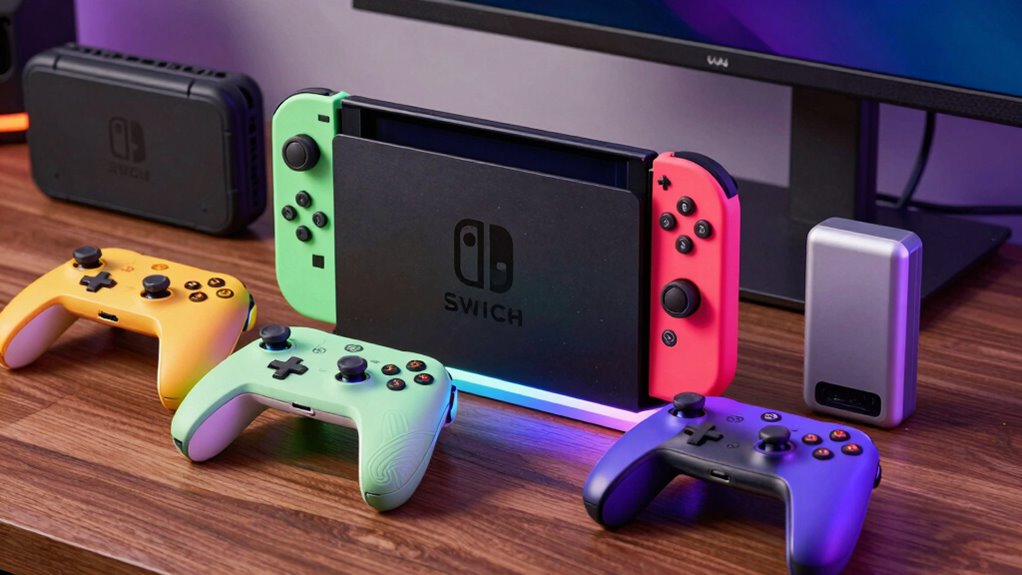
Finding the right Nintendo Switch accessories can significantly enhance your gaming experience, whether you want better control, protection, or organization. The Nintendo Switch Pro Controller stands out as the overall best pick for its comfort and responsiveness, while the Switch Organizer Station offers a great solution for keeping everything tidy. Standout options like the Switch Sports Accessories Bundle provide value-packed kits, but tradeoffs include compatibility and quality concerns. Continue reading to see how these options compare and which ones suit your priorities best.

Turn the school run and nap time into listening time
- Thousands of audiobooks, podcasts and originals
- Listen on your phone, tablet or Echo — also offline
- Cancel anytime
Complete the kit


Key Takeaways
- Top contenders balance performance, comfort, and price, with the Pro Controller leading for overall quality.
- Bundles offer great value but often include accessories that vary in quality and usability.
- Protection accessories like tempered glass protectors are inexpensive but require careful application to avoid bubbles.
- Organizational accessories simplify storage but may lack advanced charging features found in premium docks.
- Buyer priorities differ: gamers seeking durability prefer high-quality controllers, while casual players may favor affordable bundles.
| Nintendo Switch Pro Controller |  | Best Overall for Comfort and Extended Play | VIEW ON AMAZON | See Our Full Breakdown | |||
| Daydayup 3-Pack Tempered Glass Screen Protector for Nintendo Switch |  | Best Value for Screen Protection | Compatibility: Nintendo Switch 2017 | Thickness: 0.3mm | Transparency: 99.9% | VIEW ON AMAZON | See Our Full Breakdown |
| Switch Sports Accessories Bundle Compatible with Nintendo Switch and OLED |  | Best for Active Family Fun | Number of Pieces: 24 | Compatible Devices: Nintendo Switch, OLED | Includes: Steering wheels, golf clubs, tennis rackets, ping-pong bats, baseball bats, fishing rod, straps, grips, storage bag | VIEW ON AMAZON | See Our Full Breakdown |
| Nintendo Joy-Con (L)/(R) – Pastel Purple/Pastel Green |  | Best for Colorful Multiplayer Fun | VIEW ON AMAZON | See Our Full Breakdown | |||
| PowerA Joy-Con Comfort Grips for Nintendo Switch – Black |  | Best for Enhanced Comfort and Secure Play | Design: Lightweight, ergonomic | Material: Double-injected rubber | Compatibility: Nintendo Switch Joy-Con | VIEW ON AMAZON | See Our Full Breakdown |
| Nintendo Switch 2 Pro Controller |  | Best for Advanced Control and Customization | HD Rumble: Yes | Motion controls: Yes | Amiibo functionality: Built-in | VIEW ON AMAZON | See Our Full Breakdown |
| Switch Accessories Bundle for Nintendo Switch (23 in 1) |  | Best for Budget-Conscious Gamers Seeking Variety | Number of items: 23 | Includes: Carrying case, tempered glass screen protectors, racing wheels, Joy-Con grips, charging dock, stand, game card holder, TPU cover, joystick caps, silicone cases | VIEW ON AMAZON | See Our Full Breakdown | |
| Switch Organizer Station with Controller Charger for Nintendo Switch & OLED |  | Best for Organized Gaming Spaces with Charging Needs | Connector Type: Barrel Connector | Compatible Devices: Game Consoles, Switch/Switch OLED | Special Features: Fast Charging | VIEW ON AMAZON | See Our Full Breakdown |
More Details on Our Top Picks
Nintendo Switch Pro Controller
The Nintendo Switch Pro Controller stands out for its ergonomic design, making long gaming sessions more comfortable compared to smaller Joy-Con options. It includes a USB-C charging cable, facilitating easy recharging without needing additional accessories, which is a step above the basic Joy-Con controllers that require separate chargers. However, it lacks detailed specifications and advanced features like motion controls or HD rumble, which are available in some third-party options like PowerA grips. This pick is ideal for gamers who prioritize comfort and reliable battery life over customizable features or wireless connectivity options.
Pros:- Ergonomic shape reduces fatigue during long sessions
- Includes a convenient USB-C charging cable
- Reliable build quality for daily use
Cons:- Limited feature set compared to advanced controllers
- No detailed specifications or wireless capability
Best for: Serious gamers who play for hours and need a controller with comfortable ergonomics and straightforward charging.
Not ideal for: Casual players or those seeking customizable or wireless controllers with extra features.
Our verdict“This controller is best suited for players who prioritize comfort and simplicity over advanced features.”
Daydayup 3-Pack Tempered Glass Screen Protector for Nintendo Switch
This 3-pack of tempered glass protectors offers excellent clarity with 99.9% transparency and a durable 9H hardness, making it a strong choice for protecting your Switch screen from scratches and minor impacts. Compared with many single-pack options, this bundle provides multiple replacements, which is ideal for households or multiple devices. Its easy installation process is a plus, but users should be cautious about bubbles during application, and tempered glass inherently risks cracking upon a hard impact, unlike plastic film protectors that are more forgiving.
Pros:- High-definition clarity preserves display quality
- Durable 9H hardness resists scratches
- Three protectors provide multiple uses
Cons:- Installation can be tricky with bubbles
- Tempered glass may crack if dropped heavily
Best for: Families or users who want reliable, high-definition screen protection for multiple Switch devices or replacements.
Not ideal for: Players seeking ultra-thin, ultra-flexible protection or those worried about potential cracking upon impact.
- Compatibility:Nintendo Switch 2017
- Thickness:0.3mm
- Transparency:99.9%
- Surface Hardness:9H
- Coating:Oleophobic
Our verdict“This protector set offers great value for those needing multiple screen guards without sacrificing clarity.”
Switch Sports Accessories Bundle Compatible with Nintendo Switch and OLED
Compared to standard protective accessories, this 24-in-1 sports bundle offers a lively, interactive gaming experience with controllers, grips, straps, and a light-up sword. Its comprehensive set makes it easier to jump into active gameplay without separate purchases, making it perfect for families or groups who enjoy physical play. The inclusion of multiple sports equipment types and a colorful design makes it more engaging than simple controller skins or grips. However, the light-up sword’s blade cannot be removed once inserted, and some assembly is required, which could be a barrier for very young users or those seeking plug-and-play ease.
Pros:- Versatile 24-in-1 set for various sports activities
- Light-up sword adds immersive visual appeal
- Easy to install and secure with non-slip grips
Cons:- Light-up sword blade cannot be removed after insertion
- Batteries not included for the sword
- Some assembly required for setup
Best for: Families or groups looking for a fun, active multiplayer experience and versatile accessories.
Not ideal for: Players who prefer minimalistic setups or are concerned about assembly complexity and the irreparable nature of some accessories.
- Number of Pieces:24
- Compatible Devices:Nintendo Switch, OLED
- Includes:Steering wheels, golf clubs, tennis rackets, ping-pong bats, baseball bats, fishing rod, straps, grips, storage bag
- Lighting:Light-up sword with lavender glow
- Additional Features:Non-slip rubber pads, adjustable lanyard, quick installation
Our verdict“This bundle is perfect for active families and social gatherings needing a comprehensive, fun-filled accessory set.”
Nintendo Joy-Con (L)/(R) – Pastel Purple/Pastel Green
These pastel-colored Joy-Con controllers add a vibrant aesthetic to any Switch setup. They are a great choice for players who want to customize their console’s look and easily share controllers for multiplayer gaming, especially compared to plain black or grey options. Compatibility with the Switch is straightforward, but details about battery life or included accessories are limited, which could be a concern for those wanting a fully ready package. The color mismatch might also be an issue for users seeking a uniform look, but the fun pastel palette makes them a hit for casual, aesthetic-focused gaming.
Pros:- Bright pastel colors enhance aesthetic appeal
- Easy to attach and detach from the console
- Compatible with multiplayer gaming on Switch
Cons:- Limited info on battery life
- Color options may not match all consoles or setups
Best for: Players who enjoy colorful setups and quick multiplayer sessions with friends or family.
Not ideal for: Serious gamers looking for controllers with long battery life or advanced features like HD rumble and motion controls.
Our verdict“This colorful pair is perfect for casual players seeking fun, customizable controllers for multiplayer gaming.”
PowerA Joy-Con Comfort Grips for Nintendo Switch – Black
The PowerA Joy-Con Comfort Grips improve handling during extended gaming sessions, thanks to their double-injected rubber construction and ergonomic shape. They are a step above standard Joy-Con shells by providing a more secure grip and reducing hand fatigue. The slide-in design makes attaching and removing the grips straightforward, and the visible player indicator lights help with quick identification during multiplayer. However, these grips add noticeable bulk and may not appeal to players who prefer a more minimalist look or feel, and they are limited to only Joy-Con controllers, excluding other accessories or controllers.
Pros:- Enhanced comfort reduces hand fatigue
- Secure slide-in design prevents slipping
- Includes visible player indicator lights for easy identification
Cons:- Adds bulk to Joy-Con controllers
- Limited compatibility to Joy-Con only
Best for: Players who want a more comfortable, secure grip for long gaming sessions and multiplayer setups.
Not ideal for: Minimalist or portability-focused users who prefer lightweight, slim controllers or those seeking a multi-purpose grip for other devices.
- Design:Lightweight, ergonomic
- Material:Double-injected rubber
- Compatibility:Nintendo Switch Joy-Con
- Features:Easy slide-in, player indicator lights
Our verdict“This grip is ideal for gamers prioritizing comfort and secure handling during marathon sessions.”
Nintendo Switch 2 Pro Controller
The Nintendo Switch 2 Pro Controller stands out for its combination of HD Rumble, motion controls, and built-in amiibo functionality, offering a more immersive and versatile gaming experience compared to standard controllers like the original Switch Pro Controller. Its customizable buttons and integrated capture button make it ideal for players who want more control options, though it falls short on detailed battery life and wireless connectivity specifics, which could be a concern for longer gaming sessions. Unlike simpler controllers, this model adds features that appeal to serious gamers or those seeking a richer gameplay experience, but it might be overkill for casual users who prefer plug-and-play simplicity.
Pros:- Advanced HD Rumble and motion controls for immersive gameplay
- Customizable buttons to tailor controls to personal preferences
- Built-in amiibo functionality for added game features
- Includes a 3.5mm audio jack for wired headphones
Cons:- Lack of detailed information on battery life and wireless connectivity
- No explicit mention of wireless features or compatibility specifics
Best for: Gamers who prioritize advanced features, customization, and immersive controls for extended sessions.
Not ideal for: Casual players or those seeking a straightforward, wireless controller without extra functionalities.
- HD Rumble:Yes
- Motion controls:Yes
- Amiibo functionality:Built-in
- Capture Button:Yes
- C Button:Yes
- Audio jack:3.5mm stereo mini plug
Our verdict“This controller is best suited for dedicated gamers who want a feature-rich, customizable experience and don’t mind wired connections or limited info on battery life.”
Switch Accessories Bundle for Nintendo Switch (23 in 1)
This 23-in-1 accessories bundle offers a broad selection, including a carrying case, tempered glass protectors, racing wheels, grips, and more, making it a compelling choice for new or casual players who want a quick upgrade to their setup. Compared to individual accessory purchases, this bundle provides excellent value, although it includes many items that may be redundant for experienced gamers who already own protective gear or prefer specific brands. It’s ideal for families or newcomers who want to enhance comfort and protection in one purchase, but serious players might find some accessories unnecessary or less premium than dedicated options.
Pros:- Complete set of accessories to enhance the gaming experience
- Protective cases and tempered glass screen protectors for device safety
- Ergonomic designs like grips and silicone cases for comfort
- Includes a variety of accessories at a competitive price
Cons:- Console, Joy-Con, and games are not included, requiring additional purchase
- Some accessories may be redundant for seasoned players
Best for: Beginners or families who want a comprehensive starter kit to improve their gaming comfort and device protection.
Not ideal for: Experienced gamers who already own specific accessories or prefer high-end, specialized gear, as some items may be redundant.
- Number of items:23
- Includes:Carrying case, tempered glass screen protectors, racing wheels, Joy-Con grips, charging dock, stand, game card holder, TPU cover, joystick caps, silicone cases
Our verdict“This bundle offers great value for new users or families looking to cover all basic needs without high costs or multiple purchases.”
Switch Organizer Station with Controller Charger for Nintendo Switch & OLED
This all-in-one storage and charging station simplifies keeping your Nintendo Switch setup tidy, with dedicated docks for Joy-Cons, space for game cartridges, and the ability to charge controllers simultaneously. Compared to standalone docks, this station consolidates storage and charging, which is ideal for cluttered areas or multi-controller setups. However, it doesn’t include the Switch dock itself, and assembly can be a minor hassle, making it less suitable for those who want a plug-and-play solution. It’s particularly well-suited for dedicated gaming setups that need efficient organization and charging at the same time.
Pros:- Provides organized storage for controllers, games, and accessories
- Includes a fast-charging dock with LED indicators for Joy-Cons
- Compatible with Switch and Switch OLED models
- Helps keep gaming areas tidy and accessible
Cons:- Switch dock not included, requiring an additional purchase
- Assembly needed for installation, which may be inconvenient for some users
- Limited to specific Switch models, not universal for all consoles
Best for: Home users with multiple controllers and a desire for an organized, hassle-free charging station that supports both Switch and OLED models.
Not ideal for: Casual players or those with limited space who prefer simple, minimal setups without assembly or additional storage solutions.
- Connector Type:Barrel Connector
- Compatible Devices:Game Consoles, Switch/Switch OLED
- Special Features:Fast Charging
- Input Voltage:5 volts
- Amperage:1.5 A
- Total USB Ports:1
- Wattage:18 watts
- Output Current:1.5 A
Our verdict“This station is ideal for gamers who want to keep their setup neat, with fast charging and ample storage, but it requires some assembly and extra components.”

How We Picked
We evaluated each product based on performance, build quality, usability, compatibility, and value for money. Accessories that enhance gaming comfort, protect devices, or improve organization were prioritized. We also considered user reviews, brand reputation, and design versatility. Products were ranked by how well they met these criteria while offering a clear benefit to different types of Switch users. The top picks represent a balance of quality and affordability, with some premium options for dedicated gamers and practical choices for casual players.Factors to Consider When Choosing Nintendo Switch Accessories
Choosing the right Nintendo Switch accessories requires understanding your gaming habits, budget, and specific needs. Not all accessories are created equal; some improve control or comfort, while others focus on protection or organization. Consider how much you’re willing to spend and which features will bring the most value to your experience. Making informed decisions can help you avoid common pitfalls, like buying incompatible accessories or overspending on unnecessary features.Compatibility and Device Fit
Ensuring your accessories fit your specific Switch model, whether standard or OLED, is essential. Some controllers and docks are designed exclusively for certain versions, and incompatible accessories can lead to frustration or damage. Always check compatibility before purchasing, especially for third-party controllers and charging stations. Investing in accessories that fit your hardware properly saves money and prevents potential issues down the line.
Performance and Responsiveness
For serious gamers, the responsiveness of controllers matters more than anything. A high-quality controller like the Nintendo Switch Pro Controller offers better ergonomics and lower latency compared to cheaper alternatives. However, more advanced controllers often come at a higher price, so consider how much performance you truly need. Casual players may find more affordable options sufficient, but beware of lag or unresponsive buttons in cheaper models.
Protection and Durability
Screen protectors and cases extend the lifespan of your console and accessories. Tempered glass protectors, while inexpensive, require careful installation to avoid bubbles or cracks. Durable cases and grips can improve comfort and reduce damage from drops, but cheap options may wear out quickly or feel flimsy. Prioritize protection that offers good value and long-term reliability, especially if you travel often with your Switch.
Organization and Storage
Keeping your gaming setup tidy can improve your experience, especially if you own multiple accessories. Dock stations with charging ports and organizer stations help consolidate controllers, cables, and games, but some might lack advanced features like fast charging or additional ports. Consider your space and whether you prefer minimal clutter or a feature-rich station that supports multiple devices simultaneously.
Price and Value
Price varies widely among Nintendo Switch accessories, from budget-friendly screen protectors to premium controllers. Carefully weigh the benefits of spending more—like improved comfort and durability—against your budget. Bundles can be cost-effective but may include items you don’t need, so evaluate each component’s usefulness. Remember, sometimes paying a little more upfront results in longer-lasting, more satisfying accessories.
Frequently Asked Questions
Will third-party controllers work as well as Nintendo’s official Pro Controller?
Third-party controllers can offer good performance at a lower price, but they often lack the build quality and responsiveness of Nintendo’s official Pro Controller. Compatibility is generally good, but some cheaper options may have lag or unresponsive buttons. If you play competitively or want the best feel, sticking with official or high-quality third-party controllers is advisable. For casual gaming, many third-party options provide acceptable performance for a lower cost.
Are screen protectors necessary, or can I skip them?
Screen protectors are highly recommended to prevent scratches and cracks, especially if you frequently transport your Switch. Tempered glass protectors add minimal bulk while offering significant protection, but they require careful application. Skipping a protector can lead to costly repairs if the screen gets damaged. Even if your Switch is used gently, a protector adds peace of mind without much expense.
What’s the difference between a basic grip and a full docking station?
A basic grip primarily improves comfort during handheld play, often adding ergonomic support and better handling. In contrast, a full docking station or organizer station offers charging, storage, and sometimes cooling features, making it ideal for a dedicated gaming space. If you move your Switch often, a grip suffices; for a permanent setup, a dock with organization features can streamline your gaming area.
Should I buy a bundle or individual accessories?
Bundles often provide good value, combining controllers, screen protectors, and storage options at a lower total cost. However, the quality of included items can vary, and you might end up with accessories you don’t need. Buying individually allows you to select only what suits your needs, but it can be more expensive. Consider your priorities and budget before choosing bundles or individual purchases.
How often should I replace or upgrade my accessories?
Replacement frequency depends on usage and the quality of your accessories. Controllers usually last several years with proper care, but cheap models may wear out faster. Protective gear like screen protectors should be replaced if damaged or scratched. Upgrading accessories is worth considering when your current gear no longer meets your comfort, durability, or performance expectations, especially if you notice lag or discomfort during play.
Conclusion
For gamers seeking the best overall experience, the Nintendo Switch Pro Controller remains the top choice due to its comfort and responsiveness. Those on a budget will appreciate the Switch Accessories Bundle for value-packed options, while casual players might prefer the Joy-Con Comfort Grips for improved handling. For dedicated organizers or those with multiple accessories, the Switch Organizer Station offers convenience. New users or beginners should start with simple grips or bundles, whereas serious gamers will benefit from investing in high-end controllers and protection gear.Cold & flu season Picks
humidifiers
As an affiliate, we earn on qualifying purchases.